Electronic Invoice Explained: How Businesses Send Invoices Faster and Get Paid Sooner
By Alfaa Team
Stay in the loop
Get finance tips delivered to your inbox.
Late payments start at the point of delivery. A paper invoice sits in the mail for days, then in someone's inbox, then in a pile on a desk. Each stop adds time before you see the money.
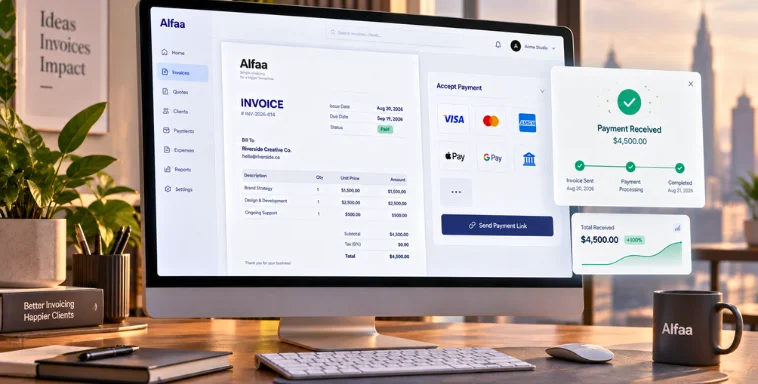
An electronic invoice removes those stops. You create it in an invoice application, send it in seconds, and the client pays online from the same document. No printing, no scanning, no waiting on the postal system.
Here's how it works, what it replaces, and why most businesses that switch never go back to paper.
What Is an Electronic Invoice?
An electronic invoice is a bill generated and sent through business invoice software instead of on paper. It carries the same information as a traditional invoice (line items, totals, tax, and due date) but lives inside a system that can send it, track it, and collect payment on it automatically.
That last part is what separates a real electronic invoice from a PDF you email as an attachment. A PDF still requires the client to open it, copy the bank details, and pay manually. A true electronic invoice includes a payment link, so the client pays with a card or bank transfer directly from the message they receive.
Why Businesses Use Electronic Invoices
Build the invoice: Add your client, line items, and payment terms inside the software.
Send it instantly: The client gets it by email or SMS within seconds of you clicking send.
Client pays online: They click a payment link and pay by card or bank transfer; no manual data entry.
You track status in real time: You see when it's viewed, when it's paid, and when it's overdue.
Reminders go out automatically: Software like Alfaa sends payment reminders on your behalf, so you're not the one chasing the client.
Why Businesses Switch to Electronic Invoicing
Faster payment: A payment link removes the extra step of logging into a bank app to manually enter your details.
Fewer errors: Tax and totals calculate automatically, so a misplaced decimal doesn't cost you a week of back-and-forth.
Full visibility: Dashboard analytics show which invoices are open, paid, or late without you checking each one by hand.
Lower overhead: No printing, no postage, no courier fees for businesses sending dozens of invoices a month.
Built-in follow-up: Automated reminders chase late payers so you don't have to send an awkward email yourself.
If you run a team that bills clients, client management tools keep every contact, invoice, and payment history in one place instead of scattered across email threads.
Electronic Invoice vs. Paper Invoice
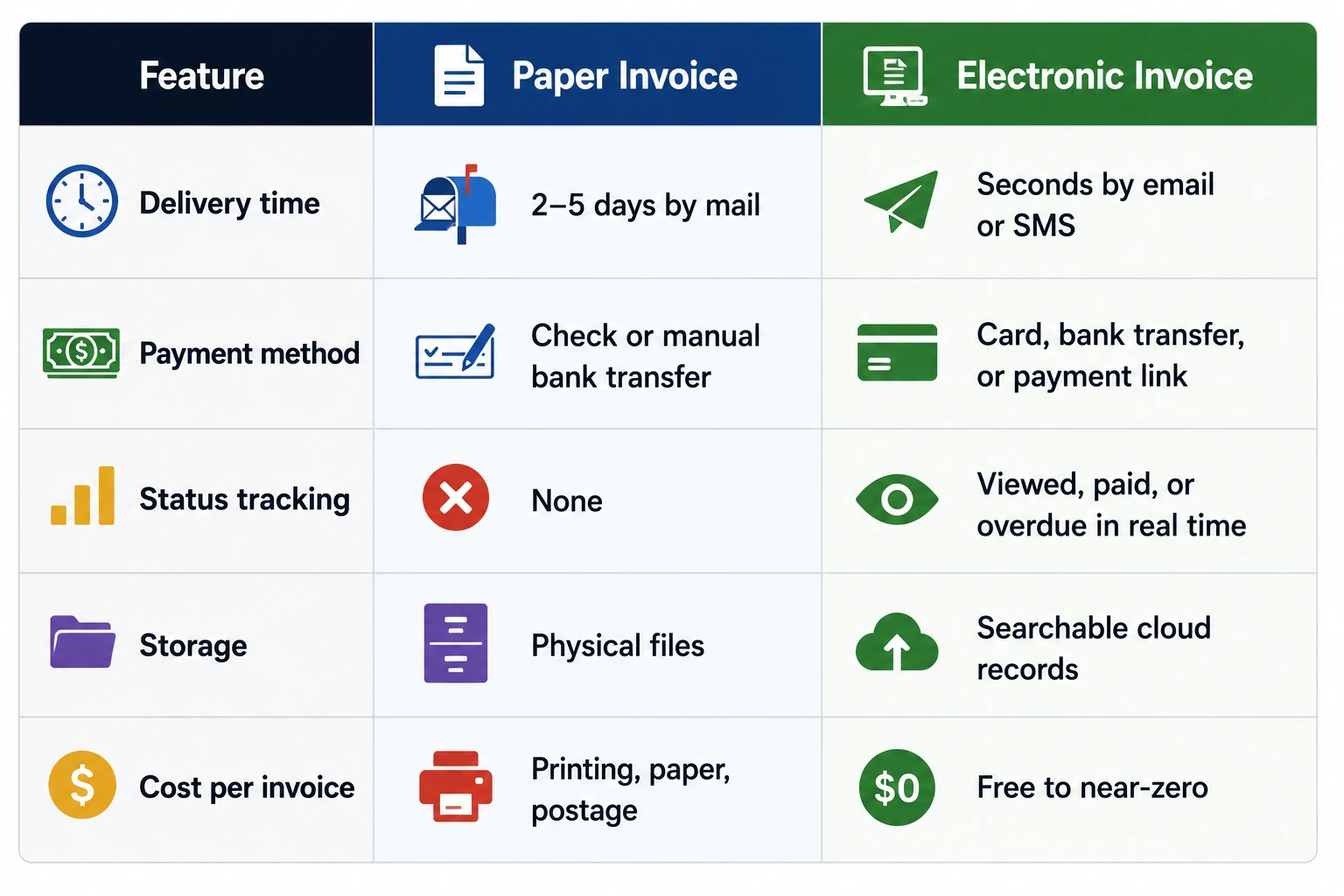
The tracking column matters most for cash flow. With paper, you find out an invoice is late when you notice the money hasn't arrived. With an electronic invoice, you know the moment it's overdue and can act on it the same day.
Who Should Use Electronic Invoicing
Freelancers and consultants who need to look professional without hiring admin help.
Agencies managing recurring billing across multiple retainer clients.
Online sellers who need a receipt generated for every transaction.
Growing companies that want to scale their client list without adding billing staff.
Businesses billing international clients, where a multi-currency invoice generator prevents FX and rounding errors that paper invoicing can't catch.
Founders running more than one company or brand face a different problem: which entity issues which invoice. That setup gets its own breakdown in our guide to invoice software for multiple businesses.
What to Look for in an Invoice Application
Not every tool that calls itself "electronic invoicing" does the whole job. Before you commit to one, check that it includes:
Automatic payment reminders, not just a "send invoice" button.
Real-time payment tracking, so you're not refreshing your bank app to check if a client paid.
Team management if more than one person on your side sends or approves invoices.
Client analytics that show which clients pay on time and which consistently run late, so you can adjust terms before it becomes a cash flow problem.
If a tool only replaces the paper with a PDF, you've kept the manual work and lost the paper trail. That's a downgrade, not an upgrade.
Ready to Send Your First Electronic Invoice?
Stop waiting on checks in the mail. Create your first electronic invoice with Alfaa, track it in real time, and let automated reminders handle the follow-up.
Frequently Asked Questions
An electronic invoice is a digital invoice created and sent using business invoice software or an invoice application to request payment online.
Yes, electronic invoices are legally valid in most countries when they meet tax and record keeping requirements.
An electronic invoice is processed digitally through software, while a PDF invoice is just a digital file that still requires manual handling.
Yes, small businesses widely use electronic invoices to send invoices for payment faster and track payments easily.
Customers can pay using cards, bank transfers, UPI, or online payment links directly through the invoice application.
Yes, electronic invoices sent through secure business billing software use encryption and access controls for data protection.
Yes, you need business invoice software or an invoice application like Alfaa to create, send, and manage electronic invoices.
Yes, because electronic invoices are delivered instantly and include payment reminders, they help reduce late payments.
Yes, freelancers use electronic invoices to send professional invoices for payment and receive money faster.
Yes, electronic invoicing systems show real time invoice status including sent, viewed, and paid.

Olivia Bennett
Content Writer @ Alfaa
Olivia is a content writer at Alfaa who specializes in invoicing, small business, and productivity topics. She enjoys simplifying complex ideas into clear, practical insights that help business owners save time, get paid faster, and stay organized.