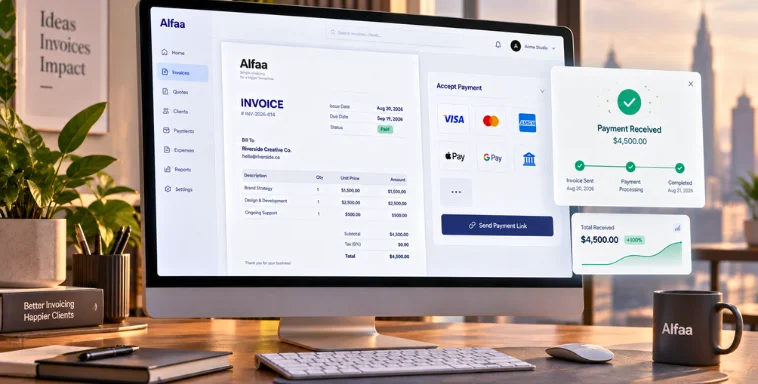
Invoice Terminology Explained: From Due Date to Payment Terms
By Alfaa Team
Stay in the loop
Get finance tips delivered to your inbox.
If you regularly generate invoice documents for clients, understanding invoice terminology is not optional. It directly impacts how quickly you get paid and how efficiently your business operates.
For independent consultants, digital marketing agencies, and small businesses, even small misunderstandings around payment terms can delay revenue. Whether you use an invoice generator manually or rely on invoice automation software, clarity in terms prevents confusion and improves cash flow.
Modern invoice management software for small businesses makes this easier by standardizing terms and automating calculations.
What is an invoice?
An invoice is a formal document sent to request payment for products or services delivered. When you generate invoice records using an online invoice generator, the document clearly outlines what was provided, how much is owed, and when payment is due.
The purpose of an invoice is simple: to create a clear financial record between you and your client.
Common types include:
Standard invoice for completed services
Credit invoice to adjust previous charges
Proforma invoice issued before delivery
Recurring invoices created using recurring invoice software for ongoing retainers
For consultants and agencies billing monthly retainers, automated invoicing software ensures recurring invoices go out on time without manual effort.
Key Invoice Terms Every Business Should Know
Understanding key invoice terms is essential for smooth business transactions and accurate financial management. Whether you use a simple invoice generator or professional invoicing software, these terms shape how and when you get paid.
1) Due Date
The due date is the exact date by which payment must be made.
For businesses using billing software for small businesses, the due date is automatically calculated based on payment terms. For example:
"Due on receipt" means immediate payment
Net 30 means payment is due 30 days from the invoice date
Clear due dates are critical for predictable cash flow.
2) Invoice Number
An invoice number is a unique identifier assigned to each invoice.
Invoice management software automatically generates sequential numbers to maintain accurate records and prevent duplication.
This is especially important for invoicing software agencies and consultants managing multiple clients simultaneously.
3) Payment Terms
Payment terms define how long a client has to pay.
Common examples include:
Net 15
Net 30
2/10 Net 30
In the third example, the client receives a 2 percent discount if they pay within 10 days.
The best invoice automation software automatically applies these rules and tracks deadlines, reducing manual follow-ups.
4) Line Items
Line items break down exactly what you are charging for.
Each line includes a description, quantity, unit price, and total.
For invoicing for digital marketing agencies or consultants billing by hours or campaigns, detailed line items reduce disputes and improve transparency.
5) Subtotal, Taxes, and Total
The subtotal is the total cost before taxes or discounts.
Taxes such as GST or VAT are calculated on the subtotal.
The final total is what the client pays after adding taxes and subtracting discounts.
An invoice automation tool eliminates calculation errors and ensures compliance with local tax requirements.
6) Discounts and Early Payment Incentives
Early payment discounts encourage clients to pay sooner.
For example, offering a small percentage reduction for payments made within 7 or 10 days can significantly improve liquidity.
Automated invoicing software applies these discounts automatically based on your configured payment terms.
7) Late Fees / Penalties
Late fees are charges applied when payments exceed the due date.
They may be structured as a fixed fee or a monthly percentage of the outstanding balance.
Invoice management software tracks overdue invoices and calculates penalties accurately, helping enforce professional boundaries.
8) Remittance Information
Remittance information tells clients how to pay you.
This includes bank details, accepted payment methods, and reference numbers.
Online invoice generator platforms ensure this information appears consistently on every invoice to prevent delays.
9) Purchase Order Reference
A purchase order or PO reference links your invoice to a client-approved order.
Many B2B clients will not release payment without a matching PO number.
Professional invoicing software ensures PO references are clearly displayed and searchable.
10) Terms and Conditions
Terms and conditions define the legal framework of the transaction.
They may include refund policies, service limitations, project scope clarifications, or dispute resolution terms.
Including them protects consultants, agencies, and small businesses from misunderstandings.
Common Invoice Abbreviations Explained
Net 30 / Net 60
Payment is due within the specified number of days from the invoice date.
EOM
End of Month. Payment is due at the end of the month in which the invoice was issued.
COD
Cash on Delivery. Payment is collected at delivery.
P.O.
Purchase order reference number issued by the client.
GST / VAT
Taxes applied to goods or services depending on jurisdiction.
Why Understanding Invoice Terminology Matters
When you clearly understand invoice terminology, you:
Avoid miscommunication with clients
Improve payment predictability
Reduce accounting errors
Minimize disputes in B2B billing
For consultants and agencies relying on recurring retainers, strong invoice automation software ensures terms are applied consistently every time you generate invoice documents.
How Modern Invoice Software Helps
Modern invoice management software for small businesses simplifies the entire billing cycle.
It allows you to:
Generate invoice documents in seconds
Automate tax and discount calculations
Set recurring invoices using recurring invoice software
Track due dates and payment status automatically
Maintain organized records for audits and reporting
Tools like Alfaa combine invoice generator functionality with automated invoicing software features, making it easier for consultants and agencies to manage billing without complexity.
Conclusion
Understanding invoice terminology is essential for getting paid on time and maintaining professional client relationships.
Using the right invoice automation tool ensures these terms are applied accurately and consistently.
If you are looking for an online invoice generator that also functions as complete invoice management software, learn more about simplifying your invoicing with Alfaa.
Frequently Asked Questions
Payment terms define the agreed time frame, while the due date is the specific date calculated from those terms.
They are applied as a percentage reduction if payment is made within the defined discount window.
It is a payment confirmation that specifies which invoice is being paid and the amount transferred.
Invoice automation software automatically calculates totals, applies terms, tracks due dates, and reduces manual errors.
Including taxes ensures compliance, accurate reporting, and proper financial records.

Olivia Bennett
Content Writer @ Alfaa
Olivia is a content writer at Alfaa who specializes in invoicing, small business, and productivity topics. She enjoys simplifying complex ideas into clear, practical insights that help business owners save time, get paid faster, and stay organized.