10 Tips to Improve Your Cash Flow Using Invoicing Tools | Alfaa
By Alfaa Team
Stay in the loop
Get finance tips delivered to your inbox.
Cash flow is one of the biggest challenges facing small businesses today. Many profitable businesses still struggle because payments arrive late or billing is inconsistent. For consultants, agencies, and service providers, delayed invoices can disrupt operations, delay hiring, and limit growth.
Your invoicing process directly impacts your cash flow. When you generate invoice documents late, fail to send reminders, or rely on manual systems, payments slow down.
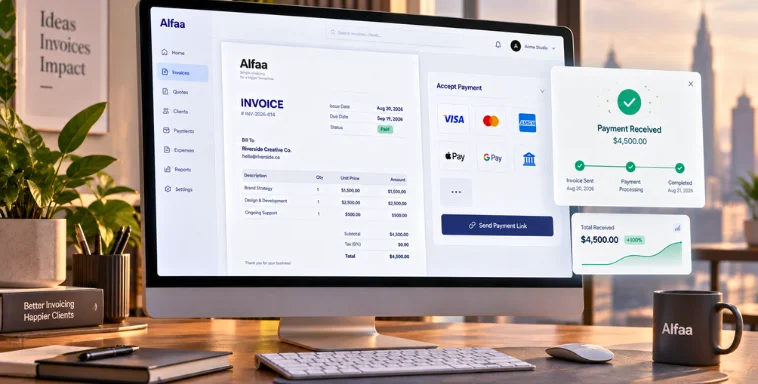
Modern cash flow invoicing tools solve this by automating billing, reminders, tracking, and payment collection. Instead of chasing payments manually, you build a system that ensures invoices go out on time and payments come in faster.
In this guide, you will learn 10 practical ways to improve cash flow using invoice automation software and invoice management software for small businesses.
Understanding the Cash Flow Invoicing Connection
Why Cash Flow Matters for Business Success
Profit and cash flow are not the same. Profit shows long-term financial health. Cash flow determines whether you can pay expenses today.
Common cash flow problems include:
Late client payments
Missed invoices
Poor payment tracking
Irregular billing cycles
Even profitable consultants and agencies can face cash shortages if invoicing is inconsistent.
How Traditional Invoicing Methods Hurt Your Cash Flow
Manual invoicing creates delays and risks.
Common problems include:
Forgetting to generate invoice documents
Sending invoices late
Calculation errors
Lack of payment tracking
No automated follow-ups
Using invoice automation software eliminates these risks and improves payment consistency.
Tip 1: Automate Your Invoice Creation and Delivery
Benefits of Invoice Automation
Automated invoicing software removes repetitive manual work.
Key benefits include the following:
Reduced human error
Consistent billing schedules
Improved professionalism
Recurring invoice software is especially valuable for consultants and agencies billing monthly retainers.
Best Practices
Set recurring invoices for ongoing clients
Schedule invoices immediately after service delivery
Use templates inside your online invoice generator
Standardize invoice formatting
Invoice management software ensures invoices are always sent on time.
Tip 2: Implement Clear Payment Terms and Due Dates
Why Payment Terms Matter
Payment terms define when clients must pay. Clear terms reduce confusion and improve payment speed.
Common examples include:
Due on receipt
Net 15
Net 30
Clear terms also protect your business legally.
How Invoicing Tools Help
Professional invoicing software can:
Automatically calculate due dates
Display payment terms clearly
Apply early payment discounts
Invoice automation tools enforce consistency.
Tip 3: Enable Multiple Payment Options
The Payment Convenience Factor
The easier it is to pay, the faster clients pay. Limited payment options delay collections.
Payment Methods to Support
Modern billing software for small businesses supports:
Bank transfers
Credit cards
Digital payment platforms
Payment links inside invoices
Online invoice generator platforms that include payment integration improve cash flow significantly.
Tip 4: Send Invoices Immediately After Service Delivery
Why Timing Matters
The longer you wait to invoice, the longer clients take to pay.
Sending invoices immediately improves payment speed.
How Automation Helps
Invoice automation software allows you to:
Generate invoice instantly
Schedule invoices automatically
Send invoices immediately after project completion
This eliminates billing delays.
Tip 5: Use Automated Payment Reminders
Why Reminders Work
Many late payments happen simply because clients forget.
Automated reminders reduce delays without awkward follow-ups.
Smart Reminder Strategy
Use invoice automation tools to send the following:
Reminder on due date
Reminder after due date
Automated invoicing software improves collection rates.
Tip 6: Offer Early Payment Incentives
How Incentives Improve Cash Flow
Offering small discounts for early payment encourages faster payment.
Example:
A 2 per cent discount if paid within 10 days
This improves cash flow predictability.
Automation Benefits
Invoice automation software can:
Automatically apply discounts
Display discount options clearly
Track payment behavior
This simplifies implementation.
Tip 7: Track and Analyze Invoice Metrics
Important Metrics
Invoice management software helps track:
Average payment time
Outstanding invoices
Overdue invoices
These insights help improve billing processes.
Dashboard Benefits
Professional invoicing software provides:
Real-time reporting
Revenue forecasting visibility
This improves financial decision-making.
Tip 8: Integrate Your Invoicing Tool with Accounting Systems
Benefits of Integration
Integration improves efficiency and accuracy.
Key benefits include the following:
Automatic financial record updates
Reduced manual data entry
Improved reporting
Invoice management software integrates easily with accounting tools.
Tip 9: Implement Late Payment Fees
Why Late Fees Work
Late fees encourage timely payment and discourage delays.
Automation Benefits
Invoice automation software can:
Automatically calculate late fees
Apply fees consistently
Track overdue balances
This protects cash flow.
Tip 10: Use Client Portals and Self-Service Features
Why Client Portals Help
Client portals allow clients to:
View invoices
Pay instantly
Access payment history
Convenience improves payment speed.
Automation Benefits
Online invoice generator tools allow clients to pay faster through integrated systems.
Choosing the Right Invoicing Tool
Key Features to Look For
Choose invoice management software that includes:
Invoice automation software
Payment tracking
Reporting dashboards
Easy invoice generation
Professional invoicing software ensures scalability.
Why Alfaa Is Ideal
Alfaa combines:
Online invoice generator
Invoice automation tool
Recurring invoice software
Invoice management software for small business
This improves billing efficiency and cash flow predictability.
Implementation Tips
Setup Guide
Review your current invoicing process
Choose invoice automation software
Import client details
Customize invoice templates
Enable recurring invoices
Common Mistakes
Avoid:
Manual invoicing
Inconsistent billing schedules
Poor payment tracking
Lack of automation
Automation improves results.
Measuring Success
Track improvements in:
Faster payment times
Reduced overdue invoices
Improved cash flow consistency
Reduced administrative workload
Invoice automation tools deliver measurable ROI.
Conclusion
Improving cash flow requires consistent, structured billing. Invoice automation software eliminates manual delays and improves payment reliability.
By automating invoice generation, reminders, and tracking, businesses can significantly improve cash flow and reduce financial stress.
If you want predictable cash flow and efficient billing, adopting invoice management software like Alfaa is a powerful step forward.
Start using automated invoicing software and build stronger financial stability today.
Frequently Asked Questions
Invoice automation software improves cash flow by sending invoices on time, automating reminders, and providing real time payment tracking.
The best tools include invoice management software for small business that supports automation, recurring billing, and reporting, such as Alfaa.
Send invoices immediately or within 24 hours. Online invoice generator tools allow instant invoice creation.
Yes. Offering early payment discounts encourages faster payment and improves liquidity.
Net 30 is most common, but Net 15 and Due on Receipt are also widely used depending on business needs.

Olivia Bennett
Content Writer @ Alfaa
Olivia is a content writer at Alfaa who specializes in invoicing, small business, and productivity topics. She enjoys simplifying complex ideas into clear, practical insights that help business owners save time, get paid faster, and stay organized.