Why You’re Getting Paid Late and How to Fix It Without Chasing Clients
By Alfaa Team
Stay in the loop
Get finance tips delivered to your inbox.
You finished the work. You sent the invoice. And then… silence.
Late payments are one of the most frustrating problems for consultants, agencies, and small businesses. Not because clients refuse to pay, but because payments get delayed, overlooked, or deprioritized.
The real issue is not your clients. It is your invoicing system.
If you rely on manual processes, unclear terms, or inconsistent follow-ups, late payments become inevitable. The good news is that you can fix this without chasing clients or sending awkward reminders.
In this blog, we break down why you are getting paid late and how to fix it using smarter systems like invoice automation software.
The Real Reasons You’re Getting Paid Late
You’re Sending Invoices Too Late
If you delay invoicing, clients delay paying.
Many businesses wait days or even weeks before they generate invoice documents. By then, the urgency is gone.
Using an online invoice generator ensures invoices are sent immediately after work is completed.
Your Payment Terms Are Not Clear
If your invoice does not clearly define when payment is due, clients will default to their own timelines.
Vague terms lead to delayed payments.
Invoice management software helps standardize payment terms across all invoices.
You’re Not Sending Payment Reminders
Most late payments are not intentional. Clients simply forget.
Without reminders, invoices sit unpaid.
Invoice automation tools send reminders automatically, removing the need for manual follow-ups.
Your Invoice Looks Unprofessional
A poorly structured invoice can reduce urgency.
Missing details, unclear breakdowns, or inconsistent formatting make your invoice easier to ignore.
Professional invoicing software ensures every invoice looks clear, credible, and complete.
You’re Making It Hard to Pay
If clients need to figure out how to pay you, they will delay it.
Limited payment options slow down collections.
Billing software for small businesses with integrated payment options makes payments faster.
How to Fix Late Payments Without Chasing Clients
1. Send Invoices Immediately
Timing is everything.
Use invoice automation software to generate invoice documents as soon as work is completed. This keeps the transaction fresh in the client’s mind.
2. Set Clear and Consistent Payment Terms
Define due dates clearly.
Use terms like:
Due on receipt
Net 7
Net 15
Invoice management software ensures these terms are applied consistently.
3. Automate Payment Reminders
Set up automated reminders to go out:
Before the due date
On the due date
After the due date
Automated invoicing software ensures follow-ups happen without manual effort.
4. Offer Easy Payment Options
Make it simple for clients to pay instantly.
Include:
Payment links
Bank transfer details
Digital payment options
Online invoice generator tools with built-in payments reduce friction.
5. Use Recurring Invoices for Repeat Clients
If you work with clients regularly, stop invoicing manually.
Recurring invoice software automatically sends invoices on schedule, ensuring consistency.
6. Track Invoice Status in Real Time
You cannot fix what you cannot see.
Invoice management software shows the following:
Paid invoices
Pending invoices
Overdue invoices
This visibility helps you act quickly without guesswork.
7. Introduce Late Fees Strategically
Late fees create urgency and discourage delays.
Even if rarely applied, they signal that payment timelines matter.
Invoice automation tools can calculate and apply late fees automatically.
What Changes When You Fix Your Invoicing System
Once you implement these changes:
Payments arrive faster
Cash flow becomes predictable
You stop chasing clients
Your business looks more professional
The shift is not just operational. It is psychological. Clients take your invoices more seriously when your system is structured.
How Tools Like Alfaa Help
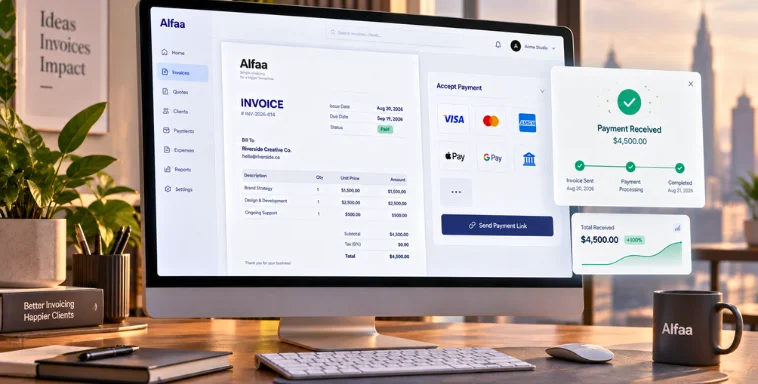
Alfaa combines an online invoice generator with invoice automation software to eliminate late payment issues.
You can:
Send invoices instantly
Set up recurring invoices
It works as complete invoice management software for small business, helping you get paid without manual effort.
Conclusion
Late payments are not just a client problem. They are a system problem.
When invoicing is manual, inconsistent, or unclear, delays are inevitable.
By using invoice automation software, setting clear terms, and removing payment friction, you can fix late payments without chasing clients.
If you want faster payments and less stress, upgrading your invoicing system is the simplest and most effective step.
Frequently Asked Questions
Most late payments happen due to unclear terms, delayed invoicing, or lack of reminders, not because clients refuse to pay.
Invoice automation software sends invoices on time, automates reminders, and tracks payments, ensuring consistent follow ups.
Yes, late fees can encourage timely payments and create urgency, especially when clearly communicated in advance.
Use automated invoicing software with reminders, clear payment terms, and easy payment options to reduce the need for follow ups.
Ideally immediately or within 24 hours. Online invoice generator tools allow instant invoice creation and delivery.

Olivia Bennett
Content Writer @ Alfaa
Olivia is a content writer at Alfaa who specializes in invoicing, small business, and productivity topics. She enjoys simplifying complex ideas into clear, practical insights that help business owners save time, get paid faster, and stay organized.