How Mobile Invoicing Helps Businesses Get Paid Faster
By Alfaa Team
Stay in the loop
Get finance tips delivered to your inbox.
The modern small business owner doesn't work from a desk anymore. You're in client meetings, on job sites, traveling between appointments, or working from coffee shops. Yet your invoicing process hasn't caught up with your lifestyle.
Traditional invoicing—sitting at a desk, opening spreadsheets, manually creating documents—doesn't fit how you actually work. This gap between your mobile lifestyle and your administrative tools costs you time, money, and growth.
Mobile invoicing is changing that. It's the shift toward creating, sending, and tracking invoices directly from your phone or tablet whenever inspiration strikes or a job finishes. For freelancers, consultants, service providers, and small business owners, mobile invoicing isn't just convenient—it's essential.
The challenges are real: delayed payment cycles because invoices sit in your inbox waiting to be formatted, cash flow problems from not knowing which clients have paid, and the friction of switching between your phone and desktop just to handle one invoice. Mobile invoicing solutions eliminate these bottlenecks by putting your complete invoicing system in your pocket.
In this guide, we'll explore how mobile invoicing works, why it matters for small businesses, and how tools like Alfaa are making it easier than ever to run your business on the go.
What Is Mobile Invoicing?
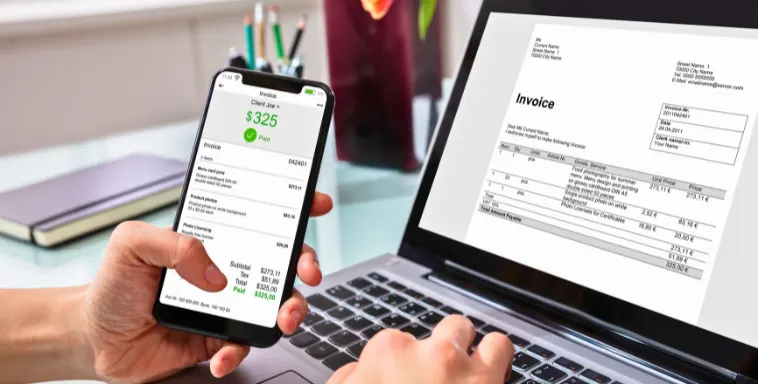
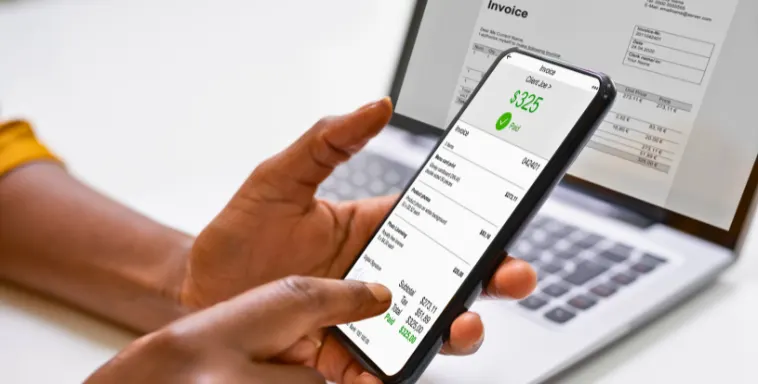
Mobile invoicing is the ability to create, customize, send, and track invoices directly from your smartphone or tablet. Instead of waiting until you're back at your desk, you generate a professional invoice in seconds—right after finishing a project, shaking a client's hand, or completing a job site visit.
How Mobile Invoicing Works
Mobile invoicing operates through cloud-based invoicing apps that sync across all your devices. Here's the flow:
Create: You access your invoicing app on your phone and fill in basic details—client name, invoice amount, payment terms, description of work done.
Customize: In seconds, the app generates a professional, branded invoice with your logo, payment methods, and company details already saved.
Send: You send the invoice directly to your client via email with a single tap.
Track: Real-time notifications alert you when the client opens the invoice and when payment arrives.
All of this happens from your phone. The invoice syncs to your cloud storage, so when you return to your laptop, all information is updated automatically. No manual data entry. No version confusion.
Key Features of Mobile Invoicing
Create Invoices Instantly You don't need to wait until you're back at the office. Generate an invoice in 60 seconds from anywhere—after a consulting call, completing a project, or during a client meeting.
Send From Anywhere Since invoices are created and sent directly from your phone, you eliminate the delay between completing work and getting paid. Faster invoice delivery often means faster payment.
Track Payments in Real Time Mobile invoicing apps show you exactly which invoices have been opened, when clients are viewing them, and when payments arrive. No more wondering if an invoice was received or if a payment is coming.
Automated Payment Reminders The app can automatically send payment reminders to clients who haven't paid yet, without you manually crafting follow-up emails.
Expense Tracking (In Some Apps) Beyond invoicing, many mobile solutions let you snap photos of receipts and track expenses on the go—giving you a complete financial picture.
Why Small Businesses Need Mobile Invoicing
Small business owners face unique challenges that traditional invoicing methods struggle to solve.
Time Constraints
You're juggling multiple roles: delivering the service, managing clients, handling admin, and trying to grow your business. Every minute spent on invoicing admin is a minute you're not spending on revenue-generating work.
When you rely on desktop invoicing, you lose momentum. You finish a client project, but the invoice sits in your head until you sit down at your desk later—sometimes days later. By then, the urgency is gone. With mobile invoicing, you strike while the iron's hot: invoice immediately and move on.
Managing Finances While Moving
Small business owners aren't tied to offices. You're meeting clients at their offices, working from home, traveling between job sites, or running to meetings. Yet your financial management is stuck at a desk.
You can't check your cash position from the coffee shop. You can't verify which invoices are outstanding from the airport. You can't send a payment reminder during a client call. Mobile invoicing closes this gap, giving you complete visibility and control from anywhere.
Delayed Billing Cycles
The longer between completing work and sending an invoice, the longer until you get paid. If you work on Monday but don't invoice until Friday, you've already delayed payment by at least a week. Over a month, that's 20-30% of your cash cycle unnecessarily delayed.
Mobile invoicing means invoices go out the same day work completes. This acceleration adds up: instead of 45-day payment cycles, you might see 25-30 days. For a business invoicing $20,000 monthly, that's an extra $10,000-15,000 in accessible cash.
Lack of Flexibility
Desktop invoicing software is designed for the office. It doesn't work well on mobile, so you postpone the task. Meanwhile, your cash flow suffers and your admin pile grows.
Mobile-first invoicing solutions are designed for how you actually work—outside the office, on your schedule, whenever is most convenient.
Key Benefits of Mobile Invoicing
Faster Payments
Instant invoice delivery directly impacts payment speed. When clients receive invoices immediately after work completion, the timeline is fresh in their mind. They understand what they're paying for. They're more likely to prioritize payment.
Studies show that businesses using automated, immediate invoicing see payment cycles shorten by 15-30 days. That's not theoretical—that's real cash in your account faster.
Additionally, mobile invoicing apps let you include payment links directly in invoices. Clients don't have to find your payment information; they click a link and pay. Less friction means faster conversion.
Work From Anywhere
Mobile invoicing liberates you from your desk. Freelancers can invoice between client meetings. Consultants can send invoices during travel. Field service professionals can invoice at the job site. Retail owners can manage invoices while on the sales floor.
This flexibility means you're never stuck. You can handle administrative tasks on your schedule, in the moments that work for you, without disrupting your day. Your invoicing keeps pace with your actual work patterns, not some theoretical office schedule.
Improved Cash Flow
Real-time payment tracking gives you visibility into your financial position. You see exactly which invoices are outstanding, which are overdue, and when payments arrive. This isn't just nice to know—it's essential for planning.
When you know your actual cash position, you make better decisions. Can you invest in new equipment? Should you hire help? Is this a good time for a business expense? Mobile invoicing gives you the real-time data to answer these questions with confidence.
Automated payment reminders also improve cash flow by reducing late payments. Instead of hoping clients remember to pay, you send friendly reminders—automatically. Research shows that payment reminders can reduce average days-to-payment by 10-15 days.
Reduced Errors
Manual invoicing is error-prone. You might calculate totals wrong, forget to include payment terms, use an outdated price, or send an invoice from the wrong year. Each error delays payment and damages credibility.
Mobile invoicing apps eliminate these mistakes through automation. Totals calculate automatically. Client information is pulled from your saved contacts. Payment terms stay consistent. Your branding appears automatically. The app handles the details so you can't mess them up.
Professional Image
A hastily written, manually created invoice damages your professional image. It signals that you're disorganized or not serious about your business.
A clean, branded, professional invoice—sent promptly—does the opposite. It shows you're professional, organized, and serious about your craft. Clients who receive professional invoices are more likely to pay promptly and recommend you to others.
Mobile invoicing apps come with beautiful templates. Your invoices look polished and professional, even if you create them in five seconds from your phone. This consistency strengthens your brand.
Features to Look for in a Mobile Invoicing App
Not all mobile invoicing apps are created equal. When evaluating options, look for:
User-Friendly Interface: If you dread using the app, you won't use it. The best mobile invoicing tools are intuitive—you can create an invoice in under a minute without thinking.
Custom Invoice Templates: Your invoices should reflect your brand. Look for apps that let you customize templates with your logo, colors, payment terms, and information.
Payment Integrations: Can clients pay directly from the invoice? Can the app integrate with Stripe, PayPal, or your bank? Direct payment links reduce friction and speed up payments.
Real-Time Tracking: You should see when invoices are opened and when payments arrive. This visibility helps you know when to follow up and gives you accurate cash flow data.
Expense Tracking: Many invoicing apps now include expense tracking. Being able to snap photos of receipts and categorize expenses on the go keeps your finances organized.
Reports & Analytics: You need to understand your financial health. Look for apps that show you metrics like average days-to-payment, outstanding invoice totals, and revenue trends.
Cloud Backup & Security: Your financial data is sensitive. The app should use encryption, secure servers, and regular backups. GDPR compliance is a bonus.
Works Offline: What happens when your connection drops? The best apps let you create invoices offline and sync when you're connected again.
How Alfaa Makes Mobile Invoicing Easy
Alfaa is designed specifically for service professionals and small businesses that bill regularly. Here's why it stands out for mobile invoicing:
Simple Invoice Creation You can create a professional invoice in 60 seconds. Fill in basic details—client, amount, description—and Alfaa generates the rest. No unnecessary complexity.
Mobile-Friendly Dashboard Your complete financial overview fits on your phone. See how much you've invoiced, how much is outstanding, how much you've been paid, and which invoices are overdue. All the data you need, organized clearly.
Automated Payment Reminders Stop manually sending follow-up emails. Alfaa sends automatic reminders to clients who haven't paid yet. You choose the schedule—first reminder at 3 days past due, second at 10 days, etc.
Real-Time Payment Tracking Know immediately when invoices are opened and when payments arrive. Integration with Stripe and PayPal means you see payments reflected in real time.
Works From Gmail Since most small business owners live in email, Alfaa lets you send invoices directly from Gmail. No extra logins or app switching required.
Affordable for Small Teams: Alfaa's pricing starts at $250/year ($24.99/month billed annually)—significantly less than competitors. No unnecessary features, just what you actually need.
Beautiful, Branded Templates Your invoices look professional and reflect your brand. Clients take you seriously, and you stand out.
The combination of simplicity, affordability, and mobile-first design makes Alfaa ideal for small business owners who need invoicing that keeps pace with their lifestyle.
Real-Life Use Cases
Freelance Designer: From Presentation to Invoice
Sarah is a freelance graphic designer. She finishes a logo project during a client meeting and wants to invoice immediately while the client is still thinking about the work.
Before mobile invoicing: She notes the details in her phone, goes home, opens her desktop, creates the invoice in her design software (15 minutes), exports it as a PDF, and emails it. Three hours later, the invoice goes out.
With mobile invoicing: She opens Alfaa, creates the invoice in 90 seconds, and sends it while sitting across from the client. The client sees the professional invoice immediately and feels confident in her professionalism. Payment arrives in 5 days instead of 20.
Impact: Same work, but 15 days faster payment cycle. Over a year, that's meaningful cash flow improvement.
Plumbing Service: Job Site Invoicing
Mark runs a small plumbing service. He completes a job on Monday morning and wants to invoice before the homeowner payment confirmation becomes fuzzy.
Before mobile invoicing: He goes back to the office, creates the invoice, and mails or emails it. The homeowner receives it on Tuesday. Payment takes 10-15 days.
With mobile invoicing: He creates and sends the invoice at the job site before leaving. The homeowner receives it immediately while the work is fresh in their mind. Payment arrives in 3-5 days.
Impact: Faster cash, happier customers (who appreciate the quick, professional invoicing), and a streamlined workflow.
Consultant: Traveling and Tracking Invoices
Jennifer is a business consultant who travels between client offices. She needs to know her financial position at all times.
Before mobile invoicing: She can't check outstanding invoices without going home. She misses payment reminders. She has no visibility into her cash position while traveling.
With mobile invoicing: She checks her mobile dashboard from any airport. She sees that one client hasn't paid in 45 days and sends a follow-up immediately. She knows her exact outstanding balance and payment schedule. She makes confident decisions about hiring and investment.
Impact: Better cash flow management, no lost follow-ups, and confidence in her financial position.
Tips to Get Started with Mobile Invoicing
1. Choose the Right App
Evaluate apps based on your specific needs. What matters most to you? Simplicity? Cost? Payment integrations? Features? Start with a free trial or free plan to test before committing.
2. Set Up Templates
Don't customize each invoice. Create 2-3 templates for your common invoice types. Save your business details, logo, payment terms, and service descriptions. Then each invoice is just data entry—client, amount, date.
3. Automate Payment Reminders
Set up automatic reminders for overdue invoices. Most apps let you configure schedules—first reminder at 3 days past due, second at 10 days, etc. Let the automation do the work.
4. Track Payments Regularly
Spend 5 minutes daily reviewing outstanding invoices and payments received. This habit keeps you aware of your cash position and ensures nothing falls through the cracks.
5. Use Payment Links
Include direct payment links in your invoices. Make it as easy as possible for clients to pay. The easier you make it, the faster they'll pay.
6. Sync Across Devices
Ensure your invoicing data syncs between your phone, tablet, and desktop. You should be able to start an invoice on your phone and finish it on your laptop without losing information.
7. Set Payment Terms
Be clear about payment expectations. Include payment terms in every invoice—Net 15, Net 30, etc. Clear expectations reduce confusion and late payments.
Common Mistakes to Avoid
Mistake 1: Not Sending Invoices Immediately
The biggest mistake is delaying. The longer you wait to invoice, the longer until you get paid. Invoice on the same day you complete work. The momentum matters.
Mistake 2: Ignoring Follow-Ups
Assuming clients will remember to pay is naive. Send friendly payment reminders at 3 days past due, then again at 10 days. Most late payments are accidental—reminders solve the problem.
Mistake 3: Using Inconsistent Formats
Every invoice should look the same and be professionally branded. Inconsistent formatting signals disorganization. Use templates to ensure consistency.
Mistake 4: Not Tracking Payments
If you don't track outstanding invoices, you can't follow up effectively. Review your outstanding invoices weekly. Know which clients are overdue. Follow up promptly.
Mistake 5: Setting Unclear Payment Terms
"Net 30" is clear. "I'll send you an invoice" is not. Always specify payment terms. Make payment methods obvious. Remove ambiguity.
Mistake 6: Not Backing Up Your Data
Your invoices contain critical financial information. Ensure your app has cloud backup and security. Use two-factor authentication if available.
Mistake 7: Choosing a Tool That's Too Complex
More features don't mean better. If the app overwhelms you, you won't use it consistently. Simple and used beats are powerful and abandoned.
Conclusion: Go Mobile, Improve Your Cash Flow
Mobile invoicing isn't just about convenience—though that matters. It's about removing friction from a critical business process: getting paid for your work.
When you can invoice immediately, track payments in real time, and send reminders from anywhere, your entire financial operation accelerates. Invoices go out faster. Payments arrive faster. You maintain better cash flow. You make better decisions.
For small business owners, freelancers, and service professionals, mobile invoicing is the difference between being stuck at a desk and being free to work the way you actually work.
The best mobile invoicing solution is one you'll actually use—consistently, immediately, and reliably. That means it should be simple, beautiful, reliable, and affordable.
Ready to streamline your invoicing and get paid faster?
Try Alfaa for free. No credit card required. Create your first invoice in 60 seconds, send it from your phone, and see how mobile invoicing transforms your cash flow.
Frequently Asked Questions
Yes, when you use a reputable app. The best mobile invoicing platforms use bank-level security (256-bit encryption), secure cloud servers, and comply with data protection regulations like GDPR. Your financial information is as secure on a cloud-based invoicing app as it is in a spreadsheet on your laptop—usually more secure. Look for apps that: - Use SSL encryption - Have regular security audits - Offer two-factor authentication - Comply with GDPR - Back up your data automatically - Never sell your data
Absolutely. Modern mobile invoicing apps are designed specifically for phone use. You can create and send a professional invoice in under 90 seconds from your phone. The app handles formatting, branding, and calculations—you just provide the essential information. Some apps even let you send invoices directly from email (like Gmail), so you don't even need to open a separate app.
Yes, measurably. Studies show that businesses using automated, immediate invoicing see payment cycles reduce by 15-30 days on average. This is because: - Invoices go out the same day work completes (vs. several days later) - Clients receive professional invoices immediately - Automated reminders catch payment delays quickly - Payment links make it easy for clients to pay For a $20,000/month invoicing business, a 20-day improvement in payment cycle means an extra $10,000+ in accessible cash.
Prioritize based on your needs, but generally look for: - Easy invoice creation (under 2 minutes) - Professional templates you can customize with your logo - Real-time payment tracking (see when clients open invoices, when they pay) - Automated reminders (for overdue invoices) - Payment integrations (Stripe, PayPal, etc.) - Mobile-friendly dashboard (your complete financial view on your phone) - Cloud backup (secure, automatic data backup) - Expense tracking (optional but useful) - Affordable pricing (shouldn't require an enterprise contract) Don't get distracted by advanced features you won't use. Simple and used beats complex and ignored.
It's perfect for independent contractors. Mobile invoicing is designed exactly for your situation: - You work from various locations (client offices, your home, on the road) - You complete projects at different times (no consistent schedule) - You need fast payment (cash flow is critical as a solo business) - You can't afford complicated systems (time is money) Consultants, service professionals, and independent contractors are the ideal users for mobile invoicing. It solves all the friction points in your workflow.

Olivia Bennett
Content Writer @ Alfaa
Olivia is a content writer at Alfaa who specializes in invoicing, small business, and productivity topics. She enjoys simplifying complex ideas into clear, practical insights that help business owners save time, get paid faster, and stay organized.