7 Best FreshBooks Alternatives for Consultants and Agencies in 2026
By ALFAA Team
Stay in the loop
Get finance tips delivered to your inbox.
The best FreshBooks alternatives at a glance
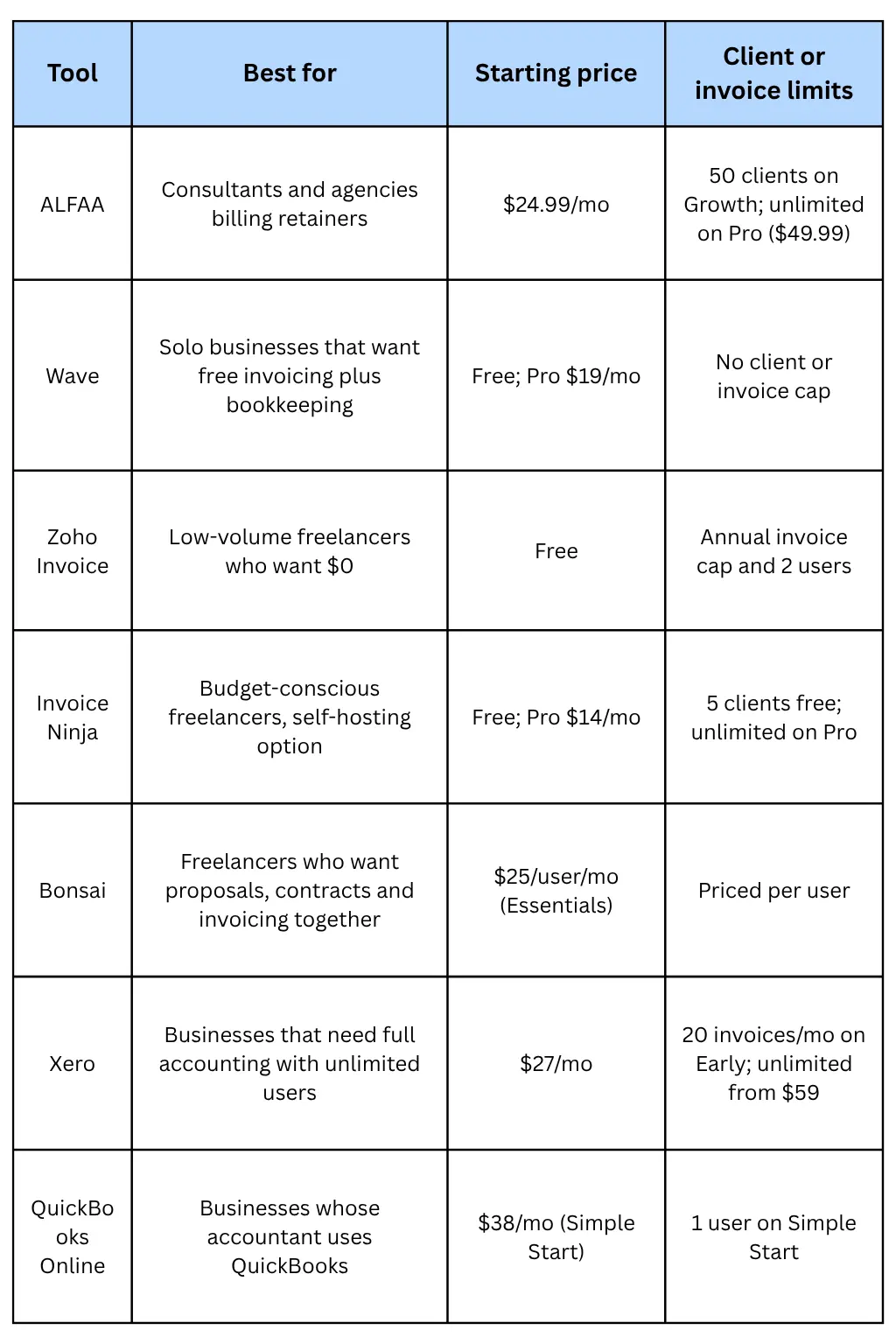
Short on time?
If you mainly invoice clients and run retainers, look at ALFAA or Invoice Ninja. If you need bookkeeping too, Wave (free or 19) or Xero (59) replaces FreshBooks' accounting side more directly.
Why consultants and agencies look for FreshBooks alternatives
FreshBooks is a capable product with a long track record. Most people who leave aren't unhappy with the software; they're unhappy with how the bill grows. Four reasons come up most.
1. Client caps push you up a tier for no new features: Winning a sixth client moves you from Lite (23) to Plus (43). Crossing 50 moves you to Premium ($70). Because archived clients count toward the limit, the only way to free a slot is to delete a client, along with their invoice history context.
2. Team members cost extra on every plan: Each additional user is $11/month. A 4-person agency on Plus pays $43 + 3 × $11 = $76/month before payment fees.
3. Prices keep rising: FreshBooks raised Lite from $21 to $23 and Plus from $38 to $43 in 2026. The intro discounts (currently 80% off for 4 months) make the first months cheap, which hides the full price until renewal.
4. You're paying for accounting you don't use: FreshBooks bundles expenses, double-entry reports, and accountant access. If an accountant handles your books in another system, you may only need the invoicing half. Our guide on whether you need a full CRM or just better billing management applies the same logic to client tools.
If none of these apply to you, FreshBooks may still be the right tool. Its time tracking, expenses, and accounting reports are mature, and switching has a real cost in setup time.
How we compared them
We checked each tool against FreshBooks on six things that decide the real cost and fit for a service business:
Price at the plan you'd actually need, not the cheapest plan that technically exists. Bonsai's $15 basic plan, for example, doesn't include invoicing.
Client, invoice, and user limits, since these force upgrades.
Recurring invoices for retainers.
Automated payment reminders, and whether they're on the entry plan.
Team pricing: flat, per user, or unlimited.
Accounting depth: whether the tool replaces FreshBooks' bookkeeping or only its invoicing.
List prices are US monthly rates as of October 2026, before intro discounts. Most tools offer cheaper annual billing; we note it where relevant.
Feature comparison
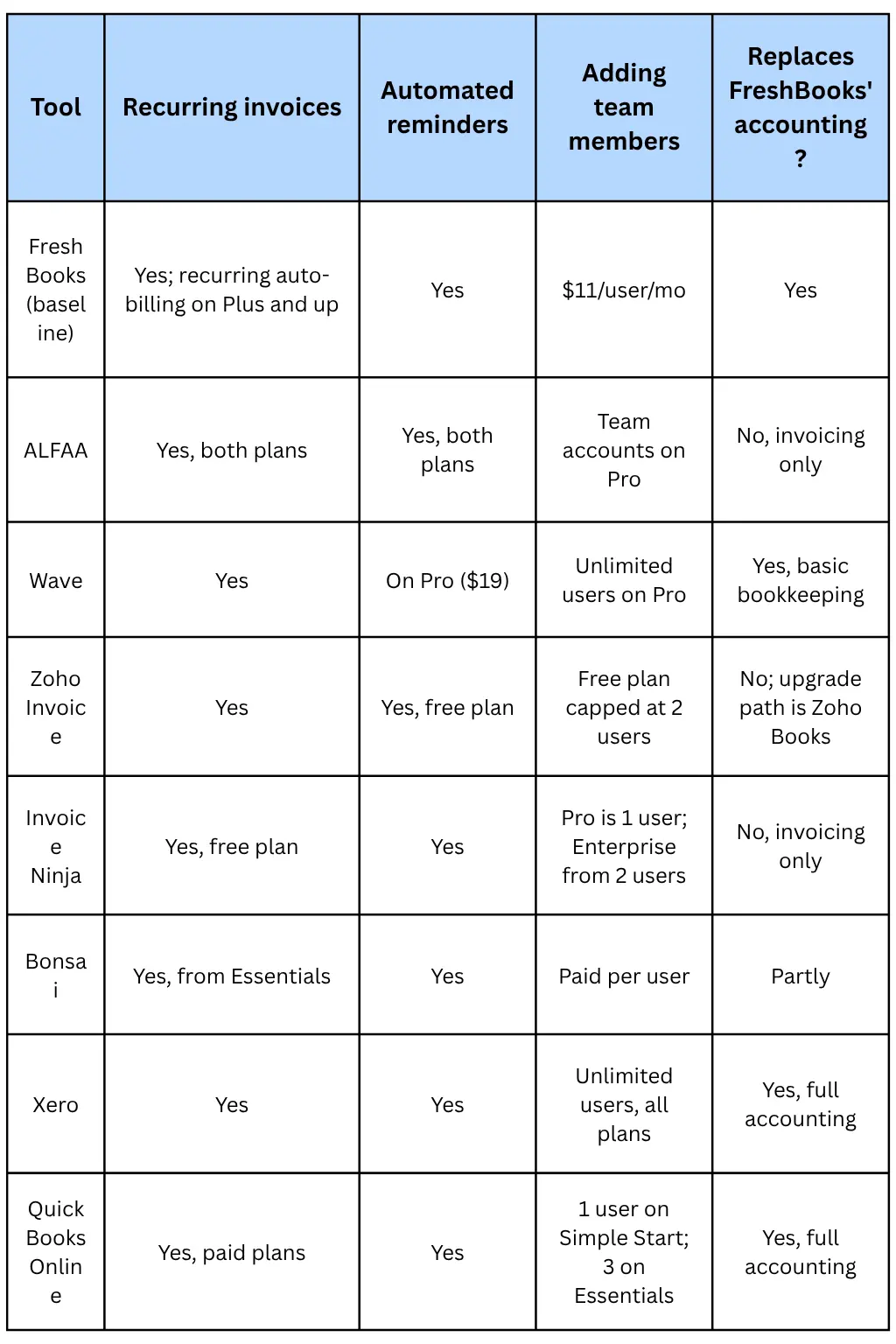
Sources for each row are linked in the reviews below.
The 7 best FreshBooks alternatives, reviewed
1. Alfaa: Best for consultants and agencies billing retainers
Price: Growth $24.99/month for up to 50 active clients; Pro $49.99/month for unlimited clients. 14-day free trial, no card required.
Alfaa is invoicing software, not accounting software. It's built for service businesses whose main job is getting invoices out and getting paid. The Growth plan includes recurring billing with automatic proration and pause/resume, payment reminders, invoicing in 200+ currencies, and client analytics. Clients pay through Stripe or PayPal, and you can send from Gmail or Google Workspace.
Pro adds unlimited clients, team management, expenses, sending from your own domain via SMTP, and multiple business entities for founders running more than one brand.
Why switch from FreshBooks: At 50 clients you'd pay $43 on FreshBooks Plus versus $24.99 on ALFAA Growth. Unlimited clients cost $70 on FreshBooks Premium versus $49.99 on ALFAA Pro. See the full Alfaa vs FreshBooks comparison.
Watch out for: No bookkeeping, bank feeds, or payroll. If you need those, pair Alfaa with an accounting tool or choose Xero or QuickBooks instead. Team accounts and custom-domain sending need Pro.
2. Wave: Best free option with bookkeeping included
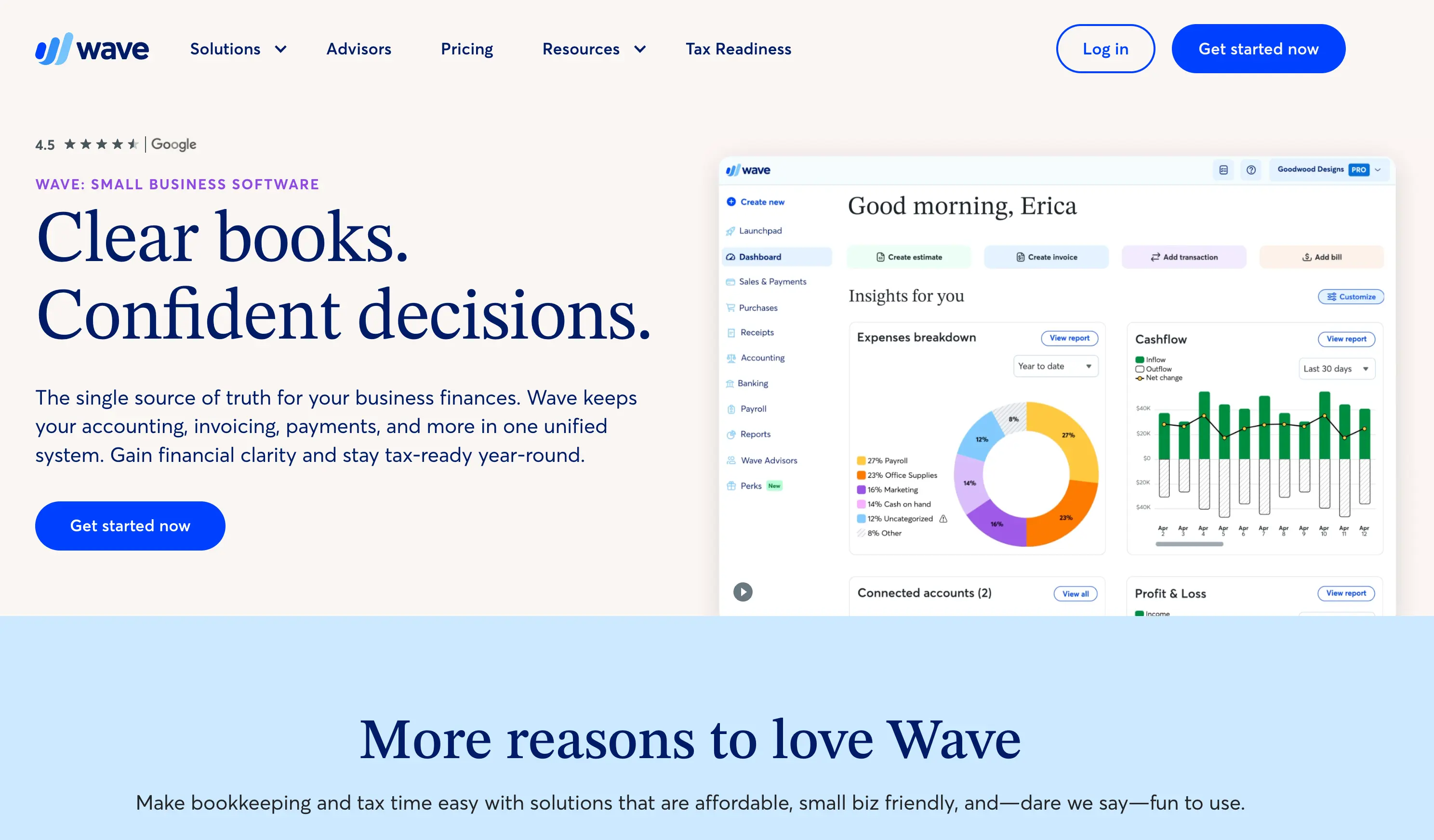
Price: Starter is free; Pro is $19/month or $190/year.
Wave's Starter plan doesn't cap invoices, customers, or transactions, which makes it the strongest free replacement for FreshBooks Lite. You also get basic bookkeeping. Pro adds automated late-payment reminders, bank transaction import, receipt scanning, unlimited users, and removal of Wave branding.
Why switch from FreshBooks: No client cap at any price, and Pro at $19 costs less than FreshBooks Lite.
Watch out for: Wave moved bank feeds and collaborator access behind Pro on June 1, 2026, and free users get limited support. See Alfaa vs Wave for how invoicing-focused and accounting-focused tools differ.
3. Zoho Invoice: Best $0 tool for low invoice volume
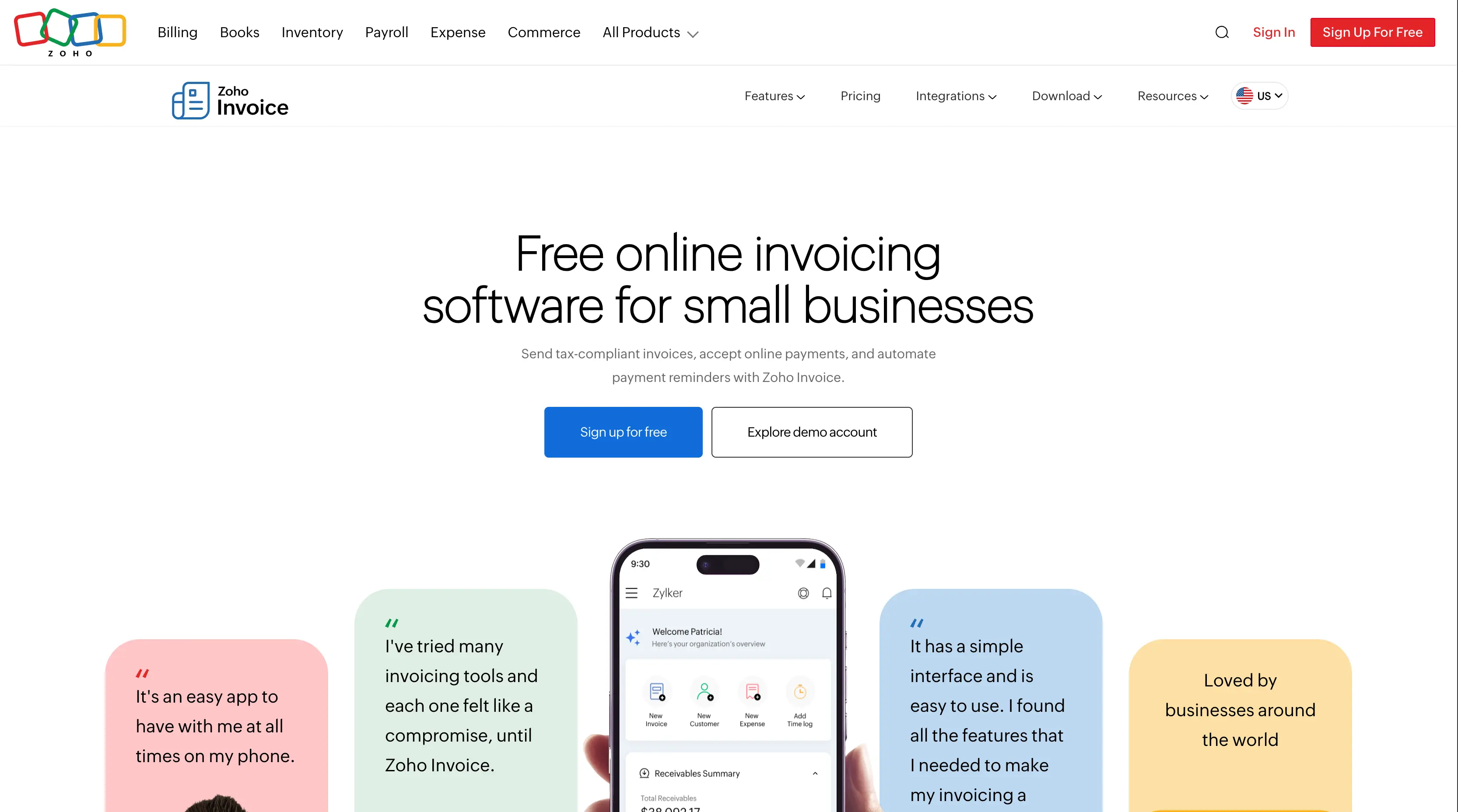
Price: Free.
Zoho Invoice is genuinely free and includes recurring invoices, automated reminders, and online payments. The limits are what matter: reviewers report 2 users, 3 projects, 500 invoices a year, and Zoho branding on documents. Zoho says its invoice limit is set yearly and directs users who need more to Zoho Billing.
Why switch from FreshBooks: If you send fewer than about 40 invoices a month, you may pay nothing.
Watch out for: There is no paid Zoho Invoice plan; outgrowing it means moving to another Zoho product. More in Alfaa vs Zoho Invoice.
4. Invoice Ninja: Best low-cost option with a self-hosting route
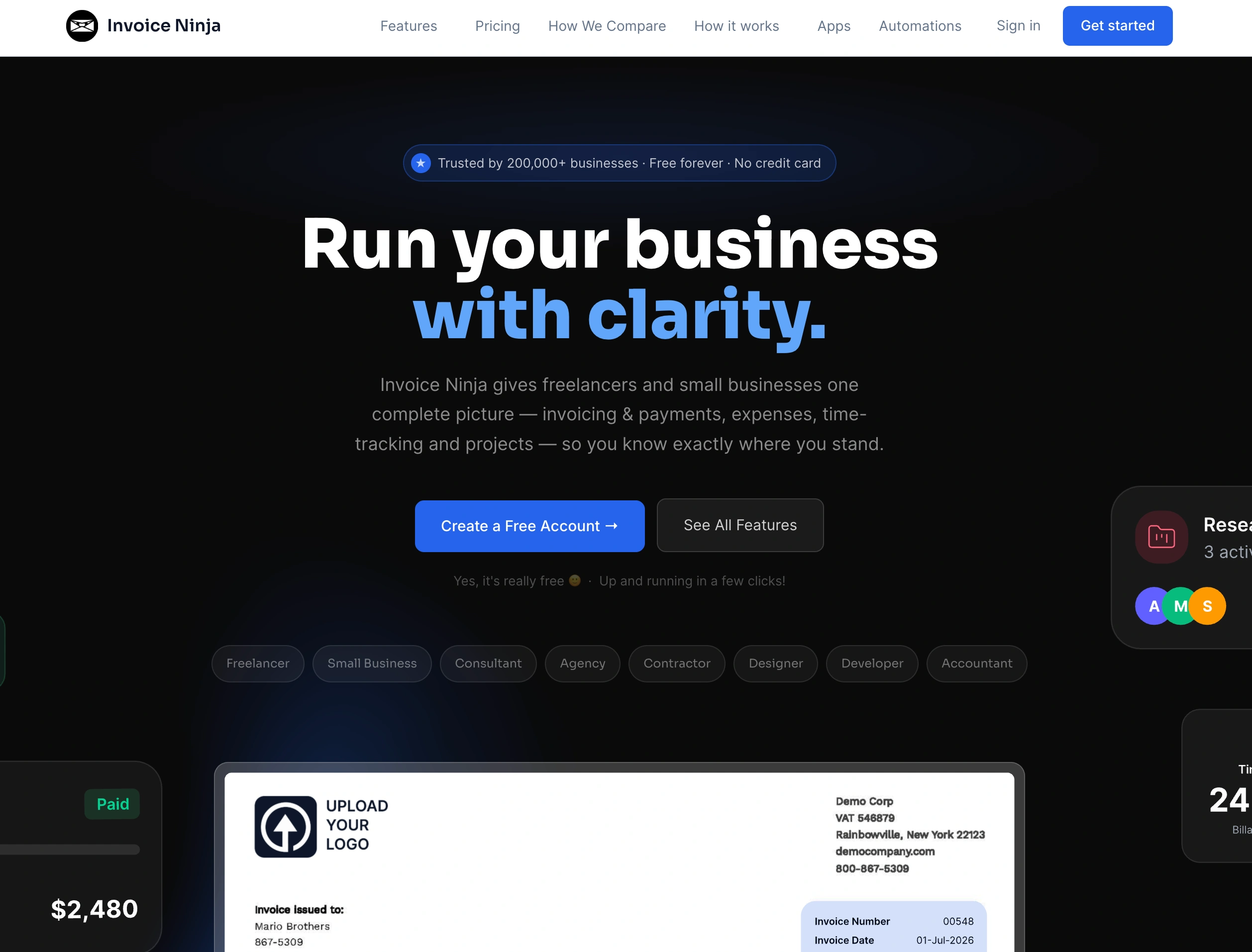
Price: Free for up to 5 clients; Pro $14/month or $140/year for unlimited clients; Enterprise from $18/month for 2 users.
Invoice Ninja covers the invoicing basics, including recurring invoices on the free plan, multi-currency, and client portals. Technical users can self-host it.
Why switch from FreshBooks: Unlimited clients for $14 a month, about a fifth of FreshBooks Premium.
Watch out for: The free plan carries Invoice Ninja branding and stops at 5 clients, so it suits testing more than running a business. The interface is denser than FreshBooks'.
5. Bonsai: Best for freelancers who want proposals and contracts too
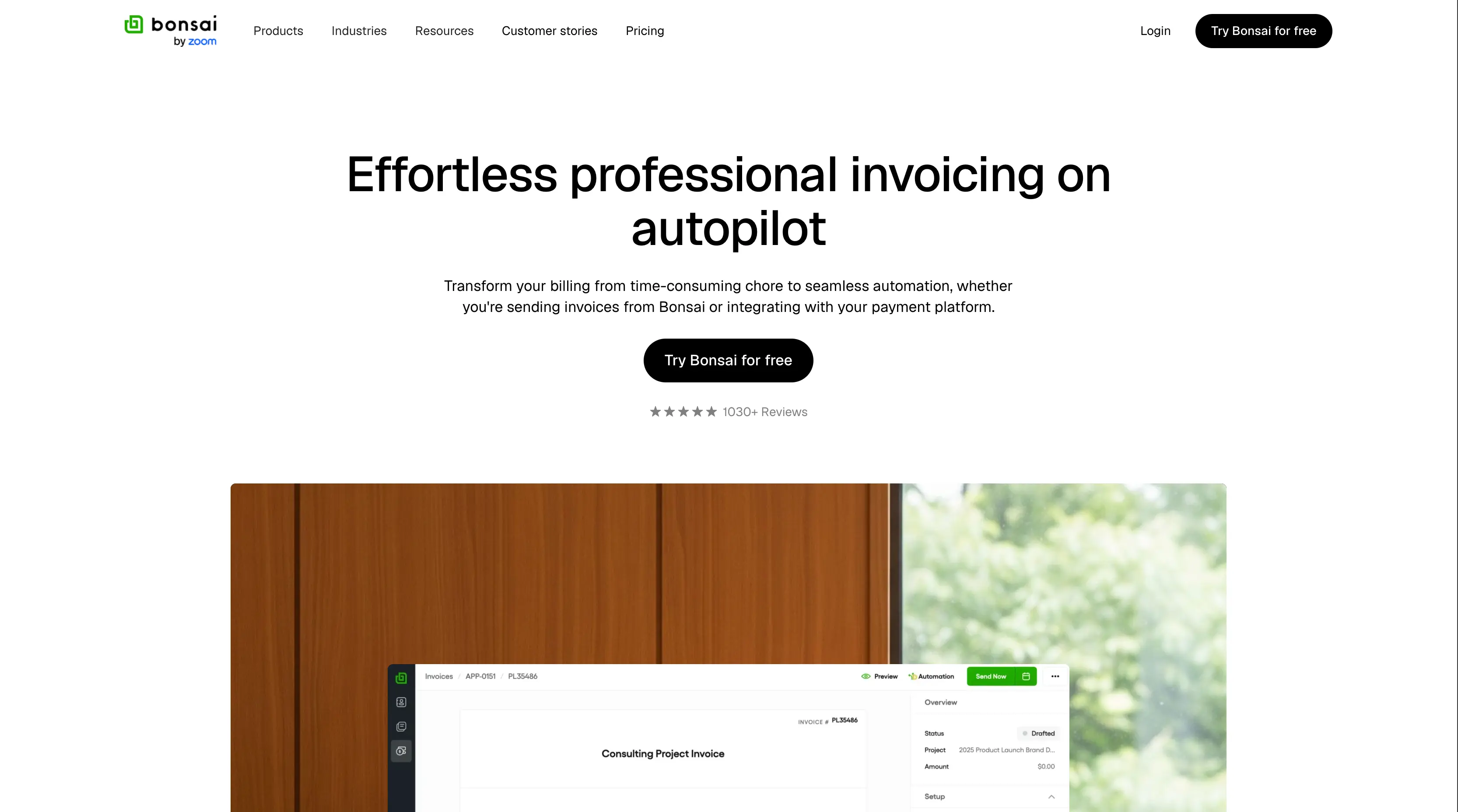
Price: Essentials $25/user/month, or $19 billed annually; Premium $39, or $29 annually.
Bonsai combines proposals, contracts, time tracking, and invoicing. Invoicing starts at Essentials; the cheaper Basic plan doesn't include it.
Why switch from FreshBooks: No client caps, and contracts and proposals are built in.
Watch out for: Pricing is per user, so a 5-person team on Premium pays $195/month on monthly billing. Removing Bonsai branding requires premium.
6. Xero: Best for full accounting with unlimited users
Price: Early $27/month (20 invoices a month); growing $59; established $97 after the October 1, 2026, increase.
Xero is full accounting software with unlimited users on every plan, so it replaces FreshBooks' bookkeeping, not just its invoicing.
Why switch from FreshBooks: A growing team pays no per-user fees.
Watch out for: Early's 20-invoice cap means most businesses need Growing at $59. Multi-currency requires an established rate at $97.
7. QuickBooks Online: Best if your accountant works in QuickBooks
Price: Simple Start $38/month (1 user); Essentials $85 (3 users); Plus $140, after August 2026 increases.
QuickBooks is the accounting standard for many US accountants. If yours expects QuickBooks files, that alone can justify it.
Why switch from FreshBooks: Deeper accounting, reporting, and payroll options, and wide accountant support.
Watch out for: It costs more than FreshBooks once you need more than one user, and prices have risen every year. See Alfaa vs QuickBooks if invoicing is your main need.
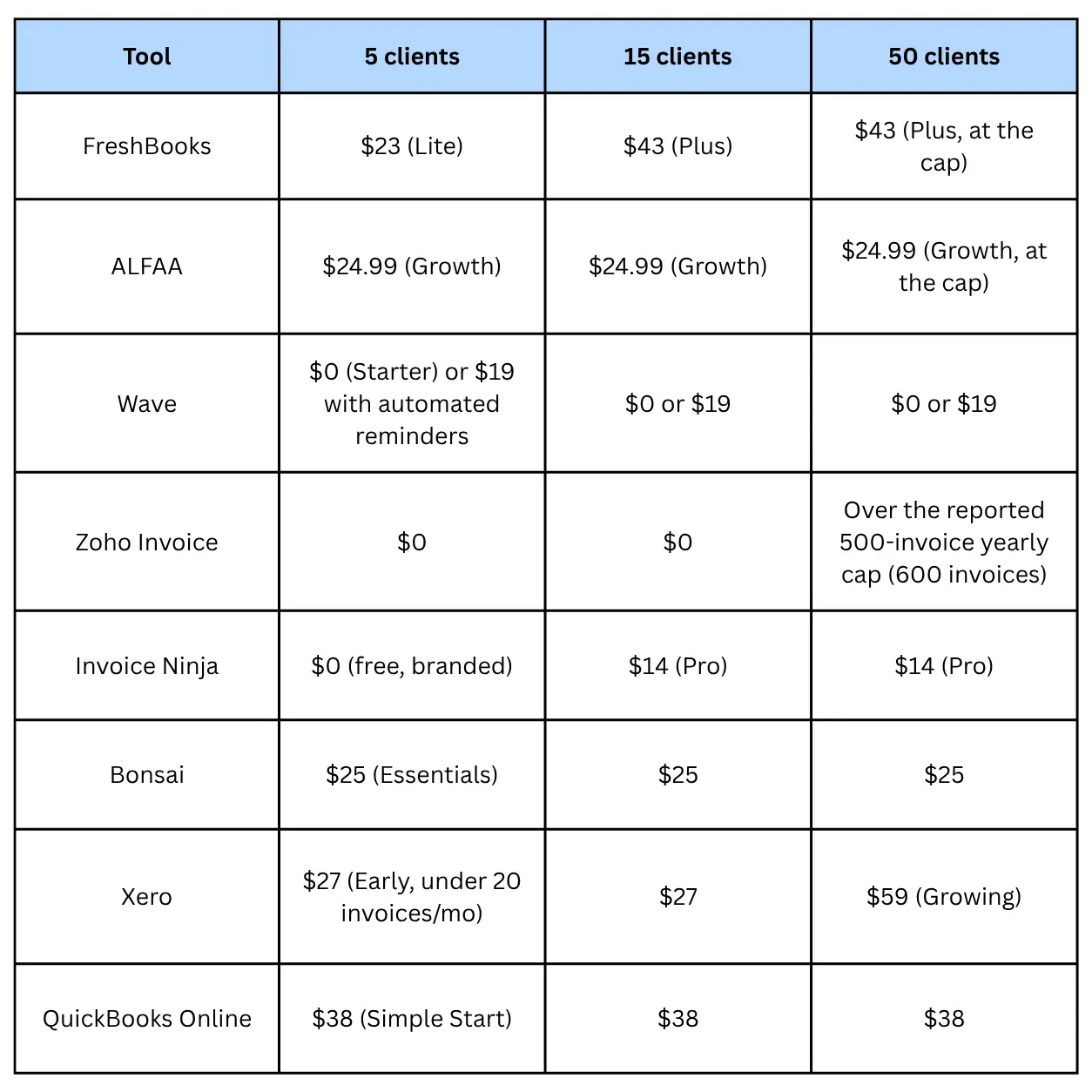
What you'd actually pay at 5, 15, and 50 clients
List prices hide the plan you'll be forced into. This table shows the cheapest plan that covers each client count for one user sending one invoice per client per month, at US monthly list prices before intro discounts.
Three Takeaways:
At 5 clients, FreshBooks Lite is competitive: If you're staying small, switching may not save much.
Between 6 and 50 clients, FreshBooks Plus is the expensive middle: Alfaa, Wave, Invoice Ninja, and Bonsai all cost less for invoicing.
Free plans work until volume or branding matters: Zoho Invoice's yearly cap and Invoice Ninja's 5-client free tier are the first limits most growing businesses hit.
A 3-person agency with 30 clients
Team pricing changes the order. Here's the cheapest fitting plan for 3 users and 30 monthly invoices:
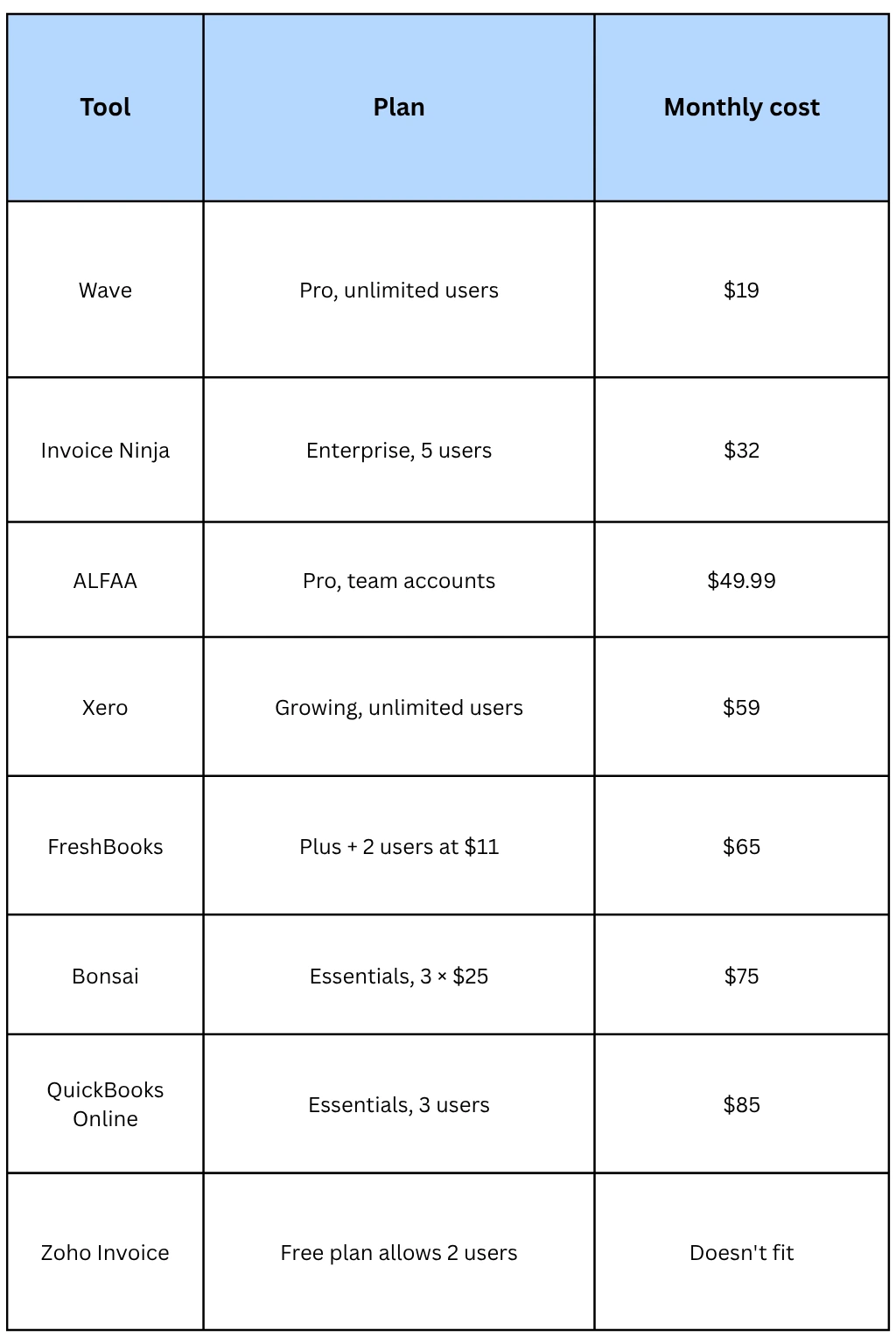
Invoice Ninja Enterprise pricing by team size is from Fitgap. Payment processing fees (typically around 2.9% plus a fixed fee per card payment) apply on top for every tool and can easily exceed the subscription: 2.9% of $5,000 in monthly card payments is $145. Compare them for your typical invoice size, and offer bank transfer for large invoices.
How to choose the right FreshBooks alternative
Start with what you actually use FreshBooks for.
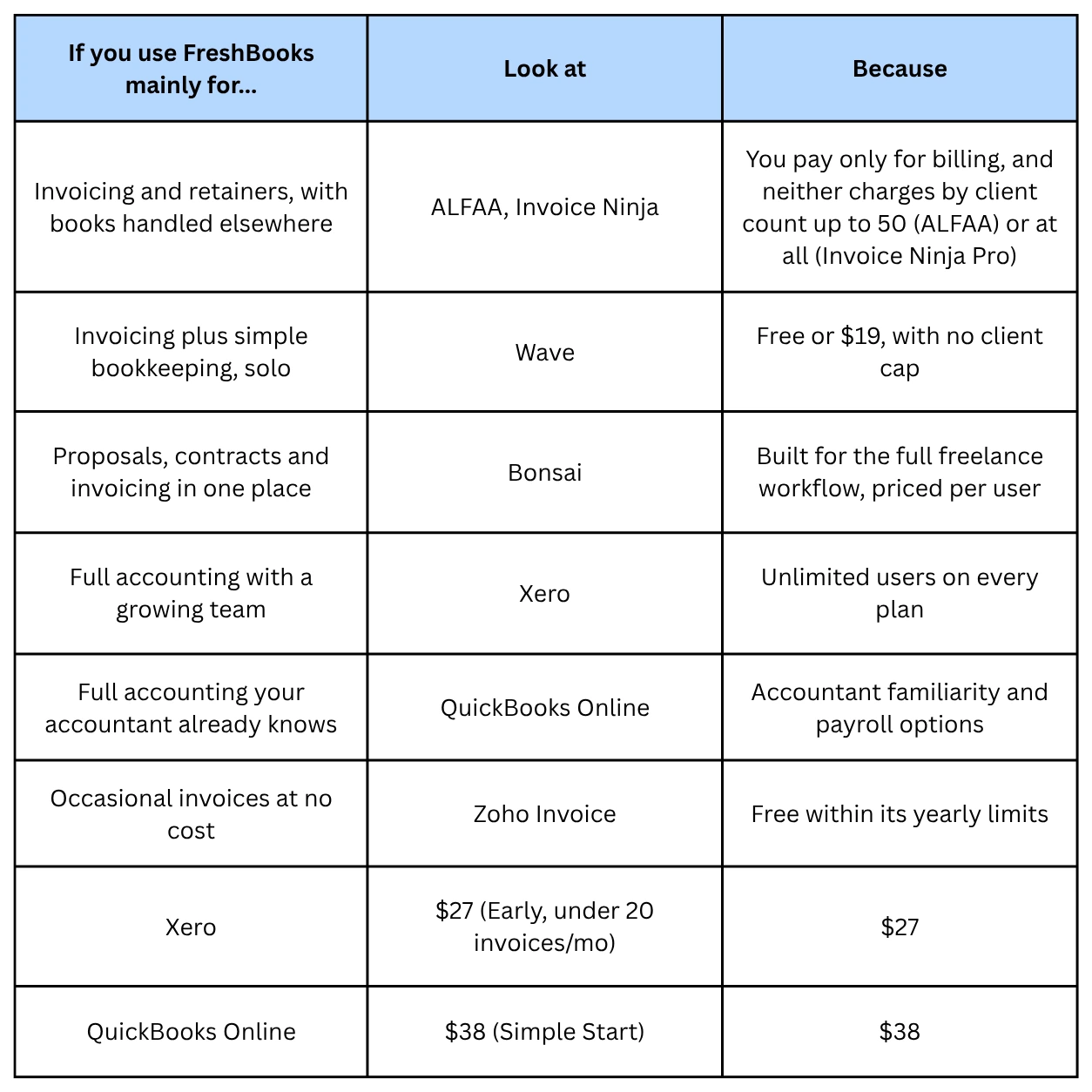
Then check three deal-breakers before you commit: whether the plan you need includes recurring invoices and automated reminders, what happens to cost when you add your next team member, and whether invoices can go out from your own email domain, which matters for deliverability and trust. Our guide to sending invoices from your own email domain explains why. If you bill abroad, also check multi-currency invoicing on the entry plan; Xero, for example, reserves it for Established.
Switching from FreshBooks: a checklist
Plan the move between billing cycles so no invoice falls through the gap.
Export clients, invoices, payments, and reports from FreshBooks, and keep the files for your tax records
Note every recurring invoice: client, amount, frequency, and next send date
Note open invoices; let them be paid in FreshBooks rather than reissuing them
Set up clients and recurring schedules in the new tool, timed to start after the last FreshBooks run
Connect payments (Stripe, PayPal, or bank details) and send yourself a test invoice
Tell clients if your invoice sender address or payment details change, and give AP teams notice before new bank details appear
Cancel FreshBooks only after the last open invoice is paid and your exports are saved
If you also used FreshBooks for expenses, choose a replacement; see our guide to free expense tracking
The Bottom Line
FreshBooks is easy to use, but client caps and per-user fees make it expensive for service businesses between 6 and 50 clients and for small teams. Pick the replacement that matches the half of FreshBooks you actually use: an invoicing tool if your books live elsewhere, or an accounting platform if they don't.
If you're a consultant or agency paying for FreshBooks Plus or Premium mainly to invoice clients and run retainers, Alfaa covers that for less, with recurring billing, reminders, and multi-currency included from the first plan. Start a 14-day free trial, no credit card required, and move your recurring schedules over before your next FreshBooks renewal.
Frequently Asked Questions
It depends on what you use FreshBooks for. For invoicing and retainers, ALFAA and Invoice Ninja cost less at most client counts. For free invoicing with bookkeeping, choose Wave. For full accounting, choose Xero or QuickBooks Online.
Wave's Starter plan is free with no client cap, Invoice Ninja Pro is $14/month for unlimited clients, and ALFAA Growth is $24.99/month for up to 50 clients, compared with $43 for FreshBooks Plus at the same client count.
Yes. Wave Starter and Zoho Invoice are free, and Invoice Ninja is free for up to 5 clients. Free plans carry the vendor's branding and limit features such as automated reminders, users, or yearly invoice volume.
Yes. Lite allows 5 billable clients, and Plus allows 50; only Premium and Select are unlimited. Archived clients count toward the limit.
Agencies should compare team pricing first. Wave Pro and Xero include unlimited users, ALFAA Pro includes team accounts at a flat price, and FreshBooks and Bonsai charge per added user.
Yes. Export clients, invoices, and reports before you cancel, and keep them for your tax records. Recreate recurring invoices in the new tool and time them to start after your last FreshBooks billing run.
For invoicing, recurring billing, reminders, and payment tracking, yes. Alfaa doesn't include bookkeeping, bank feeds, or payroll, so if you rely on FreshBooks for accounting, pair Alfaa with an accounting tool or choose Xero or QuickBooks.

Olivia Bennett
Content Writer @ ALFAA
Olivia is a content writer at ALFAA who specializes in invoicing, small business, and productivity topics. She enjoys simplifying complex ideas into clear, practical insights that help business owners save time, get paid faster, and stay organized.