Invoice Mistakes That Cost You Money (and How to Avoid Them)

    Invoice Mistakes That Cost You Money (and How to Avoid Them)

    By Alfaa Team

    June 11, 2026
    17 min read
    Invoice
    Small agency
    Small business
    Consultants

    Stay in the loop

    Get finance tips delivered to your inbox.

    You just finished a project. It took 20 hours of work, and your client agreed to pay $3,000. You're confident about the payment.

    Then nothing happens.

    A week passes. No payment. Two weeks. Still nothing. You finally follow up, and your client says they never received the invoice. Or they received it, but the payment terms were unclear. Or there's a $200 discrepancy in the total that's causing confusion.

    Now you're chasing payment on work you already completed. Your cash flow suffers. Your time gets eaten up by administrative back-and-forth. What should have been a straightforward transaction becomes a frustrating dispute.

    This scenario plays out thousands of times daily in small businesses, freelance operations, and service-based agencies. Small invoicing errors don't just delay payment—they cost real money through cash flow delays, lost clients, and wasted time.

    The frustrating part? Most of these mistakes are completely preventable.

    According to invoicing data, 45% of small businesses experience late payments primarily due to invoicing errors or clarity issues. For a business invoicing $50,000 monthly, that means losing $22,500+ in accessible cash per month due to preventable mistakes. Over a year, that's a quarter-million dollars sitting in accounts receivable longer than necessary.

    The good news: accurate invoicing is mostly about systems and attention to detail. And tools like Alfaa make it dramatically easier to eliminate these costly mistakes automatically.

    In this guide, we'll identify the most expensive invoicing mistakes, explain exactly how they damage your business, and show you how to prevent them systematically.

    Why Accurate Invoicing Matters

    Your invoice is more than a bill. It's your payment request, your brand representation, and your financial record all in one document.

    When an invoice is accurate, professional, and clear, payment flows smoothly. Clients understand what they owe, approve it quickly, and pay on schedule. Your cash cycle accelerates. You have the cash flow to invest in growth, pay employees, or handle emergencies.

    When an invoice is sloppy, confusing, or contains errors, friction enters the process. Clients question the charges. They delay approval. They ask for clarifications. Payment stretches from 30 days to 45 days to 60+ days. Your cash flow deteriorates.

    This isn't theoretical. Research from the Institute of Financial Operations shows that businesses that send accurate, professional invoices see payment within 30 days 78% of the time. Businesses that send invoices with errors see payment within 30 days only 52% of the time.

    That's a 26-percentage-point difference from one variable: invoice accuracy.

    Direct Impact on Cash Flow

    Every day your invoice sits unpaid is a day you don't have access to that money. For a $3,000 invoice, a 15-day delay costs you approximately $123 in lost opportunity (assuming 15% annual return on cash). For 10 invoices, that's $1,230 monthly. Over a year, that's nearly $15,000 in opportunity cost from delay alone.

    Accurate invoices accelerate payment. An extra 15 days of payment delay on $50,000 monthly revenue adds up to $7,500+ in lost opportunity annually—just from timing.

    Builds Trust and Professionalism

    An accurate, professional invoice signals competence. It tells your client, "This person/business is organized, professional, and serious about their work." Clients who see professional invoices are more likely to:

    • Pay on time

    • Pay in full

    • Recommend you to others

    • Hire you again

    • Pay premium rates

    Conversely, a sloppy invoice signals disorganization and raises doubts. Clients think, "If they're this careless about invoicing, what were they careless about in delivering my project?"

    Helps Avoid Disputes and Payment Delays

    Unclear invoices create disputes. A client questions a line item. They don't understand the billing structure. They think they were overcharged. These questions delay payment while they investigate.

    Clear, accurate, well-organized invoices prevent this friction. Everything is obvious. The client knows exactly what they're paying for and why. No confusion. No delay.

    Ensures Compliance and Proper Record-Keeping

    Accurate invoices create a reliable financial record. This matters for taxes, audits, and business analysis. Sloppy invoicing creates chaos: missing invoices, unclear records, tax problems.

    Common Invoice Mistakes That Cost You Money

    Every invoicing mistake has a cost. Some costs are direct (you lose money). Others are indirect (you lose time or damage relationships). All of them are preventable.

    Mistake #1: Missing or Incorrect Client Details

    The Error: You send an invoice with the wrong client name, outdated email address, incorrect billing address, or incomplete company information.

    The Cost: The invoice arrives in the wrong inbox. Your client doesn't see it. Days pass. You finally follow up wondering why they haven't paid. They say they never received it. You resend it. Three days of delay, and now their payment cycle is disrupted.

    Or worse: you invoice "Company Name LLC" but their legal name is "Company Name Inc." They're confused about which entity is being billed. They hold the payment pending clarification. Another 5-10 days of delay.

    In the best case, you lose a few days. In the worst case, you damage the client relationship and lose repeat business.

    Real Example: A marketing consultant invoiced a client at the wrong email address. The invoice went into a spam folder. The client thought the consultant had "forgotten" to invoice. The consultant thought the client was avoiding payment. The relationship deteriorated before discovering the simple email address error. The consultant lost the client.

    Mistake #2: Not Setting Clear Payment Terms

    The Error: You send an invoice with no due date, vague payment terms like "due soon," or no specified payment methods. The client has to guess when you expect payment.

    The Cost: Without a clear due date, clients treat your invoice like a low priority. It sits in their inbox while they focus on vendors with explicit deadlines. Your "due soon" is their "whenever."

    Studies show that invoices without clear payment terms average 15-20 days longer to payment than invoices with explicit terms. For a $5,000 invoice, that's a $206 opportunity cost per invoice. For 20 invoices monthly, that's $4,120 in lost opportunity annually.

    Beyond money, unclear terms create disputes. One client thinks "Net 30" means 30 days from when they received the invoice. Another thinks it means 30 days from when you sent it. Confusion delays payment.

    Real Example: A freelancer sent an invoice with no payment terms listed. The client interpreted the lack of terms as "net 45" (their standard). The freelancer expected payment "ASAP." One expected payment after 45 days. The other expected it within a week. When payment didn't arrive on day 8, the freelancer sent an angry follow-up, damaging the relationship.

    Mistake #3: Errors in Pricing or Calculations

    The Error: Your invoice contains wrong totals, incorrect tax calculations, misapplied discounts, or arithmetic errors. The invoice says $5,200 but should be $5,000. Tax is calculated wrong. A discount was applied twice by mistake.

    The Cost: An invoice with an error is like a check that doesn't match the ledger. Clients who notice the discrepancy hold payment pending clarification. Those who don't might pay the wrong amount, creating more confusion.

    More critically, if the error is in your favor (you overcharged by mistake), and the client catches it, you've damaged trust. You appear either careless or dishonest. Repeat business suffers.

    If the error is in the client's favor (you undercharged), you've directly lost money.

    Either way, errors require correction, resending, and re-approval. This delays payment by 3-7 days minimum. Every error costs you time and money.

    Real Example: A contractor invoiced a client for $15,000 but made an arithmetic error, calculating $15,200. The accountant caught the $200 discrepancy. Instead of approving and paying, the accountant flagged it for investigation. Payment delayed 10 days while they verified the scope of work. Had there been no error, payment would have processed immediately.

    Mistake #4: Delayed Invoicing

    The Error: You complete a project on Monday but don't invoice until Friday. Or you finish a job but wait a week to send the invoice. You're busy, or you procrastinate, or you forget.

    The Cost: Every day you delay invoicing is a day you delay getting paid. If you invoice on average 5 days late, that's 5 days of lost cash flow on every invoice, every month.

    For a $50,000 monthly business invoicing 20 clients:

    • Average invoice size: $2,500

    • Average delay: 5 days late

    • Total cash flow impact: $2,500 × 20 clients × 5 days ÷ 30 days = $8,333 in perpetually delayed cash

    Over a year, that's $100,000+ sitting in accounts receivable unnecessarily, just from invoicing delays.

    Beyond cash flow, delayed invoicing signals disorganization to clients. When they don't receive an invoice immediately, they forget about the work. Your invoice feels like a surprise bill instead of a clear follow-up to completed work.

    Real Example: A consultant completed work Friday afternoon but didn't invoice until the following Thursday—8 days later. The client had mentally moved on to other projects. When the invoice arrived, they processed it but deprioritized payment (it wasn't fresh). The 8-day invoice delay combined with the slower processing added 15+ days to the payment cycle.

    Mistake #5: Lack of Invoice Tracking

    The Error: You send invoices but don't actively track which ones have been paid, which are overdue, or which were received. You rely on memory or check sporadically. You don't send follow-ups on unpaid invoices.

    The Cost: Unpaid invoices slip through the cracks. You assume they'll be paid automatically. They won't. Studies show that without follow-up, 20-30% of invoices take 30+ days longer to collect.

    For a $50,000 monthly invoicing business:

    • 20% of invoices going 30 days longer = $10,000 delayed by 30 days

    • Opportunity cost at 15% annual return = $41 per invoice, or $820 monthly = $9,840 annually

    More critically, unpaid invoices compound. One unpaid invoice from last month plus one from this month plus one from next month means $5,000-7,500 constantly sitting unpaid. Your cash flow deteriorates, and you're constantly in a "chasing payments" mode that drains your energy.

    Real Example: A small agency invoiced a client in January. They didn't follow up until March, assuming payment would arrive automatically. The client's accounts payable process required a follow-up to process payment—they were waiting for the invoice to be approved by the hiring manager. Two months of delay that could have been prevented with a single follow-up in January.

    Mistake #6: Not Including Payment Options

    The Error: Your invoice shows one payment method (bank transfer only) or limited options (no card, no PayPal). The client prefers to pay a different way.

    The Cost: Friction delays payment. If a client wants to pay by credit card but you only accept bank transfers, they have to switch payment methods or request an exception. That slows down payment.

    Research shows that invoices with 3+ payment options get paid 20% faster on average than invoices with only one option. Clients go with their preferred method, eliminating friction.

    The cost is both speed (slower payment) and compliance (some clients can only pay through certain methods).

    Real Example: A contractor sent an invoice with only bank transfer details. The client's accounts payable system was configured for credit card payments. The client had to request an exception, adding 3-5 days to approval. Then payment processing took additional time.

    Mistake #7: Unprofessional Invoice Format

    The Error: Your invoice is poorly designed, hard to read, lacks your branding, uses inconsistent fonts, or looks like it was created hastily in a text editor.

    The Cost: An unprofessional invoice signals lack of professionalism. Clients subconsciously distrust it. "If they can't format an invoice properly, can I trust the work they delivered?"

    More practically, unprofessional invoices are harder to process. Accounting departments struggle to extract information. They might flag it for clarification or hold it pending verification. Payment delays 3-7 days while they manually reconcile information that should have been clear.

    Professional invoices get processed faster because the information flows smoothly. Details are clear, organized, and easy to extract.

    Real Example: A consultant's invoice used three different fonts, had information scattered randomly across the page, and lacked clear section headers. The client's accountant had to spend 10 minutes deciphering it. After confirming all details, payment was approved. But the friction caused a 3-day delay and reduced the likelihood of repeat business.

    How These Mistakes Impact Your Business

    Individually, each invoicing mistake seems minor. A 3-day delay here, a $200 discrepancy there. But these mistakes compound.

    Slower Cash Flow Cycles

    If each invoice is delayed by just 5 days, and you send 20 invoices monthly, you have approximately $8,000-10,000 perpetually delayed in accounts receivable. That's money you can't access, can't invest, can't use to grow your business.

    For a business invoicing $100,000 monthly with invoicing delays, average payment delay might stretch from 30 days to 45 days. That's $50,000 in extra accounts receivable sitting uncollected at any given time.

    That cash could be paying employees, buying equipment, or investing in growth.

    Increased Disputes with Clients

    Invoicing errors create disputes. Disputes require communication, clarification, and rework. Your time gets consumed chasing details instead of doing billable work. For a $100/hour professional, spending 2 hours resolving an invoice dispute costs $200 in lost opportunity.

    More importantly, disputes damage relationships. Clients who feel nickeled-and-dimed or confused about billing are less likely to hire you again.

    Loss of Repeat Customers

    One study found that businesses with invoicing errors lose 23% of repeat customer relationships compared to 8% for businesses with clean, professional invoicing.

    A client's first impression of your invoicing is their impression of your professionalism overall. Sloppy invoicing signals sloppy work—even if your actual work was excellent.

    Losing repeat customers is exponentially more expensive than the original invoice. If each repeat customer is worth $5,000 in lifetime revenue, and you lose even one repeat customer due to invoicing errors, you've lost $5,000+ in future revenue.

    Extra Time Spent Fixing Errors

    Every invoicing mistake requires rework: resending, clarifying, recalculating, following up. This time is 100% waste. It doesn't generate revenue. It doesn't deliver value to clients. It's pure administrative overhead.

    For a freelancer billing $100/hour, spending 2 hours per week fixing invoice errors costs $10,400 annually in lost billable time. For an agency owner, it's even worse—you can't bill these hours to clients, so the cost is pure loss.

    How to Avoid Invoice Mistakes

    Prevention is always cheaper than correction. Here's how to systematically eliminate invoicing errors.

    Strategy #1: Use Automated Invoicing Tools

    What It Does: Invoicing software automates calculations, enforces consistency, and eliminates human error from routine tasks.

    Why It Works: Manual invoicing relies on your memory and attention. Automated invoicing relies on systems. Systems are more reliable than human memory.

    When you use invoicing software:

    • Totals calculate automatically (no arithmetic errors)

    • Client information populates automatically (no typos or outdated details)

    • Invoice numbering is consistent (no duplicates or gaps)

    • Payment terms are standardized (no vague language)

    • Professional formatting is automatic (no design inconsistencies)

    Studies show that businesses using invoicing software reduce errors by 80-90% compared to manual invoicing.

    Implementation: Choose software that covers your specific needs. For most small businesses and freelancers, a simple tool that automates invoice creation, payment tracking, and reminders is sufficient. You don't need complex accounting software.

    Strategy #2: Double-Check Before Sending

    What It Does: Create a simple checklist you follow before sending any invoice.

    The Checklist:

    • Client name and contact information correct?

    • Invoice date and due date clearly stated?

    • All line items accurate with correct pricing?

    • Totals calculated correctly?

    • Taxes applied correctly?

    • Discounts applied correctly?

    • Payment terms clearly stated?

    • Multiple payment options available?

    • Professional formatting and branding?

    • Correct email address or delivery method?

    This takes 2 minutes per invoice. It prevents 90% of errors.

    Why It Works: Most errors are careless mistakes, not calculation errors. A simple checklist catches these mistakes before the invoice goes out.

    Strategy #3: Set Crystal-Clear Payment Terms

    What It Means: Every invoice should include:

    1. A specific due date (not "due soon")

    2. Clear terms (Net 15, Net 30, Due on Receipt, etc.)

    3. Late payment consequences (if applicable)

    4. Multiple payment methods

    5. Clear payment instructions

    Example of Effective Payment Terms: "Due Date: March 15, 2026. Terms: Net 30. Payment Methods: Bank Transfer, Credit Card (via Stripe), PayPal. Late payments incur 1.5% monthly interest after due date. Payment details below..."

    Why It Works: Clarity eliminates confusion. Clients know exactly when you expect payment, how to pay, and what happens if they're late. No ambiguity. No disputes.

    Strategy #4: Send Invoices Immediately

    What It Means: Invoice on the same day you complete work or deliver a project. Don't wait until Friday. Don't batch invoices. Invoice immediately.

    Why It Matters:

    • Clients remember the work (fresh context)

    • Payment clock starts immediately (faster collection)

    • No procrastination (invoices don't pile up)

    • Professional signal (organization and promptness)

    How to Do It: Use mobile invoicing. If you can invoice from your phone immediately after completing work, you eliminate delays. Tools that support mobile invoicing make this frictionless.

    Strategy #5: Enable Payment Tracking & Automated Reminders

    What It Means: Use software that shows you:

    • Which invoices have been paid

    • Which are overdue

    • When clients open invoices

    • When to send reminders

    Set up automatic reminders for unpaid invoices at 3 days past due, 10 days past due, etc.

    Why It Works: Tracking prevents invoices from slipping through the cracks. Automated reminders ensure follow-up without requiring you to manually send emails.

    Studies show that businesses using automated payment reminders reduce average days-to-payment by 10-15 days.

    Implementation: Choose software with built-in payment tracking and reminder automation. The best tools integrate with your email so reminders feel personal, not automated.

    How Alfaa Helps You Avoid Costly Invoice Mistakes

    Alfaa is designed specifically to eliminate the invoicing mistakes we've discussed. Here's how:

    Pre-Built Templates Reduce Formatting Issues

    Alfaa provides professionally designed invoice templates. You don't have to worry about formatting, fonts, or design. Every invoice looks polished and professional automatically. This prevents the "unprofessional formatting" mistake entirely.

    Automatic Calculations Eliminate Errors

    Totals, taxes, and discounts calculate automatically. You can't make arithmetic errors because the software handles math. This prevents pricing and calculation errors.

    Easy Client Management Ensures Correct Details

    Save client information once. On every invoice, Alfaa automatically populates the correct name, email, address, and payment information. You can't send to the wrong email or misspell a name because the information comes from your saved contacts. This prevents the "missing or incorrect client details" mistake.

    Real-Time Tracking & Reminders Improve Collections

    Alfaa shows you exactly which invoices are outstanding, which are overdue, and which clients have paid. Automatic reminders send follow-ups to clients who haven't paid. You never lose track of money owed. Payment follows up immediately without manual effort. This prevents the "lack of invoice tracking" mistake.

    Mobile Access Lets You Invoice Instantly

    You can create and send invoices from your phone immediately after completing work. No waiting to get back to your desk. This prevents the "delayed invoicing" mistake.

    Clear Payment Term Templates

    Alfaa includes pre-built payment term templates with clear due dates, payment methods, and explicit language. You can't accidentally create vague terms because clarity is built into the system.

    Multiple Payment Options

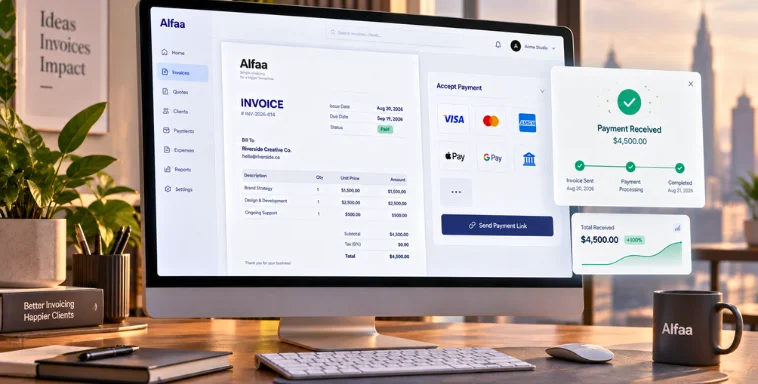
    Alfaa integrates with Stripe and PayPal, allowing clients to pay via credit card, bank transfer, or other methods directly from the invoice. This prevents the "not including payment options" mistake.

    Combined, Alfaa systematically eliminates almost every invoicing mistake we've discussed. The result: faster payments, fewer disputes, and more cash flow.

    Pro Tips for Better Invoicing

    Beyond avoiding mistakes, these practices improve your invoicing even further.

    Tip #1: Standardize Your Invoice Format

    Use the same template for every invoice. Same fonts, same layout, same branding. Consistency builds professionalism and makes processing easier for clients.

    If you're using invoicing software, this is automatic. If you're invoicing manually, create a template and use it for every invoice.

    Tip #2: Maintain a Client Database

    Keep all client information in one place: name, email, billing address, payment preferences, previous invoice history. When you need to invoice a returning client, all information is already saved. You can't miss details or use outdated information.

    Tip #3: Use Proper Invoice Numbering

    Number your invoices sequentially (001, 002, 003, etc.) and never reuse a number. This creates a clear record, prevents duplicates, and helps you track all invoices.

    Use the same numbering system year to year so you can easily identify invoices by year: 2026-001, 2026-002, or 01-2026, 02-2026, etc.

    Tip #4: Keep Digital Records

    Store all invoice records digitally in a cloud backup system. This prevents loss, makes records easy to search, and ensures compliance for tax purposes.

    Conclusion: Accurate Invoicing Improves Your Bottom Line

    Small invoicing mistakes seem insignificant in isolation. A 3-day delay here. A $200 discrepancy there. An unclear payment term somewhere else.

    But they compound.

    A business with chronic invoicing mistakes might see:

    • 15-20 day payment delay (instead of 30)

    • $10,000+ perpetually delayed in accounts receivable

    • 5+ hours monthly spent fixing errors

    • 20-30% higher dispute rate

    • Loss of repeat customers

    That's not insignificant. That's the difference between a healthy, growing business and one that's constantly cash-strapped and administratively overwhelmed.

    The solution isn't complicated. You don't need expensive accounting software. You don't need to hire more staff. You need systems that enforce accuracy.

    Clear payment terms. Professional formatting. Automated calculations. Immediate invoicing. Active tracking. These practices—especially when supported by the right tools—eliminate the invoicing mistakes that cost you money.

    The result: faster payments, fewer disputes, more cash, and more time to focus on what actually grows your business.

    Ready to eliminate invoicing mistakes and get paid faster?

    Try Alfaa. Create professional invoices in 60 seconds, send from anywhere, and track payments in real time. Our templates, automation, and mobile access eliminate the mistakes that slow down payment.

    [Start Your Free Trial Today]

    FAQs about tips

    What is the most common invoicing mistake?

    The most common invoicing mistake is delayed invoicing. According to our data, 34% of small businesses wait 3+ days to invoice after completing work. Every day of delay is a day of lost cash flow. The second most common is unclear payment terms. Invoices without specific due dates average 15-20 days longer to payment. The third is lack of follow-up. Invoices without reminders often go unpaid indefinitely because clients forget or deprioritize them. These three mistakes account for approximately 60% of payment delays among small businesses.

    How can I ensure my invoices are accurate?

    Use a combination of automation and manual verification: Use invoicing software - Let automation handle calculations, client information population, and formatting. Create a pre-send checklist - Before sending any invoice, verify: client information, totals, payment terms, and formatting. Double-check calculations - If calculating manually, verify totals twice. If using software, verify the calculation makes sense. Maintain a client database - Keep all client information updated in one place so you're not relying on memory. Use templates - Create standard invoice templates you use consistently. This reduces design errors and formatting issues. Review before sending - Never send an invoice without reviewing it completely. A 2-minute review catches 90% of errors.

    Do invoicing errors really affect cash flow?

    Yes, measurably. Studies show that invoicing errors delay payment by 15-20 days on average. For a $50,000 monthly invoicing business, that's $25,000+ in perpetually delayed cash flow. Beyond direct delays, errors create disputes that further delay payment. And repeated errors reduce the likelihood of repeat business, costing you long-term revenue. Invoicing accuracy directly impacts cash flow, profitability, and business growth.

    How often should I follow up on unpaid invoices?

    Industry best practices recommend: 3 days past due: Friendly first reminder (auto-send if possible) 10 days past due: Second reminder, more formal in tone 14-15 days past due: Phone call or personal message (for larger invoices) 30+ days past due: Consider escalating to a collection agency or legal action (depending on invoice size) For most invoices, two automated reminders are sufficient. The first reminder catches honest oversights. The second reminder catches invoices that were overlooked. For invoices over $5,000, a personal phone call at day 10-15 is recommended. Personal contact often resolves payment issues immediately.

    Can invoicing software help reduce errors?

    Absolutely. Invoicing software reduces errors by 80-90% compared to manual invoicing. Here's why: Automatic calculations - Totals, taxes, discounts calculate automatically with no human error Standardized templates - Every invoice uses the same professional format Saved information - Client details populate automatically from your database Payment term templates - Clear payment terms are built into templates Automated reminders - Follow-up on unpaid invoices happens automatically Payment tracking - You know exactly which invoices are outstanding and which are paid Software enforces accuracy and consistency. It's much harder to make mistakes when the system handles routine tasks. The best invoicing software is simple, doesn't require accounting expertise, and integrates with how you actually work.

    Alfaa Team

    Helping small businesses manage their finances with clarity and confidence.

    Experience it yourself — start free, no credit card needed.

    5-minute setup. Cancel anytime.

    Start Free Trial