Simple Ways to Manage Small Business Invoicing Easily
By Alfaa Team
Stay in the loop
Get finance tips delivered to your inbox.
Running a small business means managing multiple responsibilities, and invoicing is one of the most critical. A well-structured invoicing process ensures you get paid on time, maintain accurate records, and avoid unnecessary financial stress.
However, many businesses still rely on manual invoicing methods, which often lead to errors, missed invoices, and delayed payments.
In this blog, we explore practical ways to simplify invoicing using modern invoice management software, so you can focus more on growing your business and less on chasing payments.
Why Efficient Invoicing Matters for Small Businesses
Invoicing is more than just billing. It directly impacts your financial health and business operations.
Improves Cash Flow
Sending invoices on time and tracking them properly ensures faster payments and stable cash flow. Using invoice automation software helps eliminate delays.
Reduces Administrative Work
An organized invoicing system reduces manual effort and repetitive tasks. Automated invoicing software can handle calculations, reminders, and tracking.
Builds Professional Credibility
Professional invoices improve client trust. Using a professional invoicing software ensures your invoices are clear, branded, and consistent.
Common Invoicing Challenges Small Businesses Face
Late Payments
Unclear payment terms or delayed invoices often lead to late payments.
Manual Errors
Incorrect totals, missing tax details, or wrong client information can delay payments and create disputes.
Poor Record Management
Unorganized invoices make accounting and tax filing difficult. Without proper systems, tracking payments becomes time consuming.
Practical Ways to Manage Small Business Invoicing Easily
Use a Digital Invoicing Solution
Switching from manual methods to an online invoice generator improves efficiency instantly.
Faster invoice creation
Generate invoice documents within minutes instead of hours.
Reduced manual errors
Automated calculations eliminate mistakes.
Centralized financial data
All invoices, payments, and reports are stored in one place.
Using invoice management software for small businesses ensures better control over billing.
Create Professional Invoice Templates
Standardized templates improve consistency and reduce confusion.
Essential Invoice Elements
Business details
Client details
Invoice number
Itemized services or products
Payment terms
Professional invoicing software allows you to create reusable templates that maintain branding and accuracy.
Automate Recurring Billing
Recurring billing removes repetitive manual work.
Businesses That Benefit
Subscription-based services
Monthly retainers
Ongoing service contracts
Recurring invoice software ensures invoices are generated and sent automatically, improving consistency.
Set Clear Payment Terms
Clear payment terms help avoid misunderstandings and delays.
Examples
Net 7, Net 15, Net 30
Late payment charges
Accepted payment methods
Invoice automation tools can apply these terms consistently across all invoices.
Track Invoice Status in Real Time
Tracking invoices helps you stay on top of payments.
Why Tracking Matters
Quickly identify unpaid invoices
Improve visibility into cash flow
Simplify financial reporting
Invoice management software provides real-time updates on invoice status.
Send Automated Payment Reminders
Payment reminders reduce delays without manual follow-up.
Benefits
Improves collection rate
Reduces late payments
Saves time
Automated invoicing software can send reminders before and after due dates.
Keep All Invoice Records Organized
Organized records are essential for smooth financial management.
Best Practices
Use digital storage instead of paper
Categorize invoices by client or status
Maintain backups
Using billing software for small businesses ensures easy access and organization.
Offer Multiple Payment Methods
Providing flexible payment options speeds up payments.
Common Options
Bank transfers
Online payment gateways
Credit or debit cards
Digital wallets
Online invoice generator platforms often include integrated payment options for convenience.
Review Invoices Before Sending
Even with automation, reviewing invoices is important.
Common Mistakes to Avoid
Incorrect totals
Missing tax details
Incorrect client information
A quick review ensures accuracy and professionalism.
Analyze Your Invoicing Process
Improvement comes from tracking performance.
What to Monitor
Payment turnaround time
Frequency of late payments
Invoice accuracy
Invoice automation software provides insights that help optimize billing processes.
How Modern Invoicing Tools Simplify Business Operations
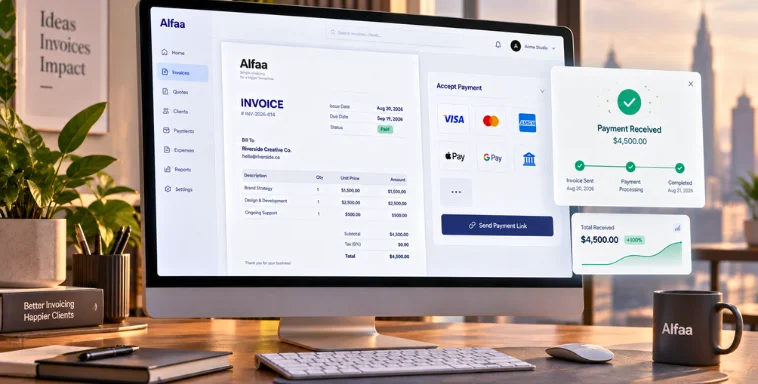
Modern invoicing tools combine invoice generation, payment tracking, and reporting into one platform.
They reduce manual work, improve accuracy, and provide visibility into financial performance. For consultants, agencies, and small businesses, this means less time spent on admin and more time focused on growth.
Using invoice automation software and invoice management software ensures your invoicing process remains efficient and scalable.
Conclusion
Managing small business invoicing does not have to be complicated.
By adopting digital invoicing solutions, automating repetitive tasks, and maintaining organized records, businesses can streamline billing and improve payment efficiency.
Platforms like Alfaa combine online invoice generator capabilities with invoice automation software, helping businesses simplify invoicing, track payments, and maintain financial clarity.
If you want faster payments and better control over your finances, upgrading your invoicing process is the first step.
Frequently Asked Questions
Invoicing ensures timely payments, accurate financial records, and smooth business operations.
It should include business details, client information, invoice number, itemized charges, tax details, and payment terms.
Tracking helps identify unpaid invoices, monitor cash flow, and improve financial visibility.
Recurring billing automatically generates invoices for repeat services. It is ideal for subscriptions and retainers.
Invoicing software automates billing, reduces errors, tracks payments, and provides real time financial insights.

Olivia Bennett
Content Writer @ Alfaa
Olivia is a content writer at Alfaa who specializes in invoicing, small business, and productivity topics. She enjoys simplifying complex ideas into clear, practical insights that help business owners save time, get paid faster, and stay organized.