7 Ways Accounts Receivable Automation Software Helps Your Business Get Paid Faster
By Alfaa Team
Stay in the loop
Get finance tips delivered to your inbox.
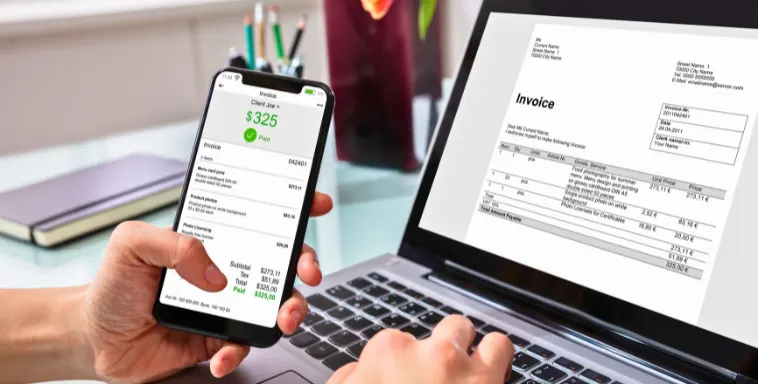
Managing accounts receivable by hand takes time and creates errors. Accounts receivable automation software helps teams send invoices, track payments, and keep cash moving, supporting invoice processing automation and accounts receivable analytics along the way.
Most content on this topic is written for finance teams at companies with an existing ERP, a credit department, and a dedicated headcount for collections. If you're a freelancer, consultant, or small agency, that's not your situation, and most of what these enterprise platforms do (multi-entity credit programs, dealer network servicing, cash application across bulk wire payments) simply doesn't apply. This guide covers what accounts receivable automation actually means, what it should do for a business your size, and how to tell whether you need the enterprise version of this category or something considerably simpler.
Enterprise AR Automation vs. What a Small Business Actually Needs
"Accounts receivable automation" gets used to describe two very different things, and most guides never draw the line.
Enterprise AR automation (platforms like HighRadius, Versapay, or TreviPay) is built for finance teams managing complex credit programs, multi-entity billing, dealer or distributor networks, and high transaction volumes that need to be reconciled against an ERP like NetSuite or SAP. These platforms include credit risk scoring, deduction management, and collections teams working through structured playbooks.
AR automation for a small business or independent consultant is a much narrower, more practical need: get invoices out the door quickly, remind clients automatically when they're due or overdue, track who's paid and who hasn't, and see it all in one place, without a finance team behind it. A few plain-language definitions worth having before comparing tools:
Cash application means matching an incoming payment to the specific invoice it's paying off. It matters a lot when payments arrive in bulk (a single wire covering ten invoices) and barely matters at all if you're taking individual card or bank payments per invoice.
Dunning is the structured sequence of reminders and notices sent to a client as a payment gets more overdue. For a small business, this is just your reminder cadence.
Credit management means deciding how much unpaid balance you're willing to extend to a given client before requiring payment. At a small-business scale, this is usually as simple as choosing shorter payment terms or requiring a deposit for a new client, not a formal credit scoring system.
Deductions refers to a customer paying less than the invoiced amount and citing a reason (a damaged shipment, a pricing dispute). This is a real category of AR work for suppliers selling to large retailers; it's rarely relevant to a service business invoicing a handful of clients.
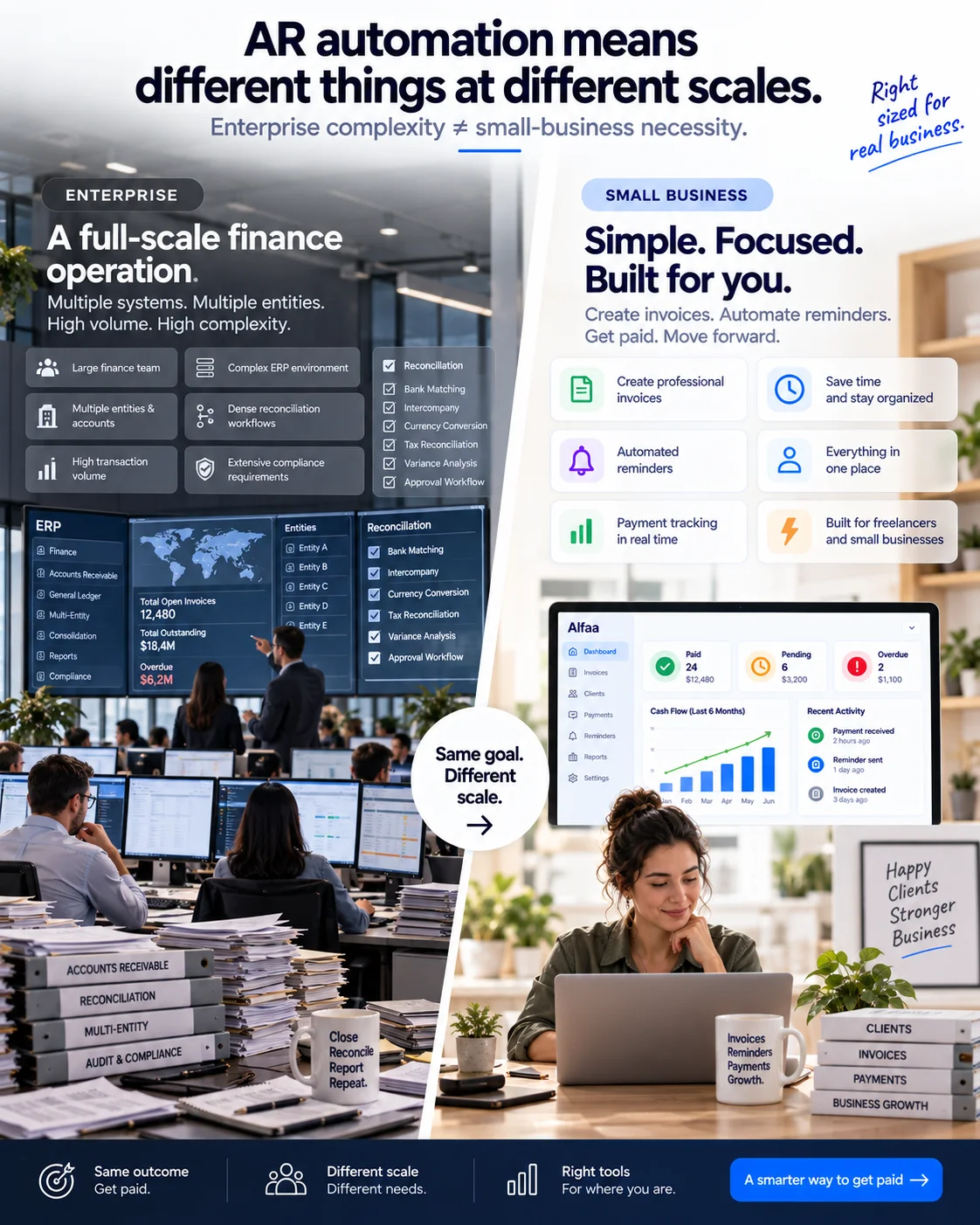
If your business fits the second description, the rest of this guide, and a tool like Alfaa, is built for exactly that. If you're managing credit across hundreds of buyer accounts or a dealer network, the enterprise platforms named above are worth evaluating directly instead.
What Is Accounts Receivable Automation Software?
Accounts receivable automation software is a digital tool that streamlines billing, reminders, and payment tracking. By cutting manual entry, it helps teams work faster and with more accuracy.
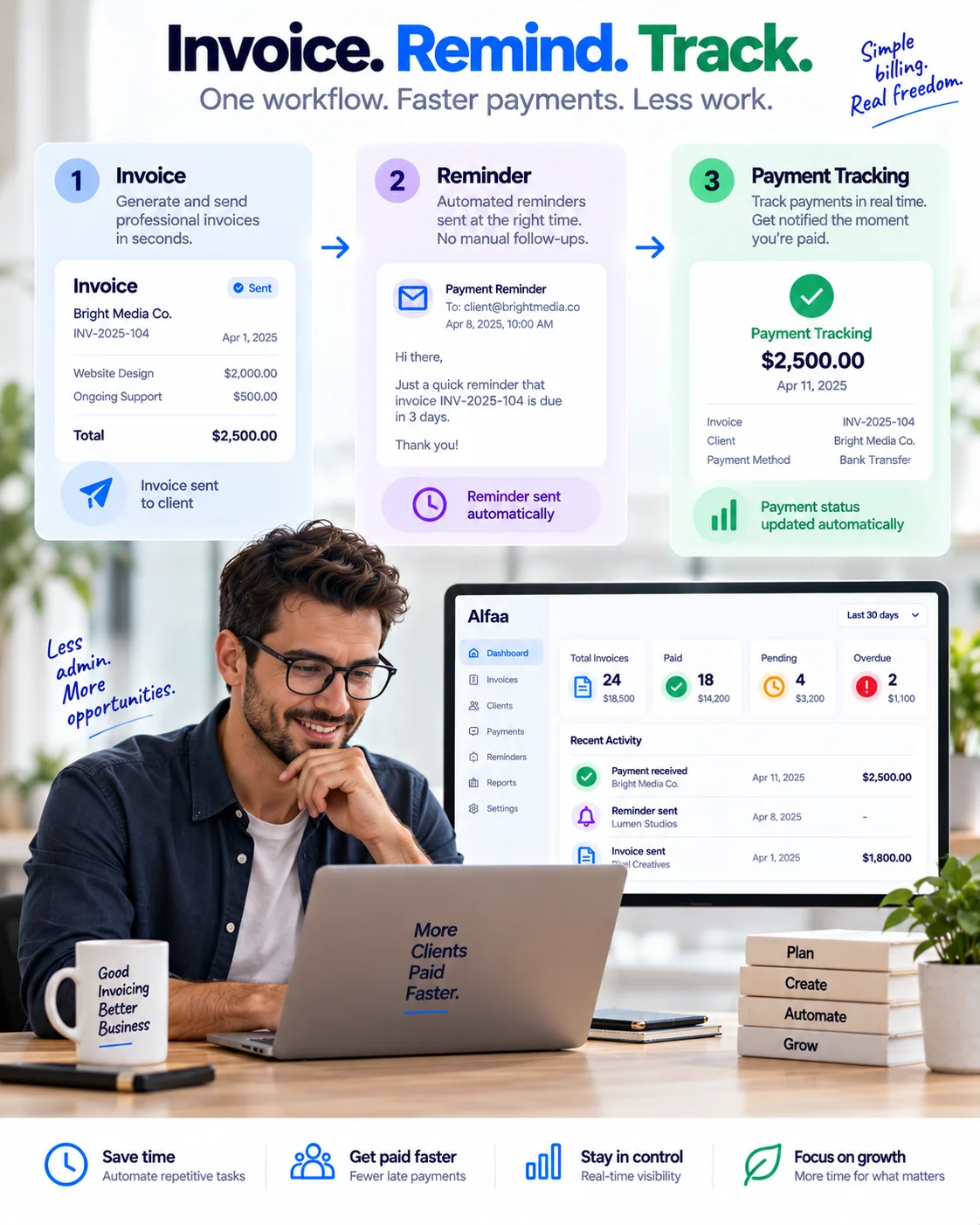
At the small-business level, this usually includes:
Automated invoicing and billing
Automated payment reminders
Real-time tracking and reporting
For a business large enough to need it, it can also extend to workflow automation for internal approvals and credit risk review, though this is the enterprise end of the category described above.
Why Automated Billing Software Matters
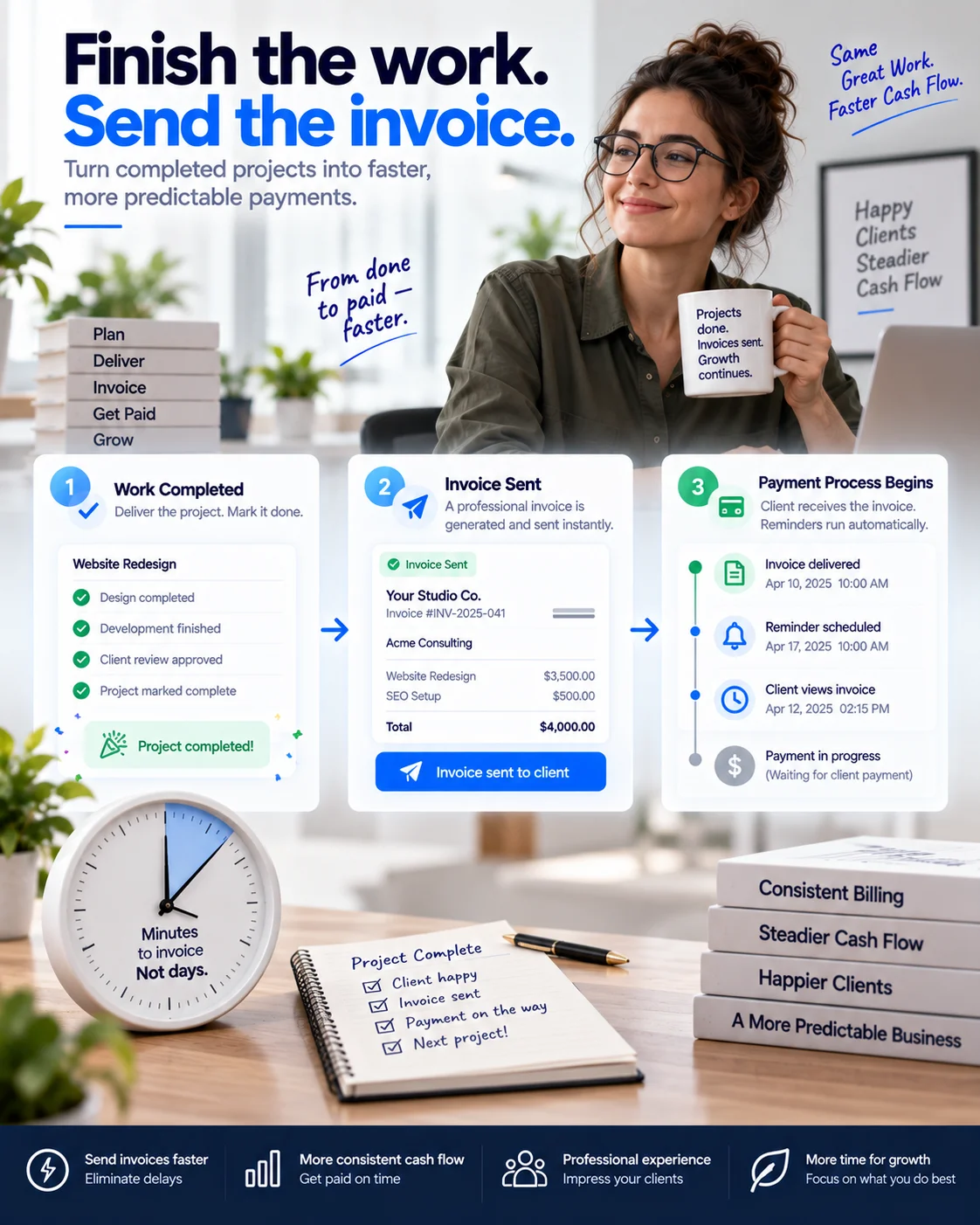
Automated billing keeps invoicing accurate and on time, without you having to think about each step manually. For a small service business, it directly supports:
Faster invoicing and payment handling
Fewer errors and mix-ups on client invoices
Steadier, more predictable cash flow
Key Benefits of Accounts Receivable Automation
Improved Cash Flow Management
Managing cash flow well means knowing what's coming in and when. Automating invoicing and reminders shortens the gap between finishing work and getting paid for it, which cuts Days Sales Outstanding (DSO), the average number of days it takes to collect on an invoice.
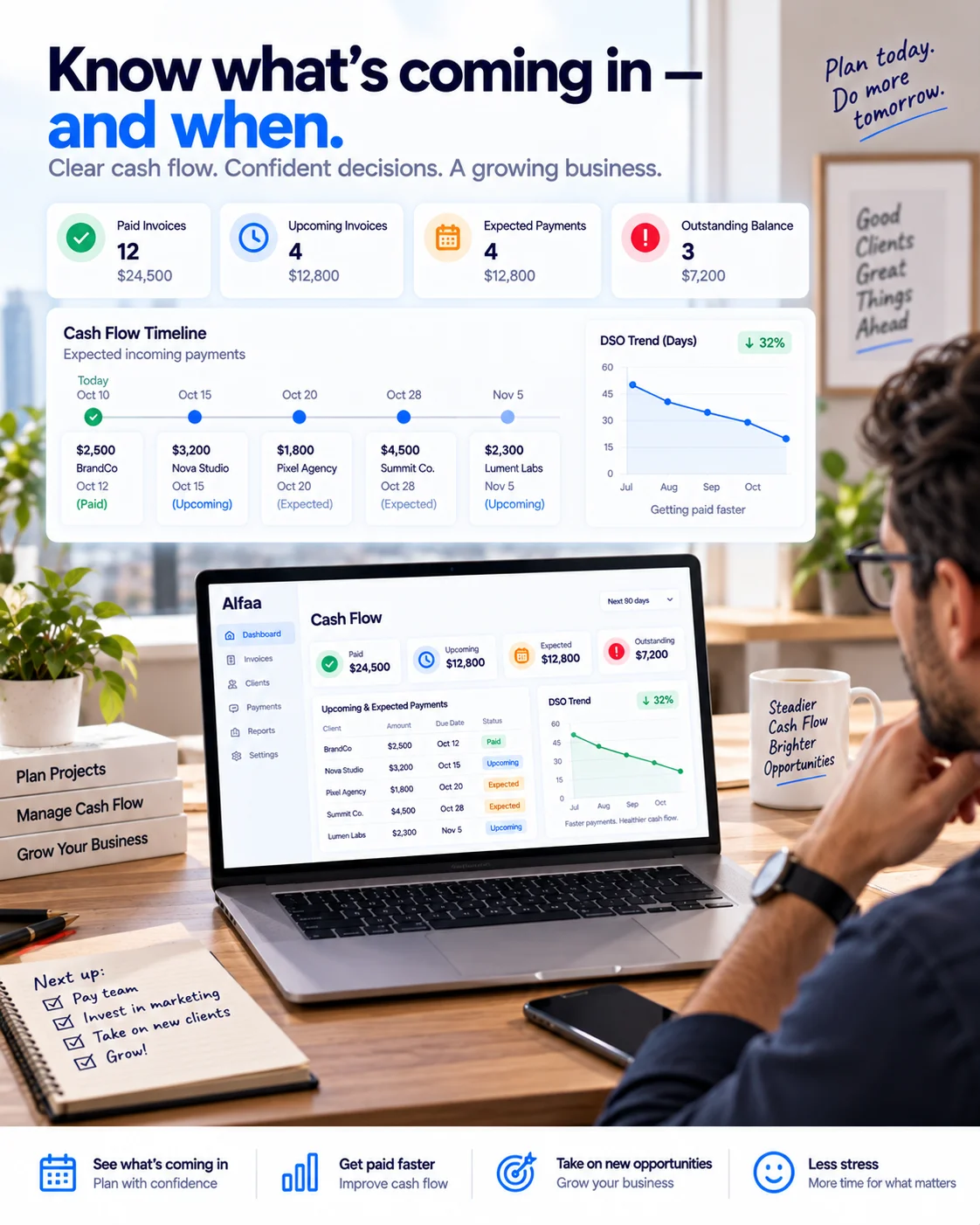
How to measure it: DSO = (Total Accounts Receivable ÷ Total Credit Sales) × Number of Days in the Period. Alfaa's guide to reducing late payments covers this calculation with a worked example and a full reminder-cadence framework, worth reading alongside this piece if cash flow timing is your main concern.
With better visibility into what's outstanding, you can plan for upcoming expenses, decide when it's safe to take on new work, and rely less on short-term credit to bridge a gap that consistent invoicing would have closed on its own.
Enhanced Efficiency With Automated Invoice Processing
Automated invoice processing cuts manual entry, saves time, and reduces mix-ups, which speeds up the billing cycle and improves cash flow. It also frees you up for client-facing or revenue-generating work instead of administrative upkeep.
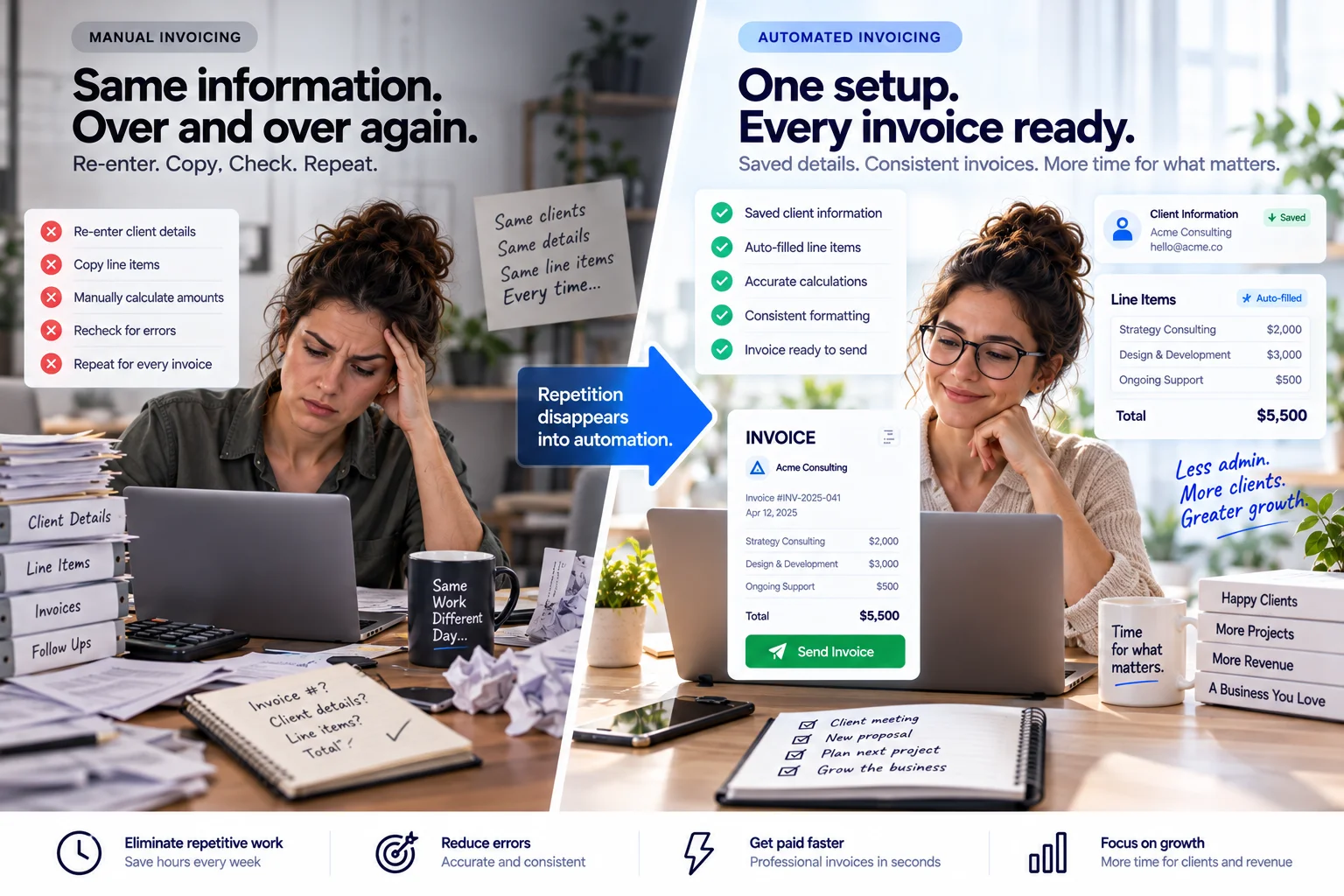
Clear, automatically generated invoices also reduce disputes. When line items, amounts, and terms are consistent every time, there's less room for a client to misread or misunderstand what they're being billed for.
Reduction in Manual Errors
Manual errors are costly and slow to fix. Automation cuts these errors by digitizing the repetitive parts of invoicing, so a rate typed incorrectly once doesn't get retyped incorrectly on every recurring invoice after it.
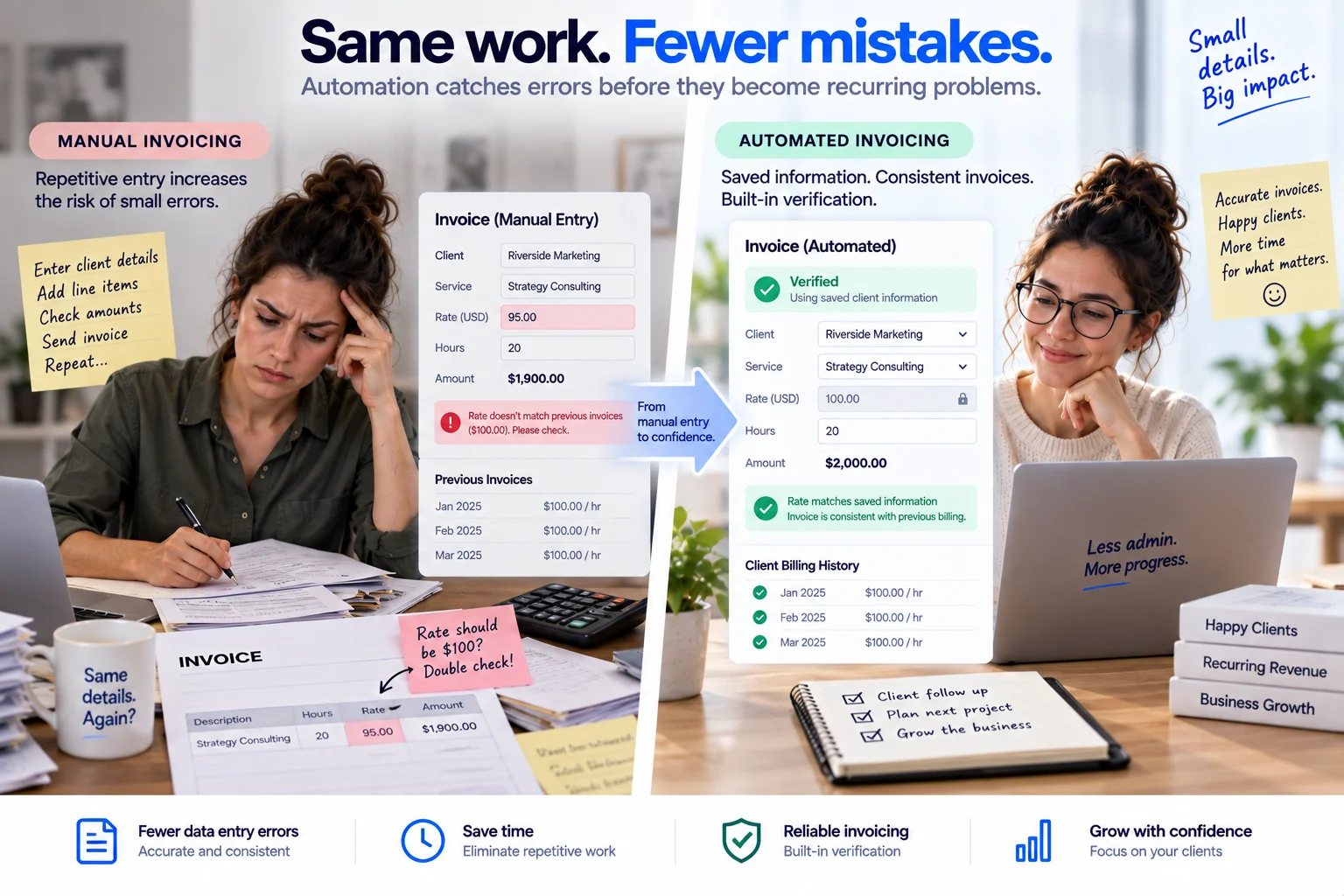
Accurate records also matter beyond the invoice itself: they support reliable financial reporting and make tax time considerably less painful.
Better Cash Application With Payment Processing Software
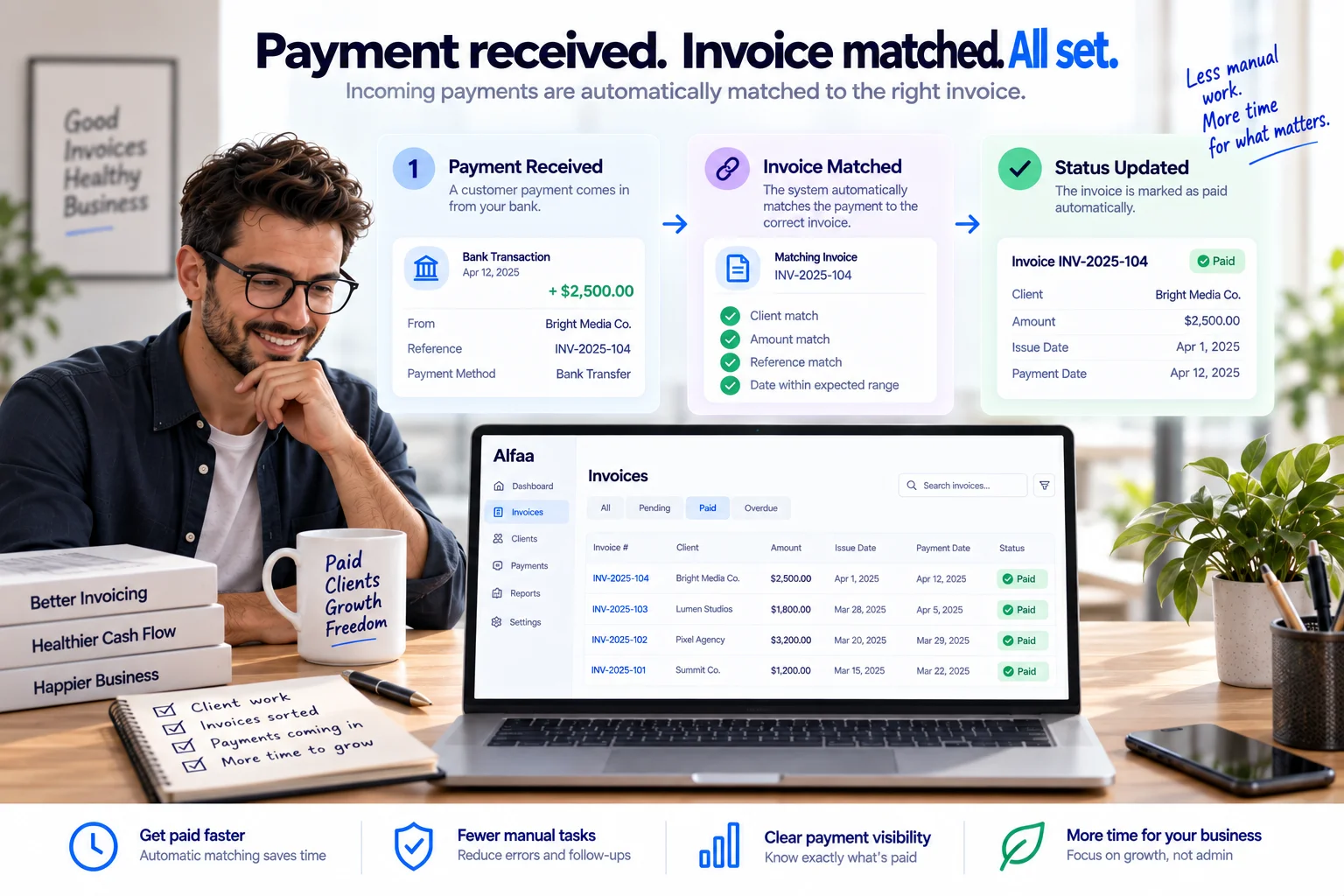
Integrating payment processing software with your invoicing system simplifies matching payments to the invoices they settle. For a small business taking individual card or bank transfer payments, this is usually automatic and immediate rather than something you manage by hand. It matters more as transaction volume grows or when a client pays multiple invoices in a single transfer.
Time Savings and Higher Output
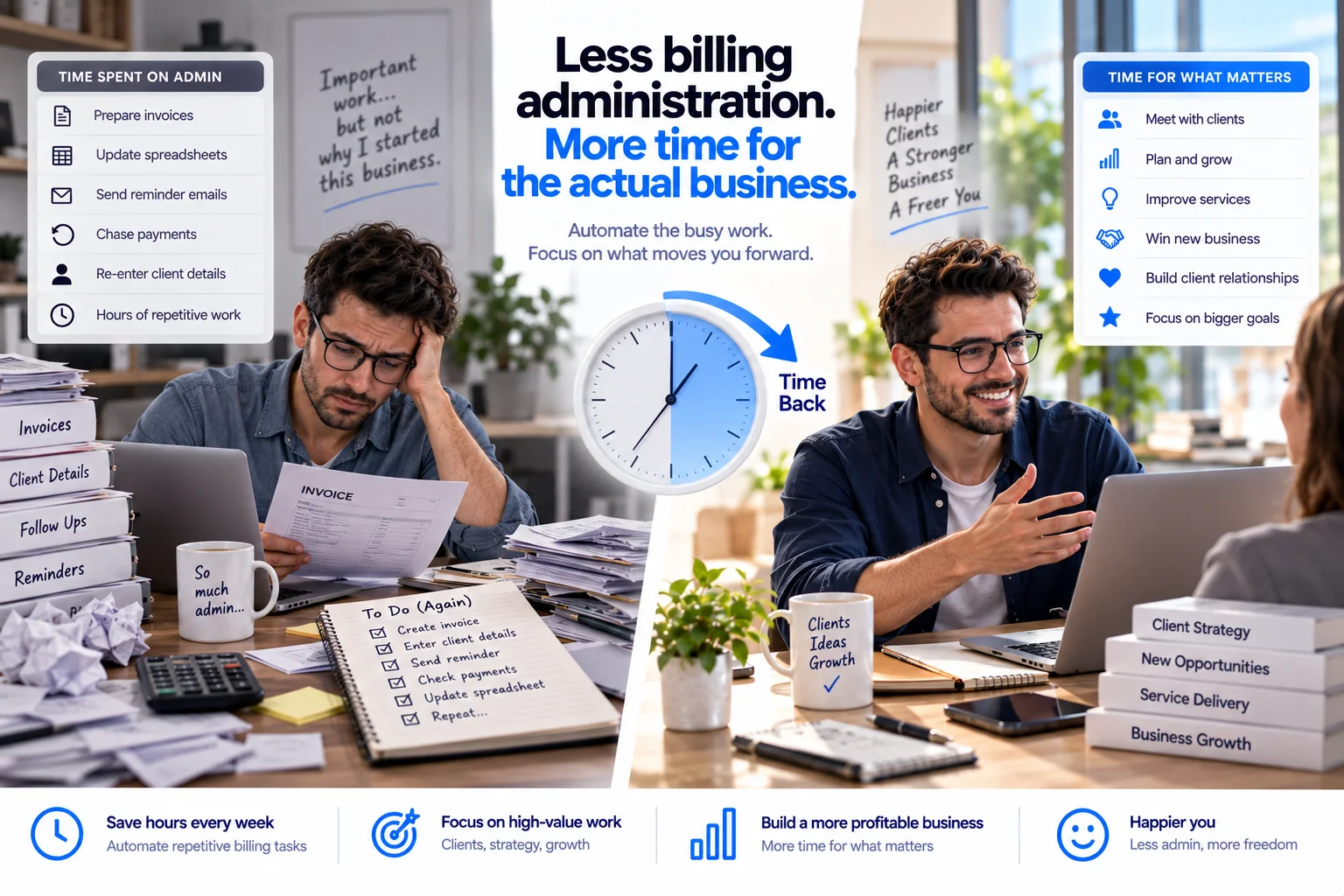
Time saved through automation is time you can put toward client delivery or business development instead of spreadsheets. Alfaa's invoice automation guide breaks down a real-time and cost estimate for what manual invoicing tasks are actually worth for a consultant or small agency, worth a look if you want to put a specific number on what automating this would save you.
Improved Customer Experience and Relationships
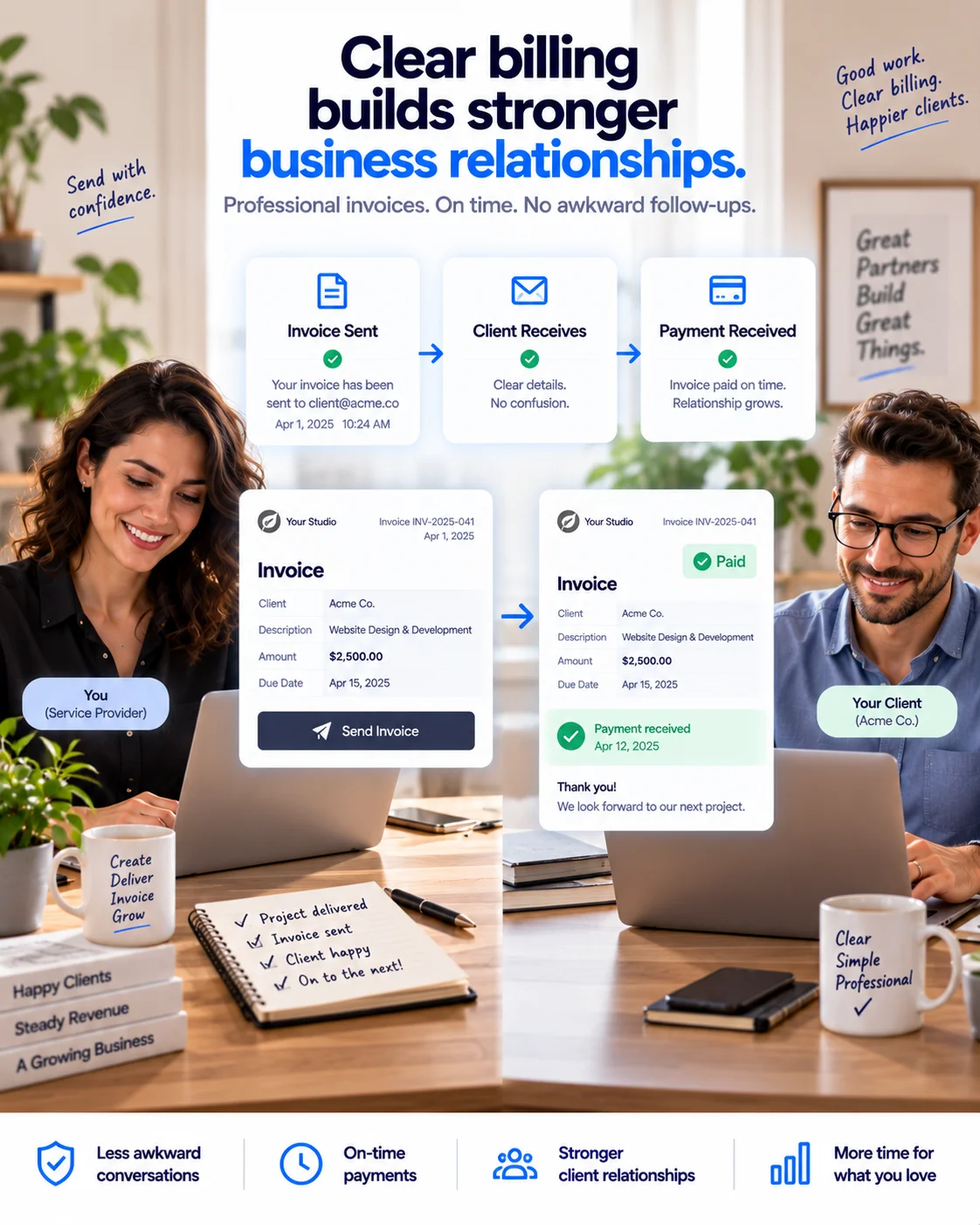
Accurate, on-time invoices build client trust the same way accurate, on-time deliverables do. Automated confirmations and clear communication mean clients aren't left guessing about what they owe or when it's due, which reduces the awkward back-and-forth that comes with a confusing or late invoice.
Stronger Financial Analytics and Reporting
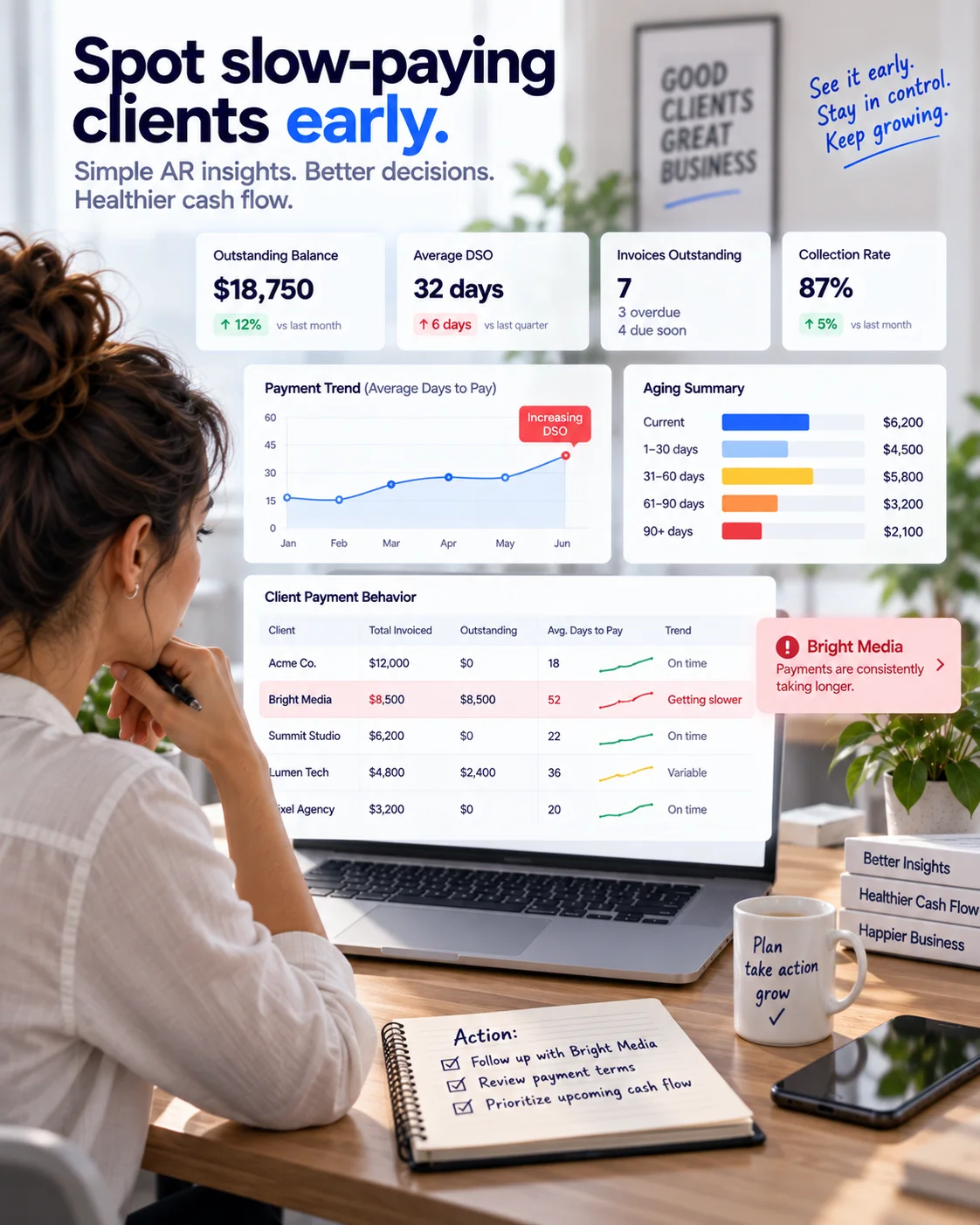
Accounts receivable analytics, average payment time, which clients need reminders most, and how much is currently outstanding give you a clearer picture of your own cash flow than a gut sense of "invoicing feels behind." Real-time reporting means you can catch a slow-paying pattern with a specific client before it becomes a real cash flow problem, rather than after.
Features to Look For in Accounts Receivable Automation Software

When comparing tools, focus on features that solve your actual workflow, not a feature list built for a much larger operation.
Electronic invoicing.
Fast, accurate invoice generation and delivery, using saved templates so you're not re-entering the same client and line-item details every cycle. Alfaa's invoice terminology guide covers how due dates and terms should be phrased so nothing is ambiguous to the client.
Integration with the systems you actually use.
For most small businesses, this means your invoicing tool sending from your real email domain rather than a generic system address, not necessarily a deep ERP sync. Alfaa's note on what makes an invoice look professional covers why the sending domain affects whether an invoice gets opened at all.
Real-time tracking.
A dashboard showing what's paid, what's pending, and what's overdue, with automated reminders sent on a schedule rather than manually, before the due date, on the due date, and after.
Reporting that's actually useful at your scale.
Aging reports and payment trend data matter, but a tool built for enterprise-scale analytics can bury the two or three numbers (DSO, current outstanding balance, which clients are consistently late) that actually change what you'd do next.
Dispute handling that fits your business.
Large suppliers need formal deduction-management workflows; a small service business mostly needs to confirm invoice receipt early and resolve a client's question quickly before it silently delays payment.
Evaluating the Best Software for Your Business
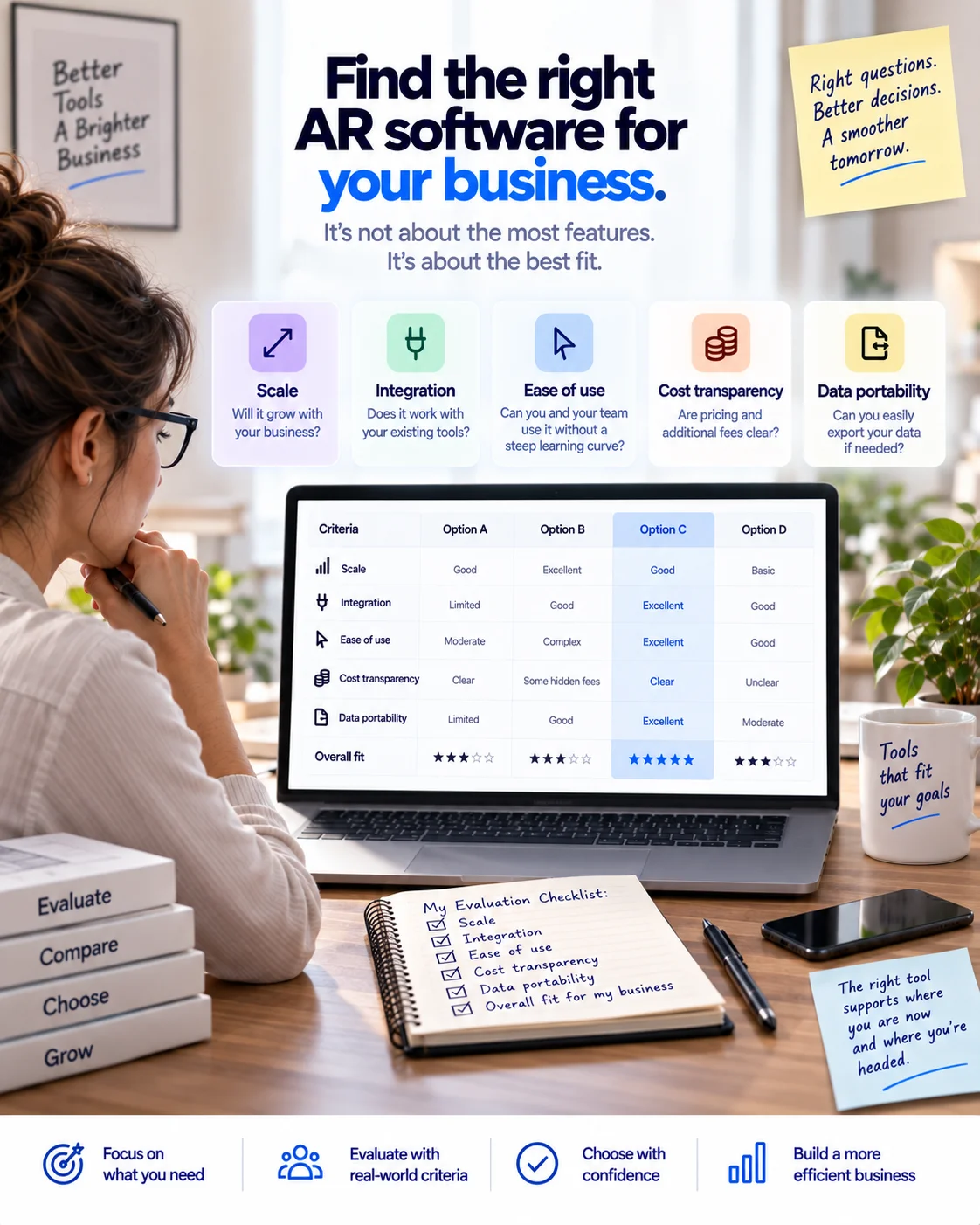
Choosing the right tool means matching it to your current size, not the size you might eventually be. Factors worth weighing:
Scale: Does it grow with you without forcing a painful migration, or does it lock you into more infrastructure than you need today?
Integration: Does it connect with the accounting or payment tools you already use, without requiring an ERP you don't have?
Ease of use: Can you and your clients actually use it without training, or does it assume a dedicated finance user?
Cost transparency: Enterprise AR platforms are frequently priced on request; a tool built for your scale should have a clear, published price.
Data portability: Can you export your client and invoice history if you switch tools later?
This rarely comes up until you're a year into a platform and want to leave; it's worth asking any vendor directly before committing.
Accounts Receivable Automation for International Clients

Billing across borders adds a few considerations a domestic-only setup doesn't need to handle: the right currency displayed automatically, tax ID formatting that matches the client's country, and reminder timing that accounts for time zones rather than assuming a shared business day. Alfaa's guides to invoicing an international client without a local bank account and multi-currency invoicing cover what an automated invoice needs to get right for a cross-border client.
Does It Help With Mandatory E-Invoicing?
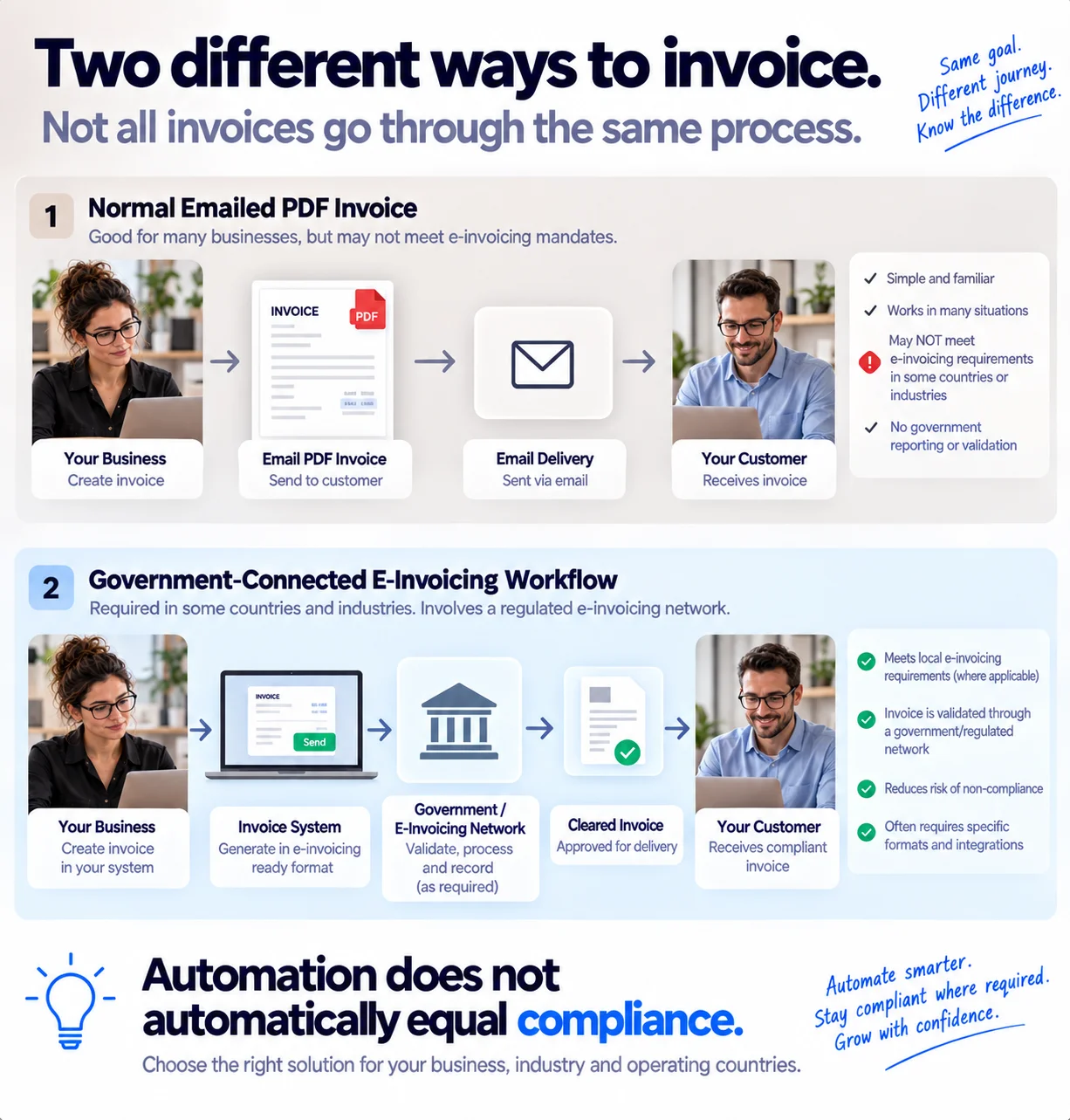
A growing number of countries require invoices to be transmitted through a government-connected system rather than emailed as a PDF. Whether accounts receivable automation software helps here depends entirely on the specific platform, automating your reminders and tracking doesn't automatically mean your invoices satisfy a country's e-invoicing mandate. If you bill into a market with this requirement, check this specifically rather than assuming standard invoice automation covers it.
Can You Get Your Data Out? Portability and Lock-In
This is worth asking before you commit, not after you're a year in. A few questions for any vendor:
Can you export your full client list and invoice history in a format you could actually use elsewhere?
Does switching tools mean restarting your invoice numbering, or can the sequence continue? Alfaa's guide to invoice types covers why numbering continuity matters for clean records.
If the platform includes reporting or analytics you rely on, do you lose that historical view entirely if you leave, or can you take a copy of it with you?
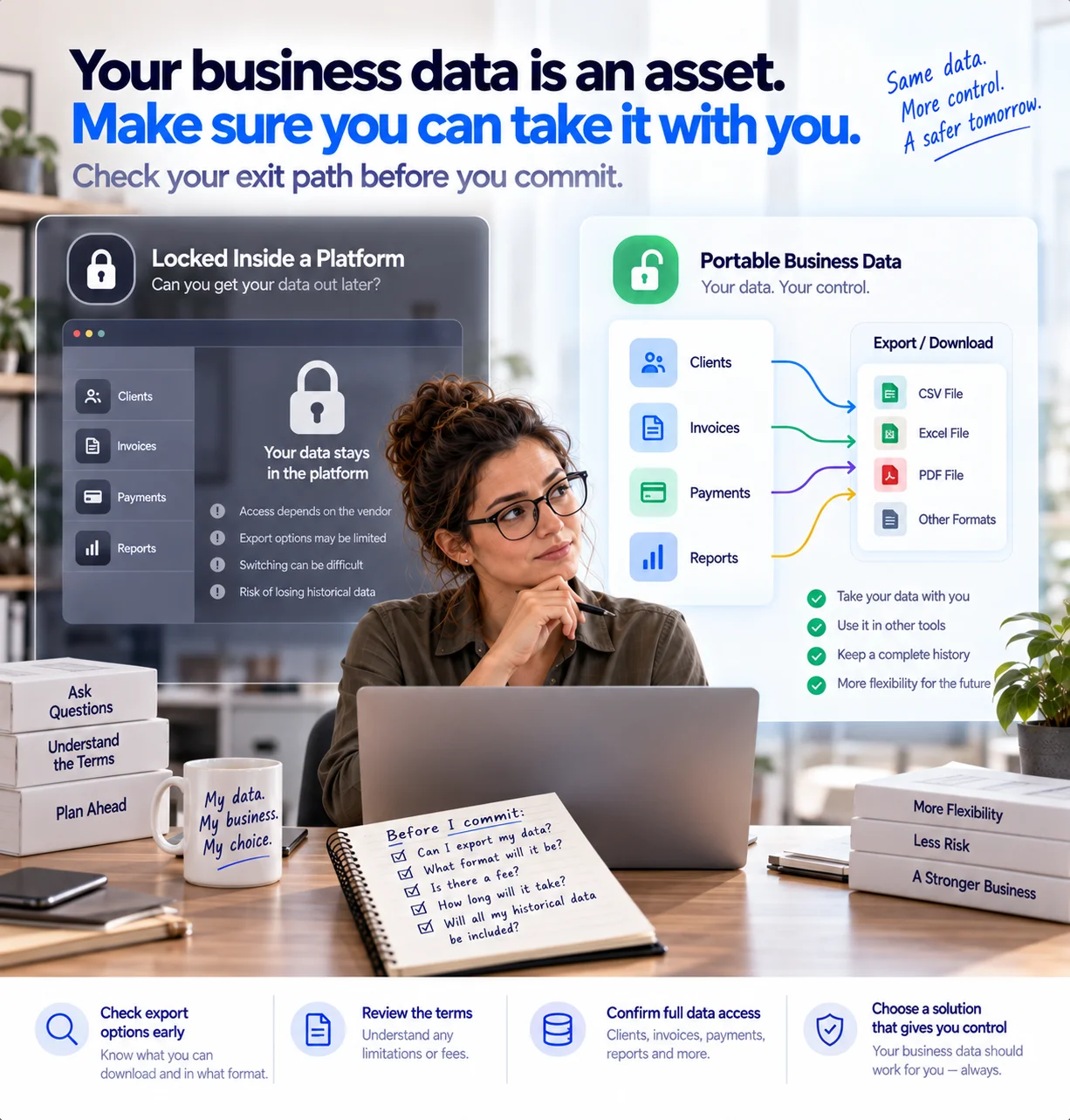
Enterprise AR platforms can make this harder by design, since collections history and payment behavior data become part of what the platform sells you on staying for. Worth checking regardless of which tier of tool you're evaluating.
Where AI Is Actually Useful Here (and Where It's Just a Buzzword)
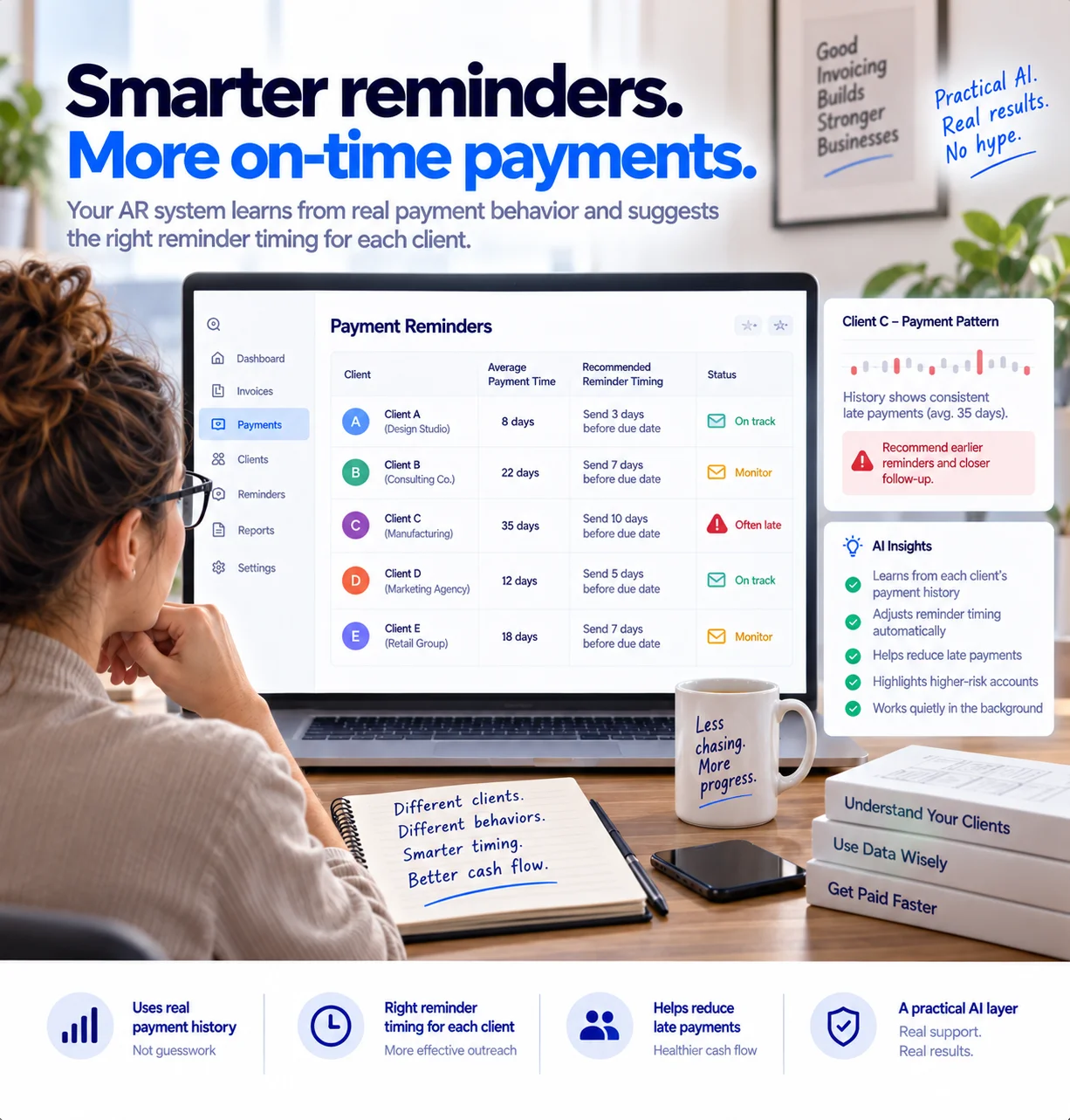
AI shows up in almost every accounts receivable automation pitch now, enterprise and small-business tools alike. At the scale most small businesses operate, the genuinely useful applications are narrower than the marketing suggests:
Smarter reminder timing, adjusting when a reminder goes out based on a specific client's actual payment history, rather than a single fixed schedule for everyone.
Flagging a client likely to pay late based on their own history, so you can adjust terms before the pattern repeats, not after.
Enterprise platforms extend this into full predictive cash-flow forecasting and automated customer segmentation, genuinely useful at scale with many hundreds of accounts, but not something a business with a few dozen clients needs to prioritize when evaluating a tool.
How Alfaa Helps
Alfaa is built for the second category described above: freelancers, consultants, and small agencies who need real accounts receivable automation without the infrastructure or cost of an enterprise platform. With Alfaa, you can:
Generate and send invoices instantly from your own email domain
Automate payment reminders before, on, and after the due date
Track payment status and DSO trends in real time from one dashboard
Automate recurring billing for retainer clients
If you're comparing this against other small-business tools first, Alfaa's own comparison of invoicing software covers real pricing and trade-offs across several options.
Start automating your accounts receivable with Alfaa.
Conclusion
Accounts receivable automation software offers real, measurable value: fewer manual errors, faster invoicing, steadier cash flow, and a clearer picture of what's actually outstanding at any given time.
The category ranges from enterprise credit platforms managing thousands of buyer accounts down to a simple, focused tool that automates invoicing and reminders for a solo consultant. Matching the tool to your actual scale, rather than defaulting to the most feature-heavy option, is what determines whether automation genuinely saves you time or just adds a new system to manage.
With the right tool in place, getting paid becomes faster, more predictable, and considerably less manual.
Frequently Asked Questions
Accounts receivable (AR) automation handles invoices you send to get paid. Accounts payable (AP) automation handles invoices your business receives from vendors. They're often confused because both show up under "invoice automation," but they solve opposite problems.
The enterprise platforms in this category (credit programs, dealer network servicing, deduction management) are built for a different scale of business. But the underlying need, faster invoicing, consistent reminders, and clear payment tracking, applies just as much to a solo consultant as it does to a large company. The tool should just be sized to match.
Cash application means matching an incoming payment to the invoice it settles. It matters most when payments arrive in bulk or cover multiple invoices at once. For a small business taking individual payments per invoice, most modern tools handle this automatically without it being a feature you need to evaluate closely.
Track your Days Sales Outstanding (DSO) before and after automating. A falling DSO over a few months is concrete evidence that faster invoicing and consistent reminders are shortening how long clients take to pay.
Yes, a tool built for this should handle currency display and formatting automatically. Whether it also satisfies a specific country's mandatory e-invoicing requirements is a separate question worth confirming directly with the vendor.
No. It removes the repetitive manual work, generating invoices, sending reminders, tracking status, so you can spend the time you get back on judgment calls automation can't make: which client relationships need a different payment structure, or when a pattern of late payment is worth a direct conversation instead of another automated reminder.

Olivia Bennett
Content Writer @ Alfaa
Olivia is a content writer at Alfaa who specializes in invoicing, small business, and productivity topics. She enjoys simplifying complex ideas into clear, practical insights that help business owners save time, get paid faster, and stay organized.