Invoice Builder: What Actually Matters Once You're Building More Than One
By Alfaa Team
Stay in the loop
Get finance tips delivered to your inbox.
Most tools calling themselves an "invoice builder" are template editors: pick a layout, drag in a logo, fill in some blanks, and download. That's a real and useful thing to build once. It starts falling short the moment building an invoice becomes something you do regularly rather than as a one-off, and almost nothing written about invoice builders addresses that transition at all.
Here's what actually matters once you're past the first one.
Does a better-designed invoice actually get paid faster?
Every design-first builder implies yes without ever showing it. The honest answer is more specific: completeness and clarity move the needle; polish mostly doesn't. Alfaa's own piece on what makes an invoice build client trust gets at this directly: a missing logo isn't really the problem; a missing due date, an unclear breakdown, or an inconsistent format is. A plain invoice with every field correct and easy to scan will get paid faster than a beautifully designed one that's missing a due date or buries the total in decorative formatting. Build for clarity first. Treat visual polish as a nice-to-have layered on top, not the thing doing the actual work.
Where a simple builder hits its ceiling
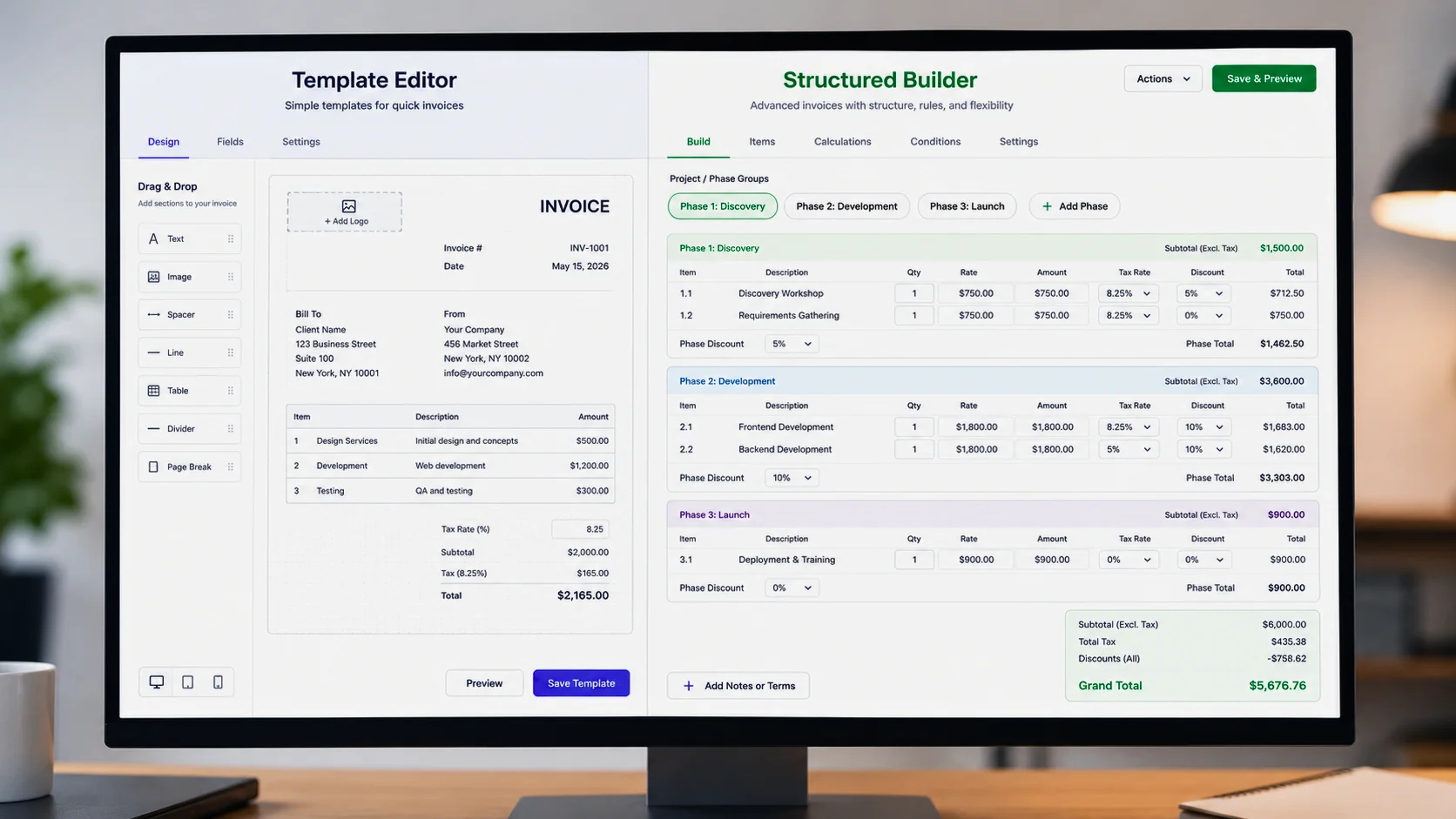
A fill-in-the-blank builder handles one flat tax rate and a short list of line items fine. It starts breaking down once your billing gets slightly more real:
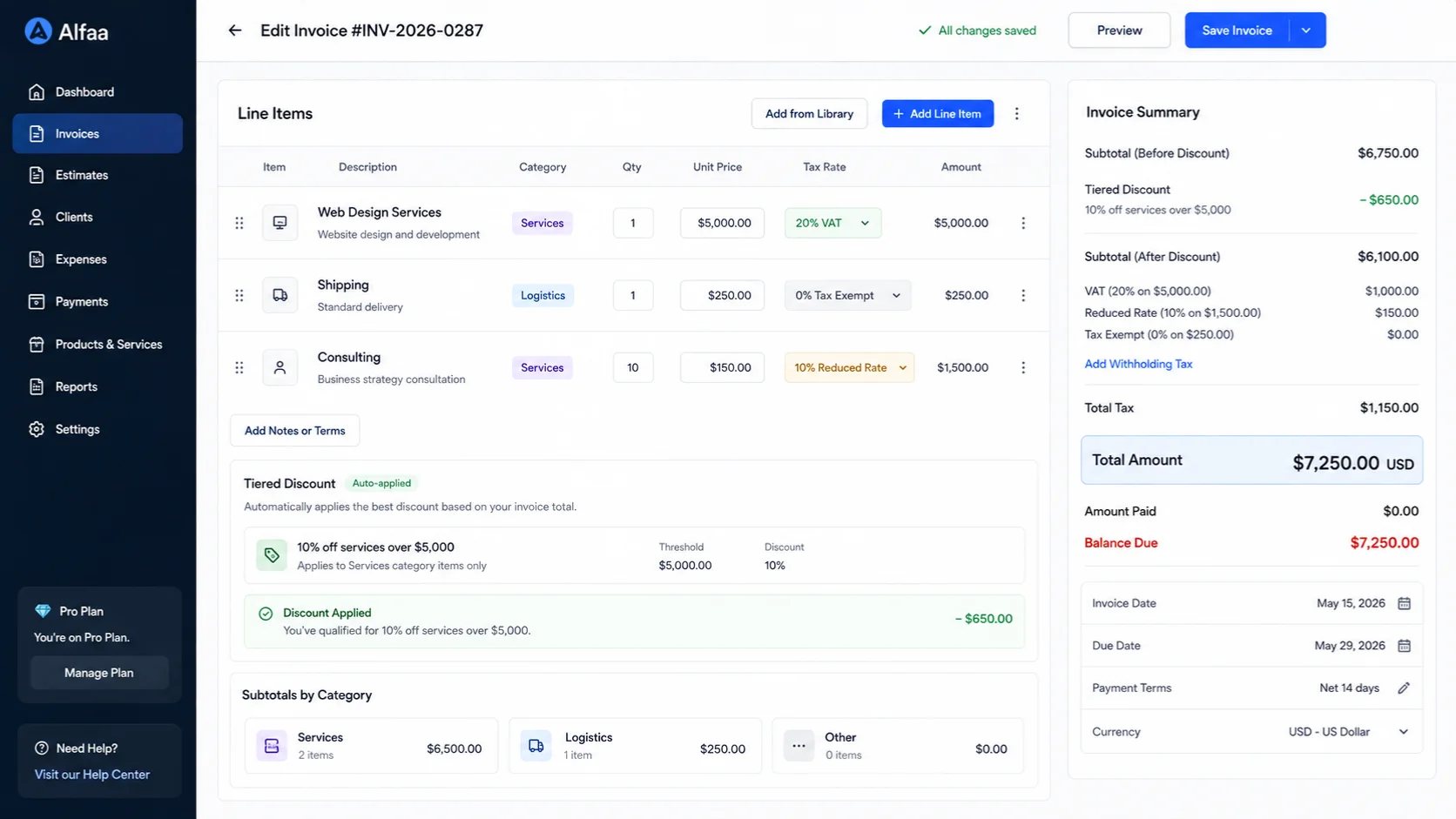
Different tax treatment on different line items on the same invoice (some products taxed, a shipping line that isn't, a service line under a different rate)
Tiered or line-specific discounts, rather than one flat percentage off the total
Subtotals grouped by category or project phase, useful the moment an invoice has more than a handful of line items and needs to stay readable
None of the popular template-editor tools are built to handle this cleanly, they're built for the common case, a handful of lines, one tax rate, one total. If your invoices are structurally more complex than that even occasionally, it's worth checking whether the builder you're using can actually represent that structure or whether you're manually working around its limitations every time.
The build isn't finished when the PDF is
A downloaded invoice still has to reach the client and actually get looked at, and the delivery channel matters more than most builder tools acknowledge:
Email is the default and works fine, but a PDF attachment competes with everything else in an inbox.
A payment link embedded in the invoice removes a step, the client doesn't need to separately find your bank details or figure out how to pay.
Messaging apps (WhatsApp, in particular, for clients in regions where it's the primary business communication channel) can get an invoice seen faster than email, worth considering specifically for clients you already communicate with that way.
A client portal or shared link works well for ongoing relationships where the client might want to reference past invoices without digging through email.
Most builder tools default you into email and PDF without ever raising this as a choice. It's worth treating delivery as part of the build, not an afterthought once the document exists.
Building as a team, not solo
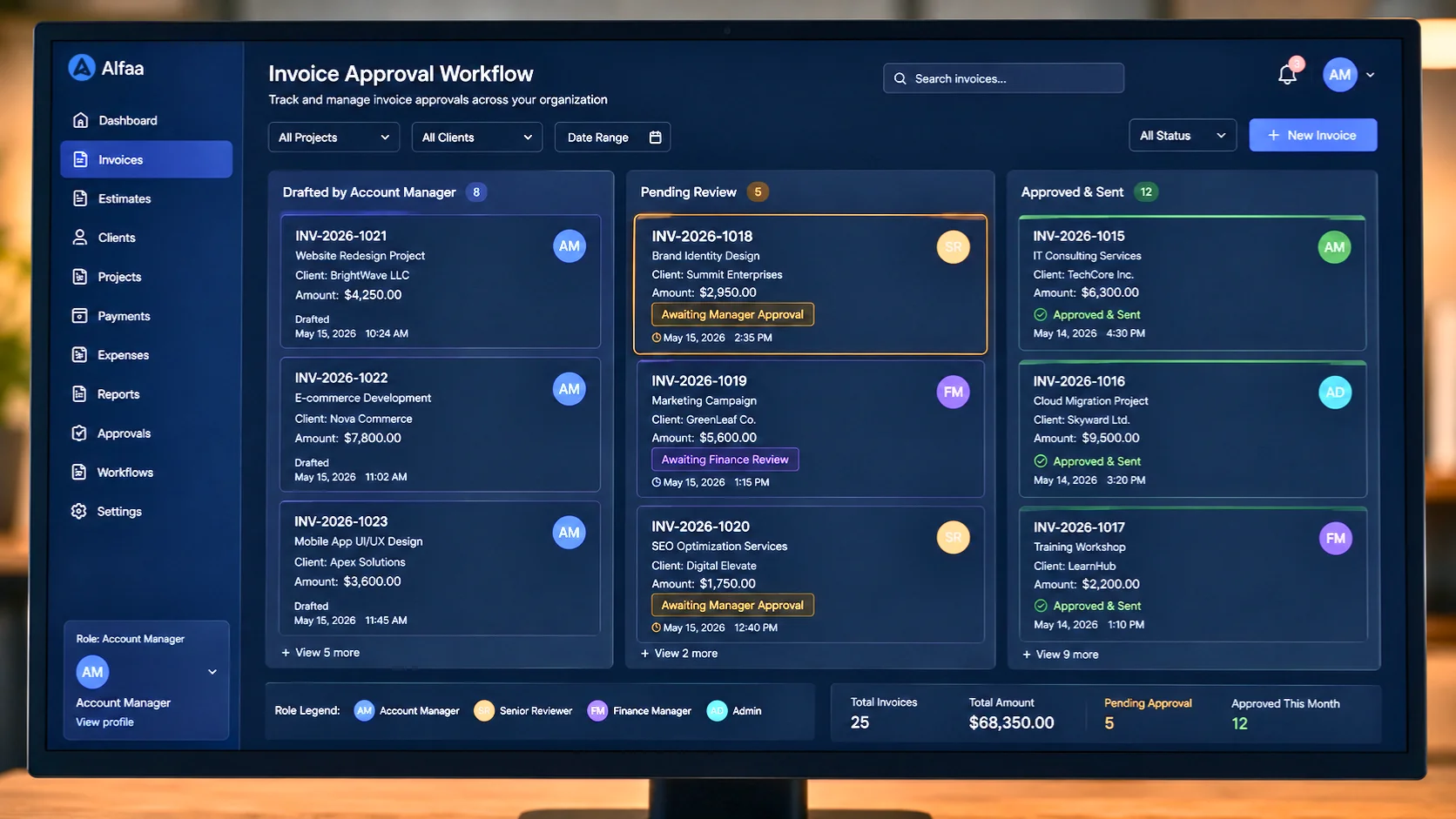
Every consumer-facing builder assumes one person fills in the form and immediately sends it. That's rarely how it actually works past a certain size: an account manager prepares the invoice, someone else needs to check it before it goes out, and the business owner wants visibility without personally approving every single one. How small agencies handle this without a shared login or an email chain is worth a look if you've outgrown a single person building every invoice alone, since the risk at that point isn't speed, it's an invoice going out with an error nobody caught because nobody else saw it first.
Building on a phone, not just viewing on one
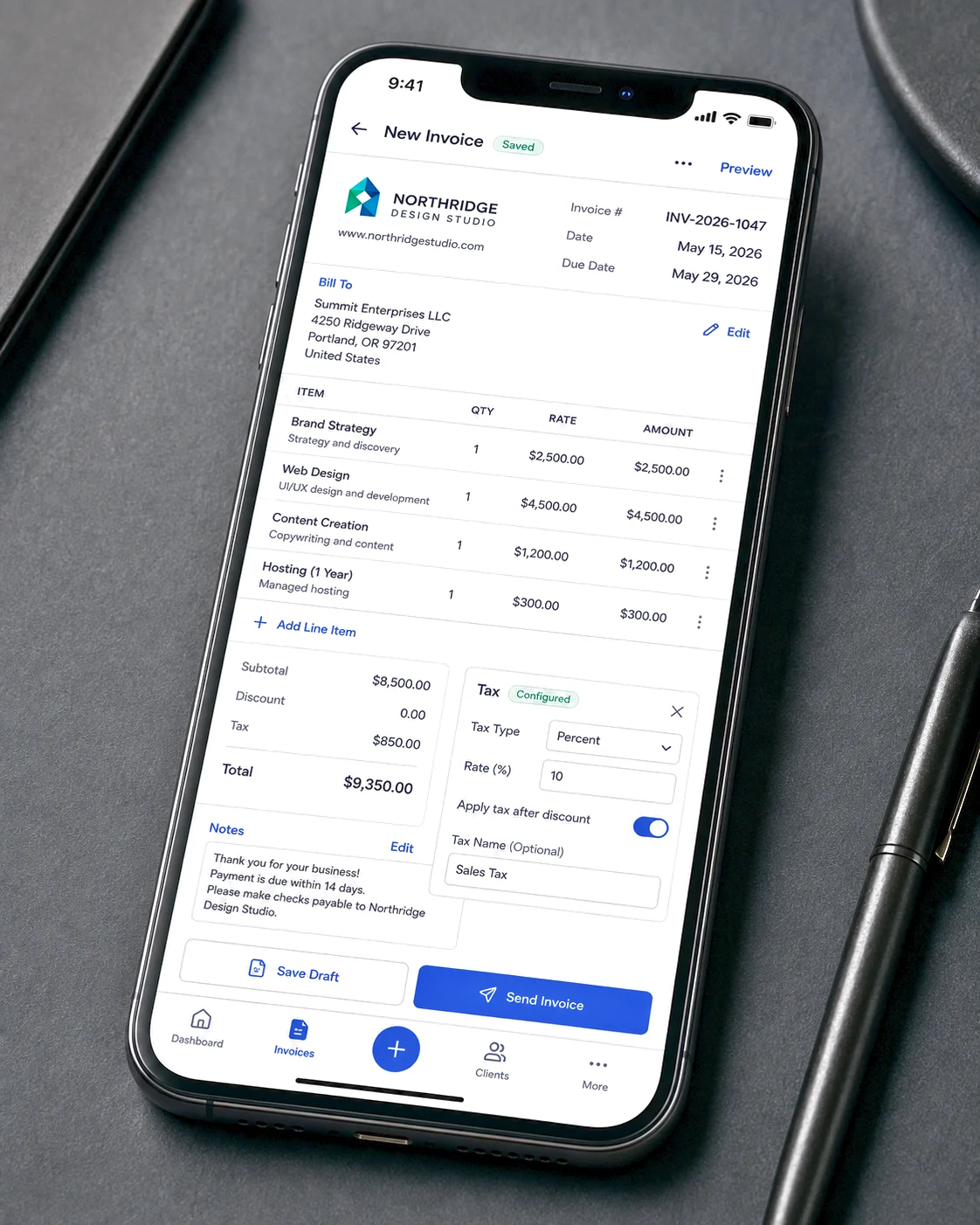
Every builder demos well on a laptop. Actually building a real invoice on a phone, with multiple line items, a logo, custom notes, and a specific tax setup, is a different and much less tested experience across most of these tools. If you're the kind of freelancer or consultant who invoices from wherever you happen to be rather than from a desk, this covers what mobile invoicing actually needs to work well, not just what it needs to look like in a screenshot.
Reusable structure, not just repeat billing
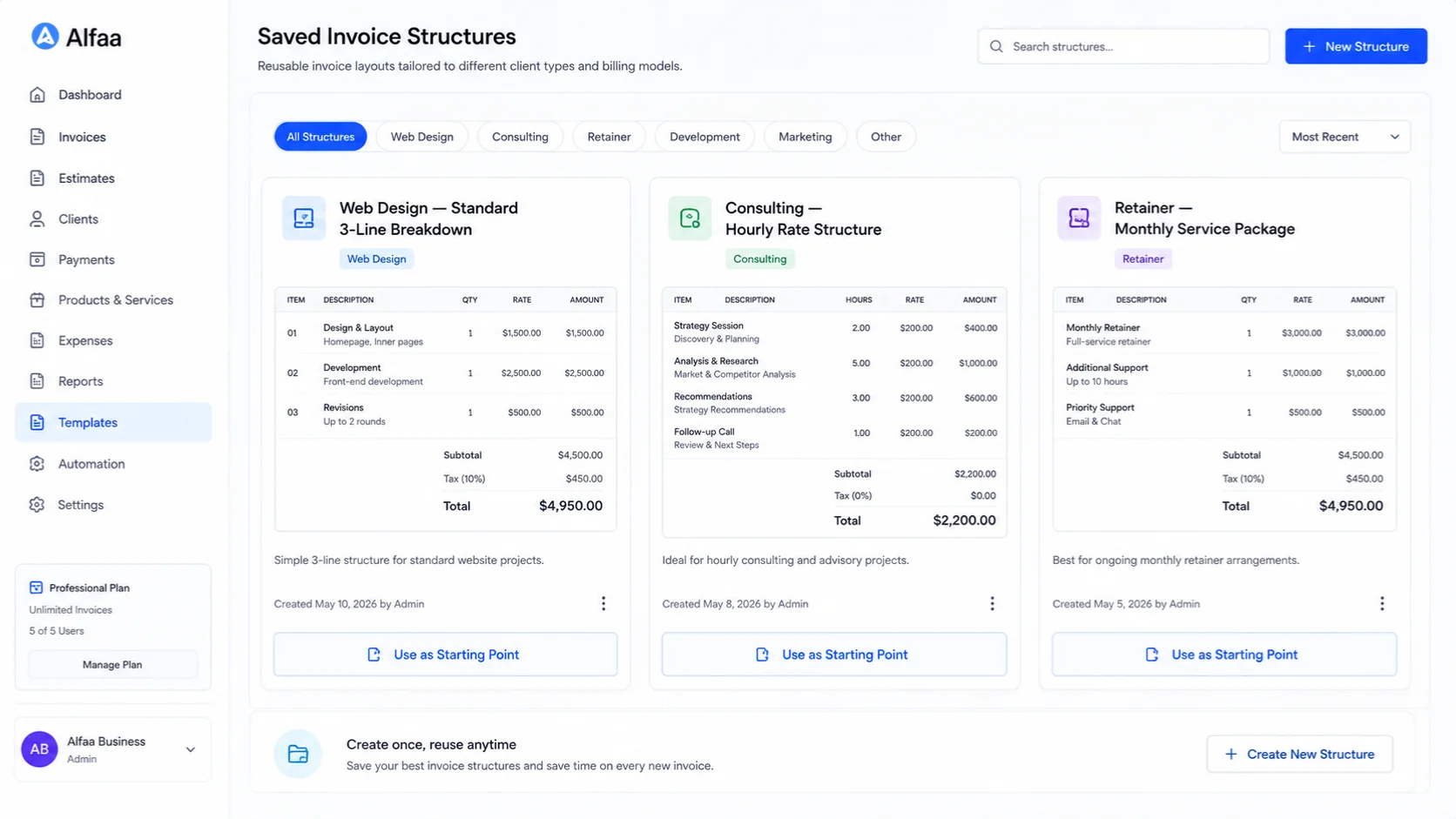
Recurring billing solves one specific case: the same invoice, to the same client, on a schedule. That's well covered separately. A different and less discussed need: reusable structure across similar clients who aren't on identical billing schedules. If you consistently bill web design clients with the same three-line-item breakdown, or consulting clients with the same hourly rate structure, building that from a genuinely blank form every single time wastes the exact effort a "builder" is supposed to save. A builder worth using should let a structure become a starting point for the next similar client, not just the next invoice to the same one.
Rules that stick, once you've set them
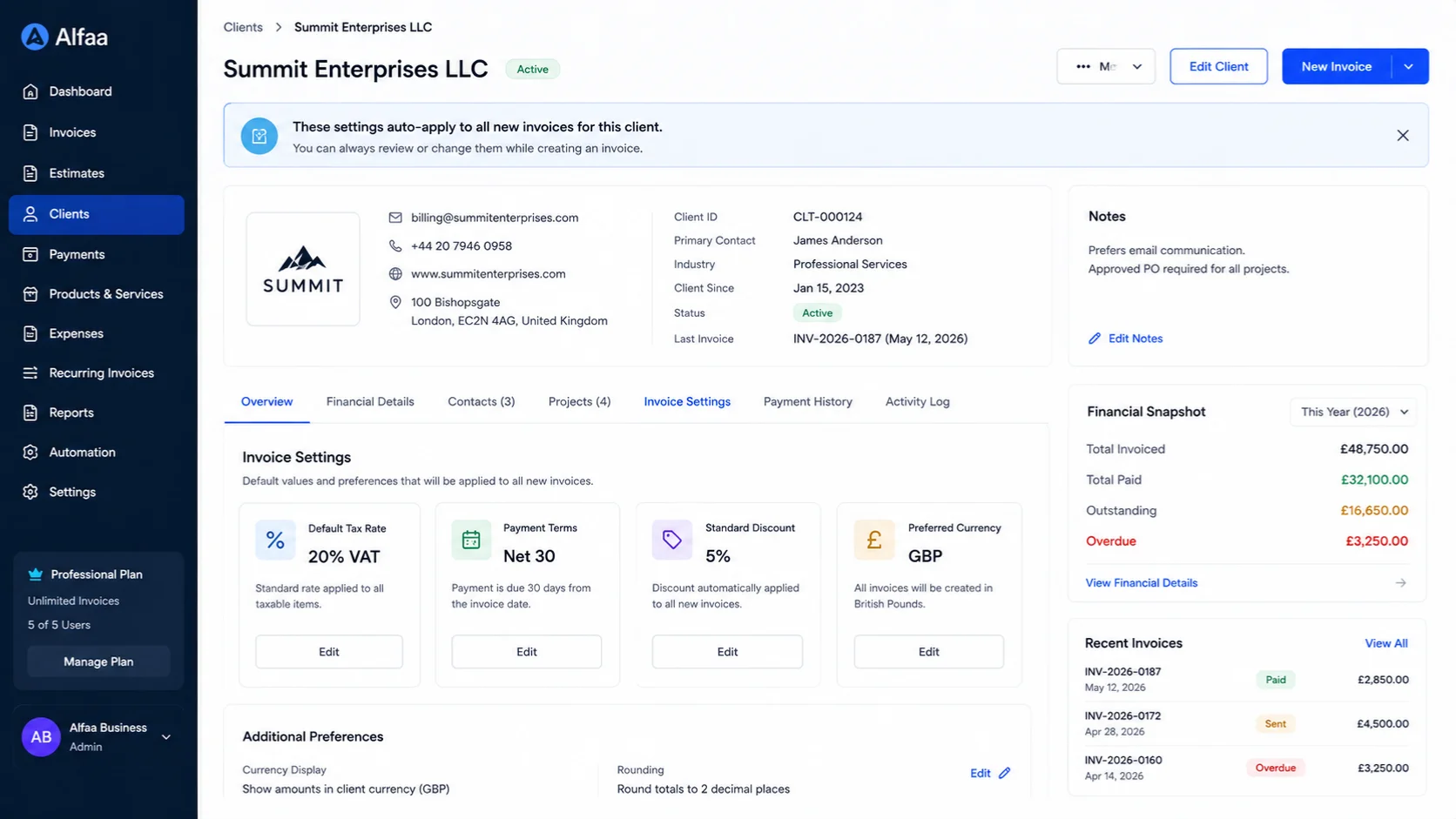
A specific client's tax rate, a specific client's payment terms, and a specific client's discount shouldn't need re-entering every time you bill them. Saved client records are what actually make this possible: build the correct setup once for a given client, and it applies automatically going forward rather than depending on you remembering it correctly every time. This matters more than it sounds like it should, a wrong tax rate or wrong payment term typed in from memory is one of the easiest mistakes to make and one of the most annoying to walk back once a client's already seen it.
What "built" needs to mean for compliance
A visually complete invoice and a compliant one aren't automatically the same thing. If you're billing internationally, the fields a builder needs to include and get right shift by country: a VAT number for a UK or EU client, correct currency formatting, and the right zero-rating or reverse-charge language for an export. This covers what changes once currency and jurisdiction enter the picture, worth checking against before assuming a nice-looking invoice is automatically a correct one.
If you lose the tab mid-build
It's worth checking before you rely on any no-signup builder for anything beyond a quick, simple invoice: what happens if your connection drops or you close the tab by accident halfway through? Tools that don't save anything until you hit a final "download" button mean starting over from scratch, a minor annoyance for a three-field receipt, a genuinely frustrating one for a longer invoice with several line items and custom notes already entered.
Where this fits with Alfaa
Alfaa is built around the case a template editor isn't: the same clients billed more than once, structure that needs to hold up (multiple line items, taxes, and saved terms per client) and a build that doesn't disappear if you get interrupted partway through. For a single, simple invoice, the free invoice generator covers that without asking you to set any of this up first.
Frequently Asked Questions
In practice, not much, the terms get used interchangeably. What actually varies is whether the tool is a one-time template editor or software that remembers client details, structure, and payment status across many invoices over time.
Completeness and clarity matter more than visual design. A clear, correctly filled-out invoice with an obvious due date generally outperforms a polished one that's missing key details or hard to scan quickly.
Most simple template-based builders can't handle this well, since they're built around a single flat tax rate applied to the whole total. Worth checking specifically if your billing regularly needs mixed tax treatment on one invoice.
Depends on the client and the relationship. A payment link embedded directly in the invoice generally reduces friction versus a plain PDF attachment, since the client doesn't need a separate step to figure out how to pay.
Not with most simple, single-user builder tools. If you're operating with a team, a platform with role-based access solves the actual problem, an error caught before the invoice goes out, better than a shared login does.

Olivia Bennett
Content Writer @ Alfaa
Olivia is a content writer at Alfaa who specializes in invoicing, small business, and productivity topics. She enjoys simplifying complex ideas into clear, practical insights that help business owners save time, get paid faster, and stay organized.