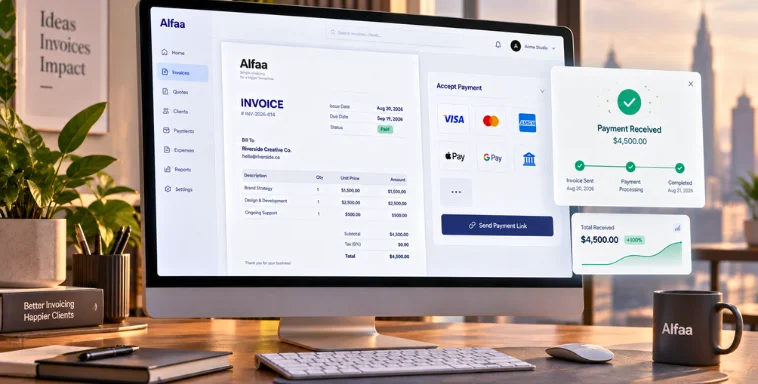
Recurring Invoices: What They Are and How They Simplify Billing for Growing Businesses
By Alfaa Team
Stay in the loop
Get finance tips delivered to your inbox.
Manual invoicing seems manageable at first. But when you are generating the same invoice every month, tracking due dates manually, and sending repeated reminders, it quickly becomes inefficient.
Recurring invoices offer a smarter solution. Instead of recreating invoices each cycle, you set them up once inside invoice management software and let automation handle the rest.
Recurring billing is especially powerful for consultants, digital marketing agencies, SaaS companies, and service businesses that bill clients regularly.
What Is a Recurring Invoice?
A recurring invoice is an invoice that is automatically generated and sent at fixed intervals.
Unlike a one-time invoice created manually for a specific project, recurring invoices repeat based on a defined schedule such as weekly, monthly, quarterly, or annually.
Common examples include:
Monthly consulting retainers
SaaS subscription fees
Ongoing marketing management
Maintenance or support services
With recurring invoice software, you can generate invoice documents automatically without manual repetition.
How Recurring Invoices Work
Setting up recurring invoices inside an online invoice generator or invoice automation software is straightforward.
First, set the invoice details. Add client information, line items, taxes, and payment terms.
Second, choose the billing frequency. Select monthly, quarterly, yearly, or a custom schedule.
Third, automate sending. The invoice automation tool generates and sends invoices on schedule.
Fourth, track payments in real time. Automated invoicing software updates invoice status as paid, pending, or overdue.
Optionally, enable auto payment setup so clients are charged automatically on the due date, improving cash flow consistency.
Common Types of Recurring Invoices
Fixed recurring invoices
The amount remains the same every cycle. Ideal for retainers and memberships.
Variable recurring invoices
The structure stays consistent, but amounts may vary depending on scope or add-ons.
Subscription-based invoices
Common in SaaS businesses where clients pay for software access monthly or annually.
Usage-based recurring invoices
Charges depend on consumption such as hours used or units delivered.
Professional invoicing software supports all these billing models with accuracy and automation.
Benefits of Using Recurring Invoices
Saves Time and Reduces Manual Work
You avoid recreating invoices every month. Invoice automation software handles scheduling and dispatch.
Ensures Consistent Cash Flow
Invoices are sent on time, every time. This prevents missed billing cycles and stabilizes revenue.
Minimizes Billing Errors
Automated calculations reduce mistakes in totals, taxes, and due dates.
Improves Client Experience
Clients receive predictable and professional invoices, improving trust and transparency.
Helps with Financial Planning
Predictable recurring revenue makes forecasting easier for consultants and agencies.
For businesses looking for the best invoice automation software, recurring billing is often the most valuable feature.
Who Should Use Recurring Invoices?
Recurring invoices are ideal for:
Consultants and freelancers billing monthly retainers
Invoicing software agencies managing ongoing campaigns
SaaS businesses offering subscription plans
Gyms, salons, and membership services
If you regularly generate invoice documents for the same client and services, recurring invoice software can significantly simplify operations.
Recurring Invoices vs Manual Invoicing
Time
Manual invoicing requires repeated effort. Recurring invoices are automated and scheduled.
Accuracy
Manual systems increase the risk of human error. Invoice management software ensures consistent calculations.
Scalability
Manual billing becomes difficult as client numbers grow. Automated invoicing software scales easily with higher invoice volume.
Reliability
Manual follow-ups can be forgotten. An invoice automation tool sends invoices and reminders automatically.
For growing consultants and agencies, automation quickly becomes essential.
How to Set Up Recurring Invoices Best Practices
Choose the right invoicing software: Look for invoice management software for small businesses that includes recurring invoice software and reporting tools.
Define clear billing terms: Set payment terms, due dates, and penalties upfront.
Set reminders and notifications: Automated follow-ups help reduce late payments.
Review and update invoices regularly: Even automated systems should be checked periodically to ensure accuracy.
Using a reliable online invoice generator ensures consistency and professionalism in every billing cycle.
Common Mistakes to Avoid
Not reviewing invoices periodically: Pricing or scope changes must be reflected in future billing cycles.
Poor communication with clients: Always confirm billing schedules and expectations.
Incorrect billing cycles: Misaligned start dates can create confusion.
Ignoring failed payments: Automated invoicing software should notify you immediately so you can resolve issues quickly.
Are Recurring Invoices Right for Your Business?
Ask yourself:
Do you bill the same clients regularly?
Do you offer subscription- or retainer-based services?
Do you want predictable monthly revenue?
Are you spending too much time using spreadsheets to generate invoice documents?
If yes, recurring invoices are likely a strong fit for your business.
Final Thoughts
Recurring invoices eliminate repetitive manual billing and improve consistency. For consultants, agencies, SaaS providers, and service businesses, they simplify operations while strengthening cash flow.
Switching to invoice automation software or billing software for small businesses allows you to focus on growth instead of administrative tasks.
If you are exploring a professional invoicing software solution that combines an online invoice generator with automated invoicing software, consider how Alfaa can streamline your recurring billing process.
Frequently Asked Questions
Recurring invoices are the billing process, while subscriptions describe the service model being billed regularly.
Yes, most invoice management software allows you to update pricing for future billing cycles.
Yes, when managed through professional invoicing software with secure cloud storage and proper access controls.
Recurring invoicing helps businesses save time, reduce manual errors, ensure invoices are sent on schedule, improve cash flow, and create a more consistent billing process for long-term clients.
Yes. Since invoices are generated and delivered automatically on time, businesses reduce missed billing cycles and payment delays. Combined with automated reminders, recurring invoicing helps maintain healthier and more predictable cash flow.
Yes. Most recurring invoicing software allows you to choose billing frequencies such as weekly, bi-weekly, monthly, quarterly, annually, or custom intervals based on your business requirements.
Most recurring billing platforms let you edit or update recurring invoice schedules whenever pricing, services, or contract terms change. The updated amount will apply to future billing cycles according to your settings.
Absolutely. Freelancers and consultants who invoice clients on monthly retainers or ongoing contracts can automate billing, reduce administrative work, and ensure invoices are always sent on time.
Yes. Many recurring invoicing solutions automatically send payment reminders before or after the due date, helping businesses reduce overdue payments without manually following up with clients.
A one-time invoice is created manually for a single transaction, while a recurring invoice is automatically generated at regular intervals for ongoing services or repeat billing arrangements.

Olivia Bennett
Content Writer @ Alfaa
Olivia is a content writer at Alfaa who specializes in invoicing, small business, and productivity topics. She enjoys simplifying complex ideas into clear, practical insights that help business owners save time, get paid faster, and stay organized.