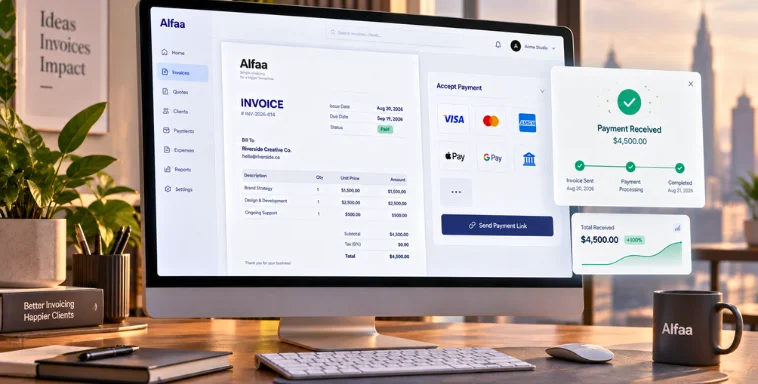
Invoice Automation Tool That Saves 5+ Hours a Week | Alfaa
By Alfaa Team
Stay in the loop
Get finance tips delivered to your inbox.
Agencies, consultants, and independent contractors spend a surprising amount of time every week on invoicing-related tasks. Creating invoices, sending follow-ups, updating spreadsheets, and tracking payments manually quickly become operational overload.
What seems like a few small admin tasks can easily consume 5+ hours every week.
That is valuable time being pulled away from client work, business growth, and revenue-generating activities.
An invoice automation tool changes that completely. But most content on this topic, including most of what currently ranks for it, is written for a completely different problem: automating invoices a large company receives from its vendors, with purchase-order matching, approval chains, and ERP integration. If you're a consultant, agency, or small business, that's not your problem. You're not processing bills, you're sending them, and getting paid on time is the actual goal.
In this guide, you will learn where businesses lose time during manual invoicing, how automated invoicing software solves these problems, what it's actually worth in dollars, and why service-based businesses are switching to smarter billing workflows with tools like Alfaa.
Invoice Automation for Sending vs. Receiving: Which Do You Need?
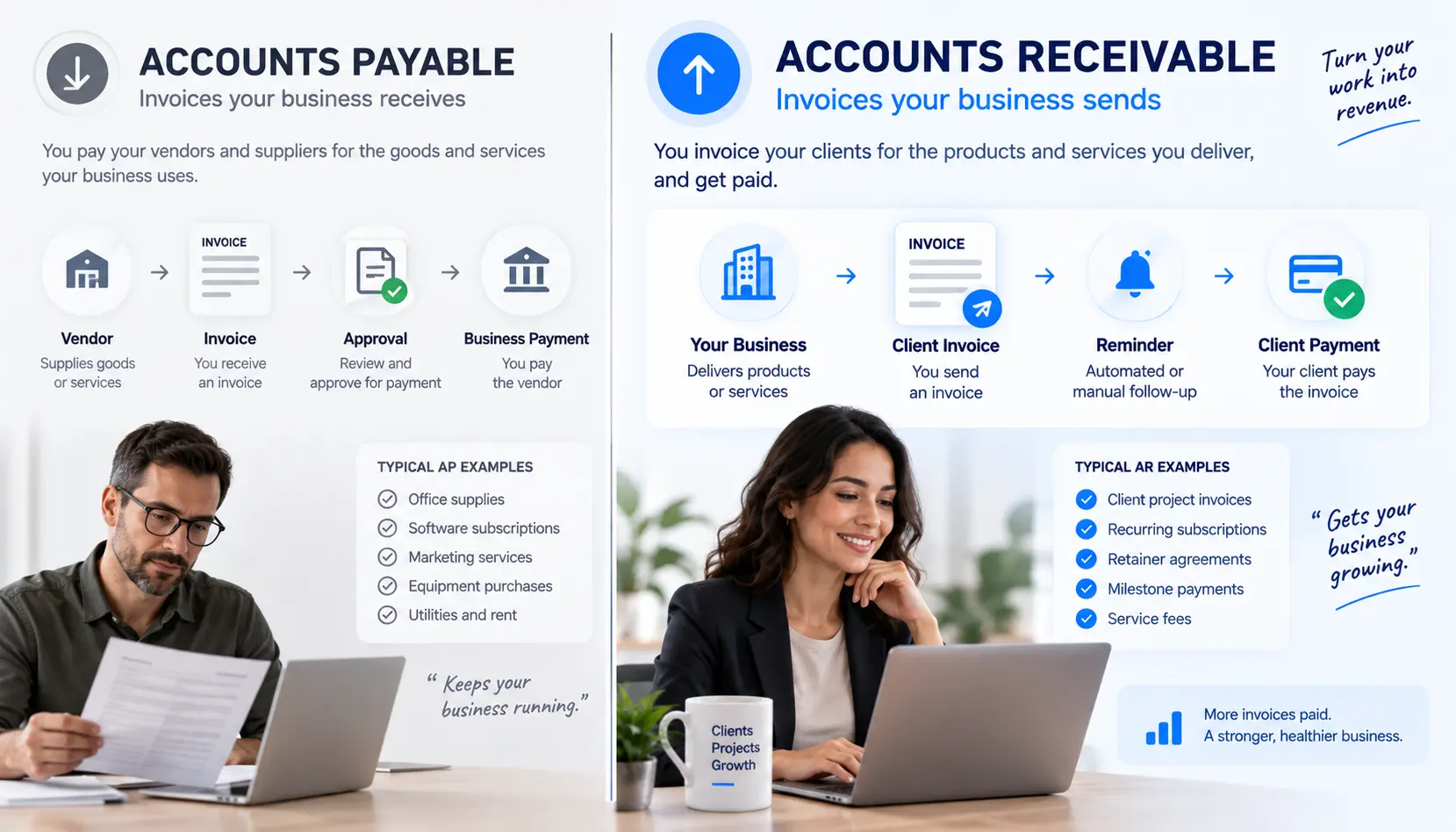
"Invoice automation" gets used for two genuinely different problems, and most guides on this topic only address one of them.
Accounts payable (AP) automation is for businesses that receive large volumes of vendor invoices and need to route them for approval, match them against purchase orders, and pay them, tools like bill.com, Tipalti, or AvidXchange, aimed at finance teams processing invoices from other companies.
Accounts receivable (AR) automation, which this guide covers, is for businesses that send invoices to clients and want to automate creating them, reminding clients to pay, and tracking payment status. If you're a freelancer, consultant, or agency billing your own clients, this is almost certainly what you actually need, even though most search results for "invoice automation tool" assume the AP use case by default.
Quick Summary
Manual invoicing creates repetitive administrative work
Invoice automation software eliminates recurring billing tasks
Automated reminders improve payment consistency
Real-time tracking improves visibility and cash flow
Businesses can save 5+ hours every week using invoice management software
How Much Time Are You Really Spending on Billing?
Most businesses underestimate how much time invoicing actually takes.
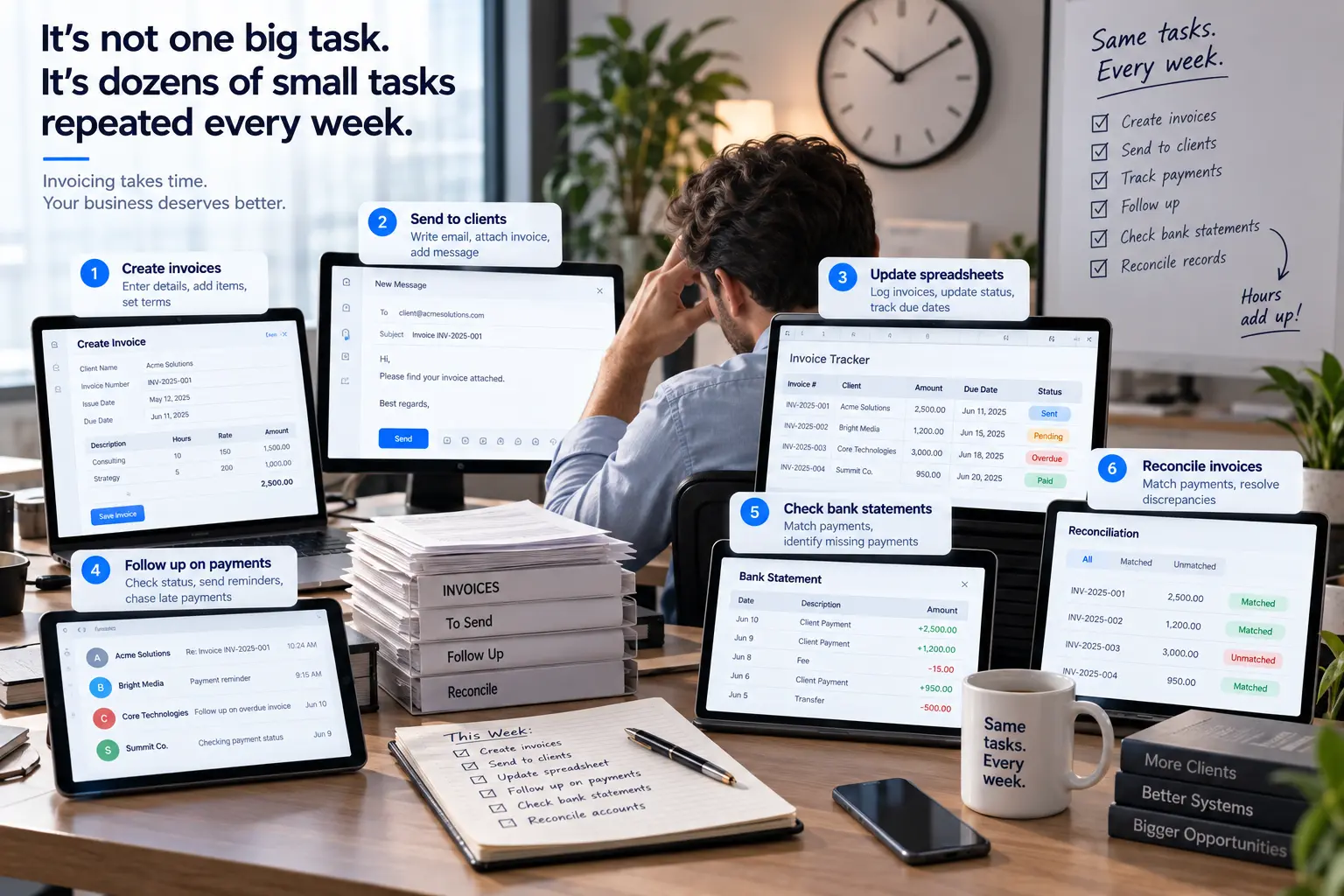
It is not just about generating invoices. The process usually includes:
Creating invoices manually
Sending invoice emails individually
Updating payment spreadsheets
Following up on overdue payments
Reconciling payments
Tracking pending invoices manually
For agencies and consultants managing multiple clients, this quickly adds up to several hours every week. That time could be spent on delivery, strategy, client acquisition, or scaling operations.
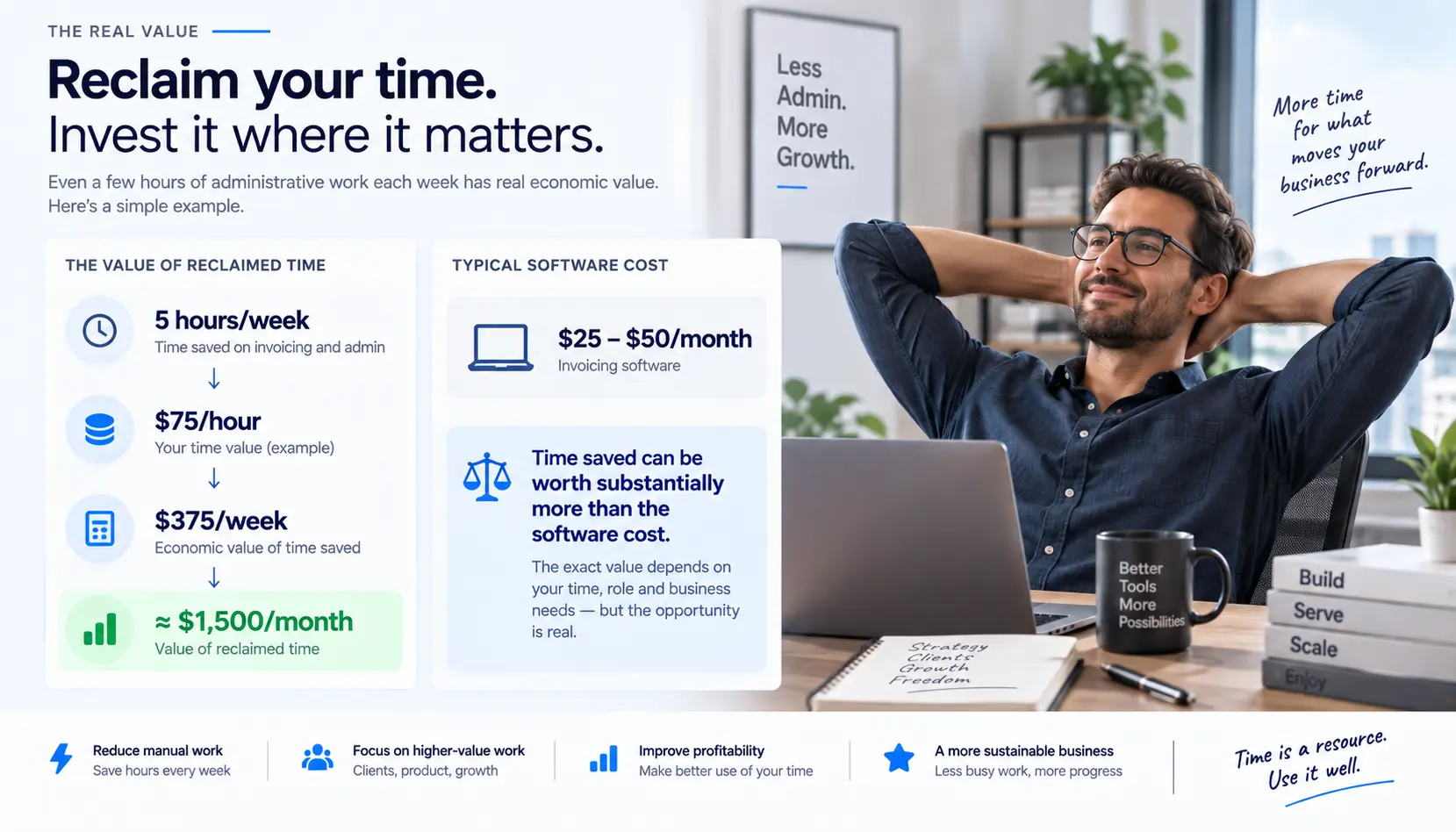
What's That Time Actually Worth? A Simple ROI Calculation
Five hours a week sounds like a lot in the abstract, it's worth putting a number on it. If your time is worth $75/hour in billable work (a reasonable rate for a consultant or agency owner), 5 hours of admin work a week is $375/week, or roughly $1,500/month, spent on tasks that don't move a client project forward at all. Against a monthly software cost in the $25-50 range, most invoicing tools pay for themselves within the first week of the time they save, not the first year, which is a very different calculation than most enterprise AP tools present.
What Is Invoice Automation?
Invoice automation is the process of using software to automate repetitive billing tasks.
Instead of manually handling every invoice, automated invoicing software manages the workflow automatically.
An invoice automation tool can:
Send invoices automatically
Trigger payment reminders
Mark invoices as paid automatically
It acts like a billing system that runs continuously in the background without manual effort.
What to Automate First
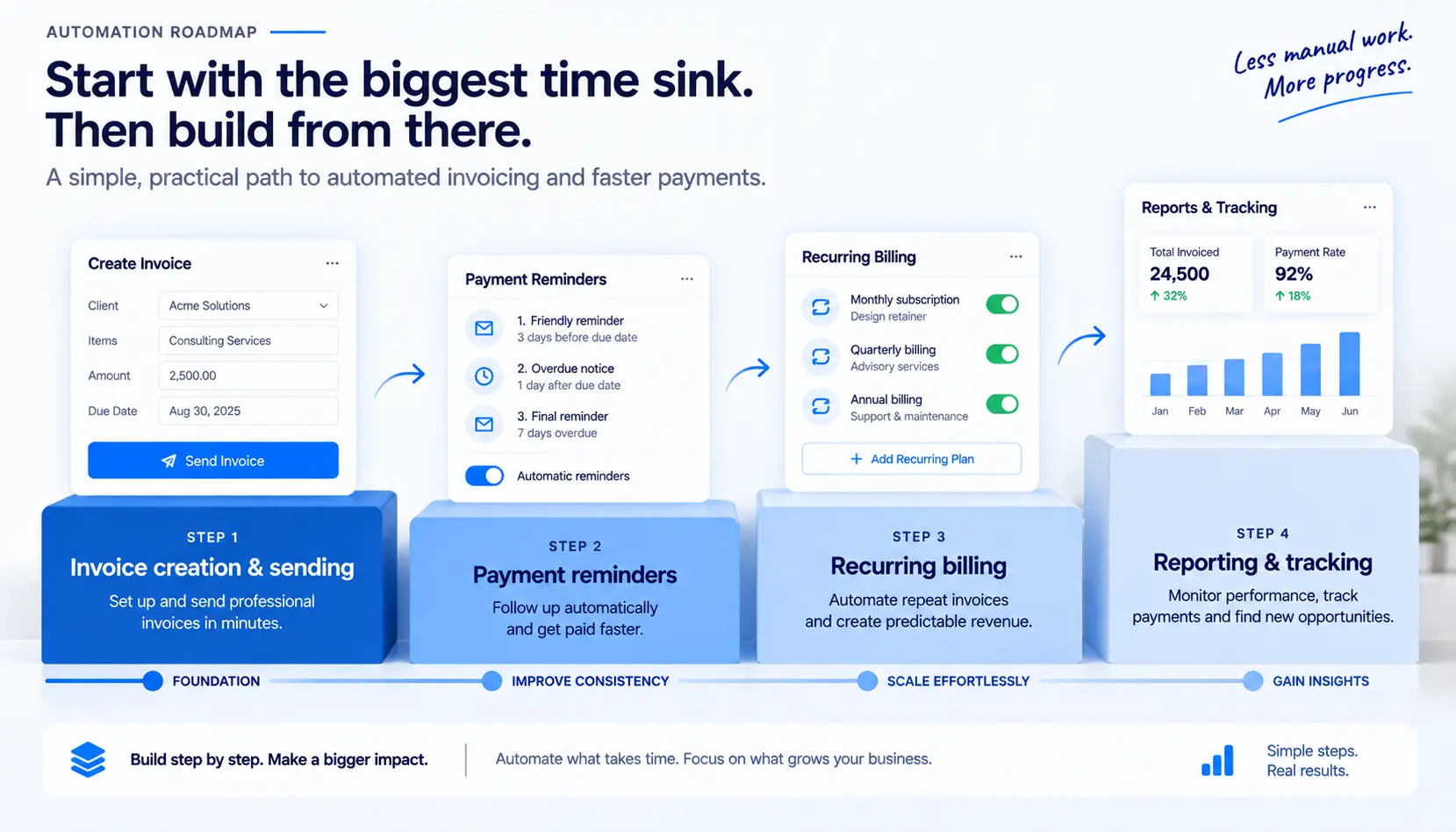
Not every part of invoicing needs automating on day one, and trying to automate everything at once is a common reason people abandon a new tool halfway through setup. A sensible order:
Invoice creation and sending: the biggest time sink for most people, and the easiest to automate immediately with saved templates and client details.
Payment reminders: automate this next, since manual follow-up is both time-consuming and the task most people put off, which is exactly when late payments start compounding.
Recurring billing: once reminders are running smoothly, automate any retainer or subscription-style client billing so those invoices generate on schedule without you thinking about them.
Reporting and tracking: last, once the first three are running, use the automated data to see payment patterns and adjust terms for clients who consistently pay late.
Trying to set all four up in one sitting is where most people give up. Doing it in this order gets you the biggest time savings first, with the rest layering on naturally.
The 5 Billing Tasks That Waste the Most Time
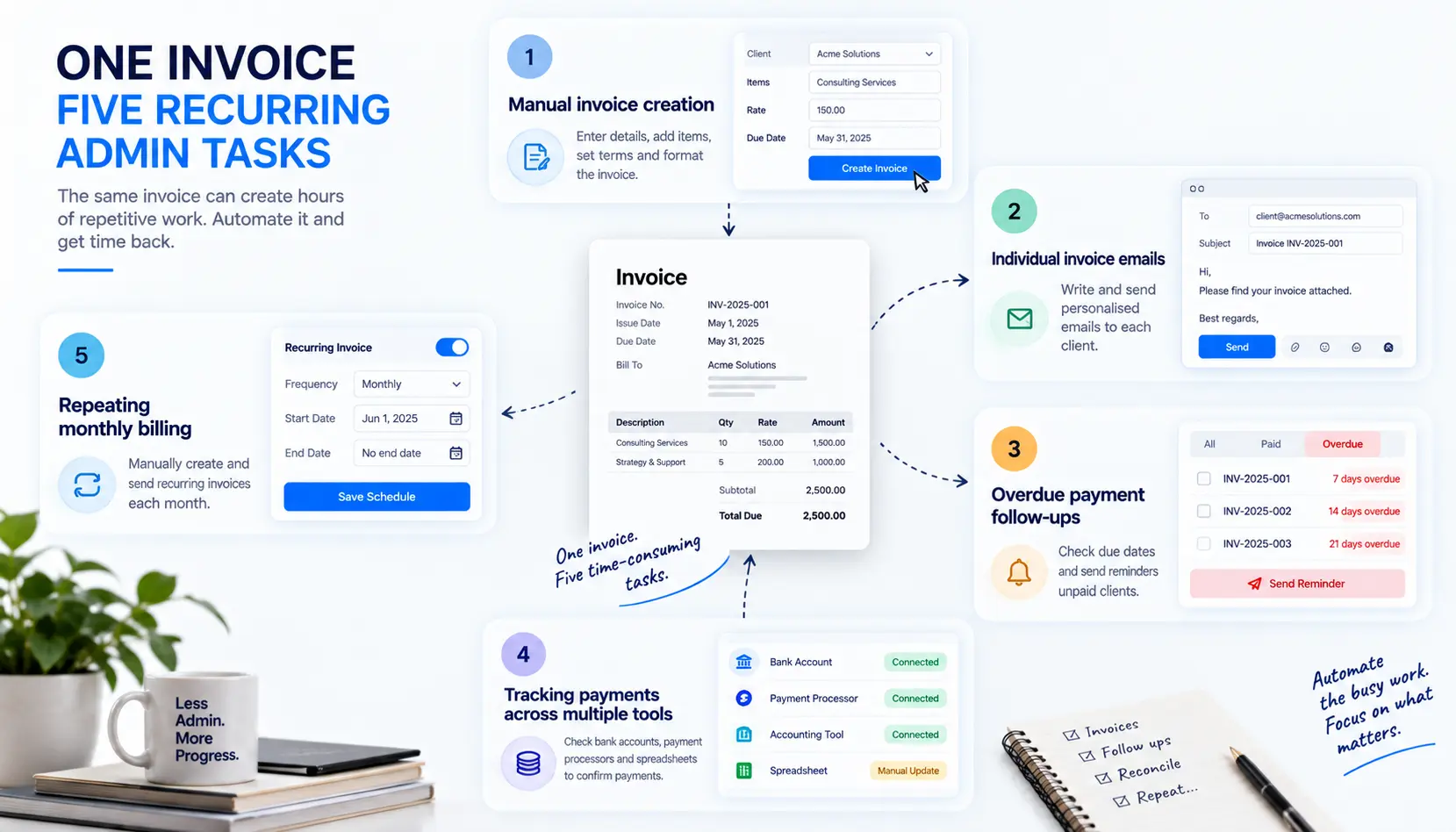
1. Creating Invoices Manually
Using spreadsheets or document templates means entering the same information repeatedly. This slows down billing and increases the chance of invoicing errors.
2. Sending Invoice Emails Individually
Manually attaching invoices and writing invoice emails for every client becomes inefficient as the business grows. It also increases the risk of missing invoices or sending incorrect information.
3. Following Up on Overdue Payments
Payment follow-ups are one of the biggest operational bottlenecks. Without automated reminders, businesses delay follow-ups or forget them entirely. Alfaa's guide to why clients pay late covers what's usually behind this pattern if automated reminders alone aren't fixing it.
4. Tracking Payments Across Multiple Tools
Many businesses track invoices through spreadsheets, email threads, and bank statements separately. Without invoice tracking software, visibility becomes fragmented and difficult to manage.
5. Repeating Monthly Billing Cycles
Retainer-based businesses often recreate the same invoices every month manually. Recurring invoice software removes this repetitive work completely.
How Alfaa Automates These Tasks
Alfaa is designed for agencies, consultants, independent contractors, and businesses that manage recurring client billing.
Instant Invoice Generation
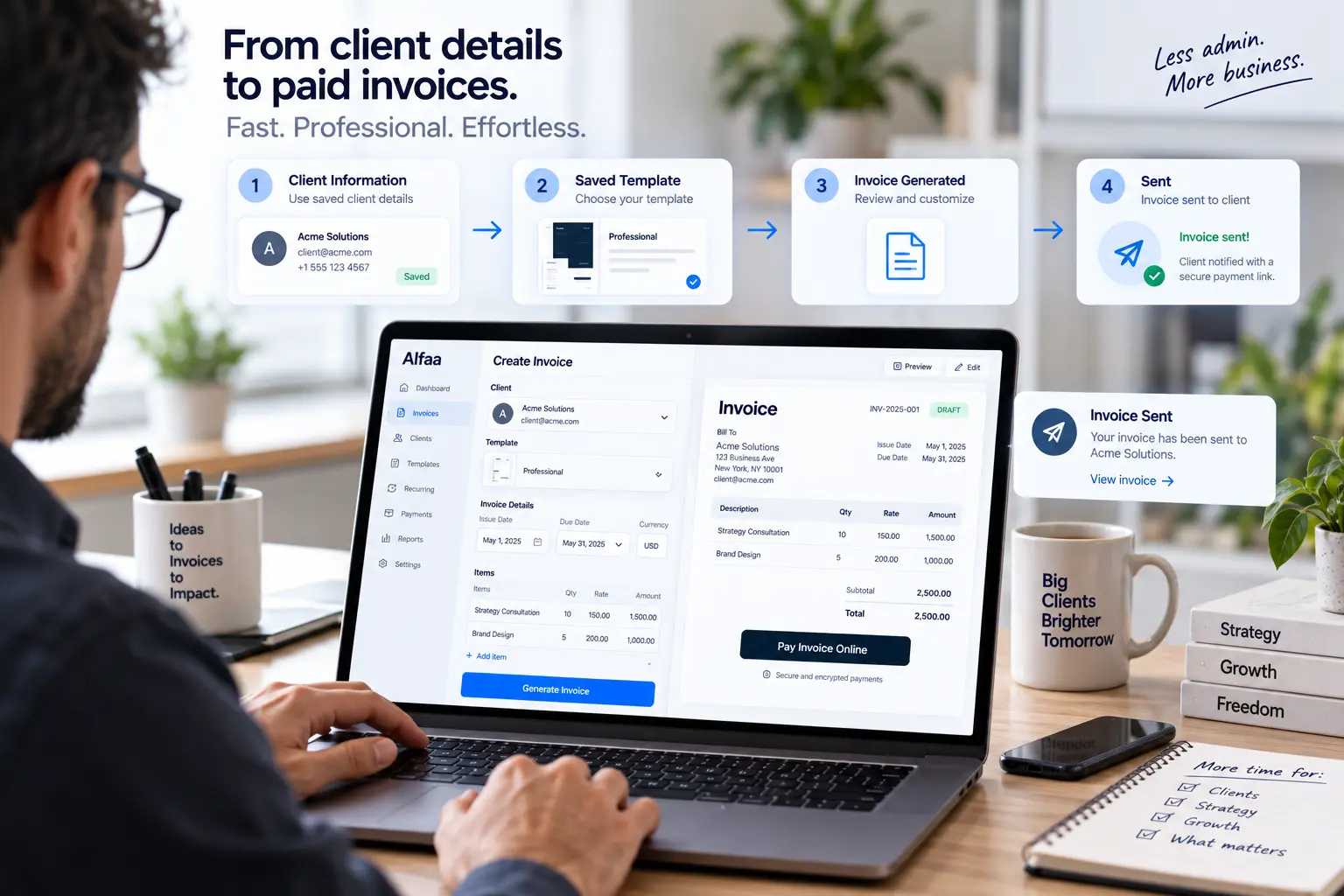
With saved templates and client information, invoices can be generated in minutes instead of hours. No repetitive manual entry required.
Recurring Invoices for Ongoing Clients
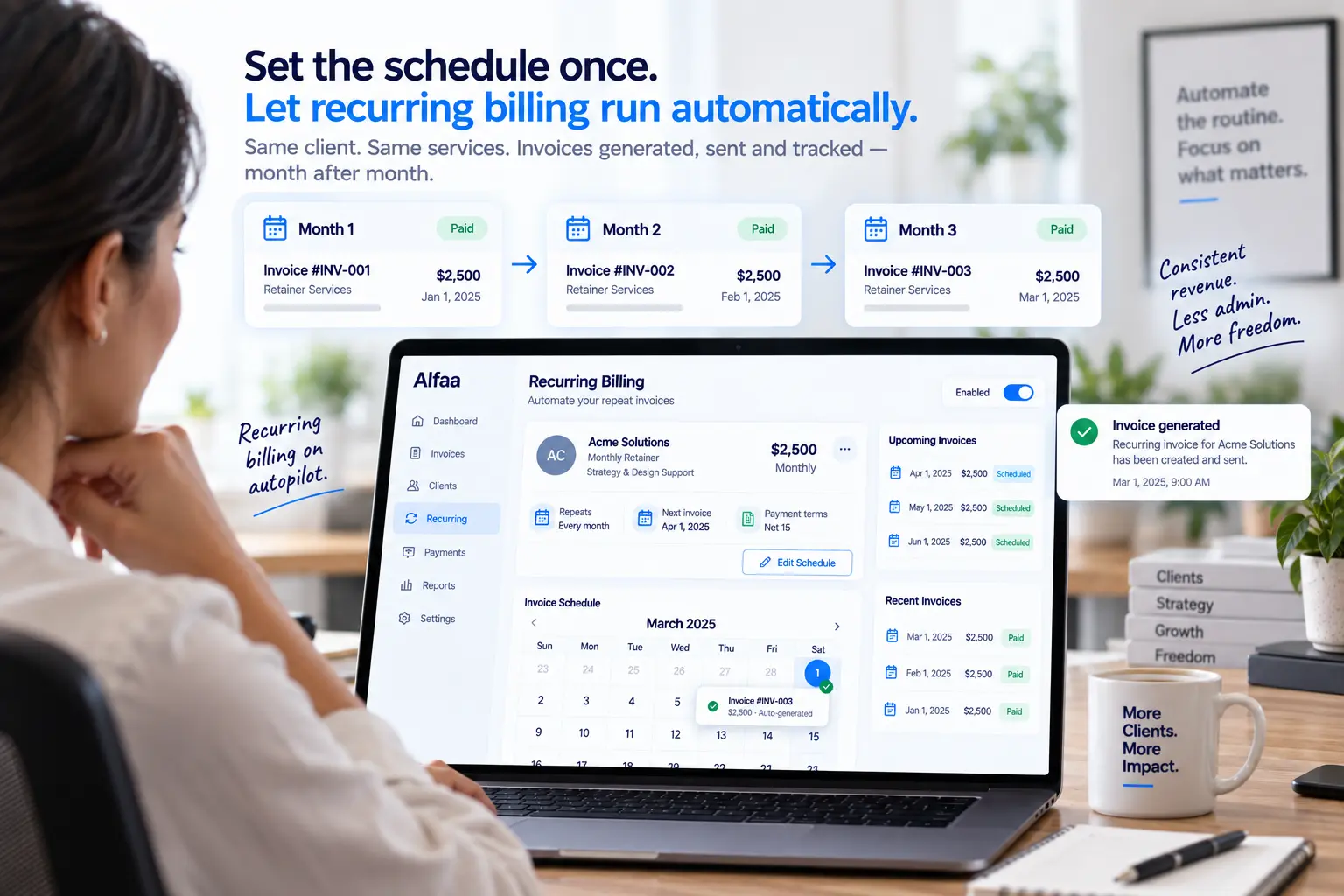
Recurring invoicing allows businesses to automate monthly billing cycles completely. Set the schedule once, and invoices are generated automatically every billing cycle.
Direct Invoice Sending
Invoices can be sent directly from your professional business email instead of generic billing systems. This improves credibility and payment response rates, and it's worth checking for on any automation tool you're evaluating, since a generic system address is one of the more common, and least discussed, reasons an automated invoice gets ignored or filtered as spam. Alfaa's note on what makes an invoice look professional covers this in more depth.
Automated Payment Reminders
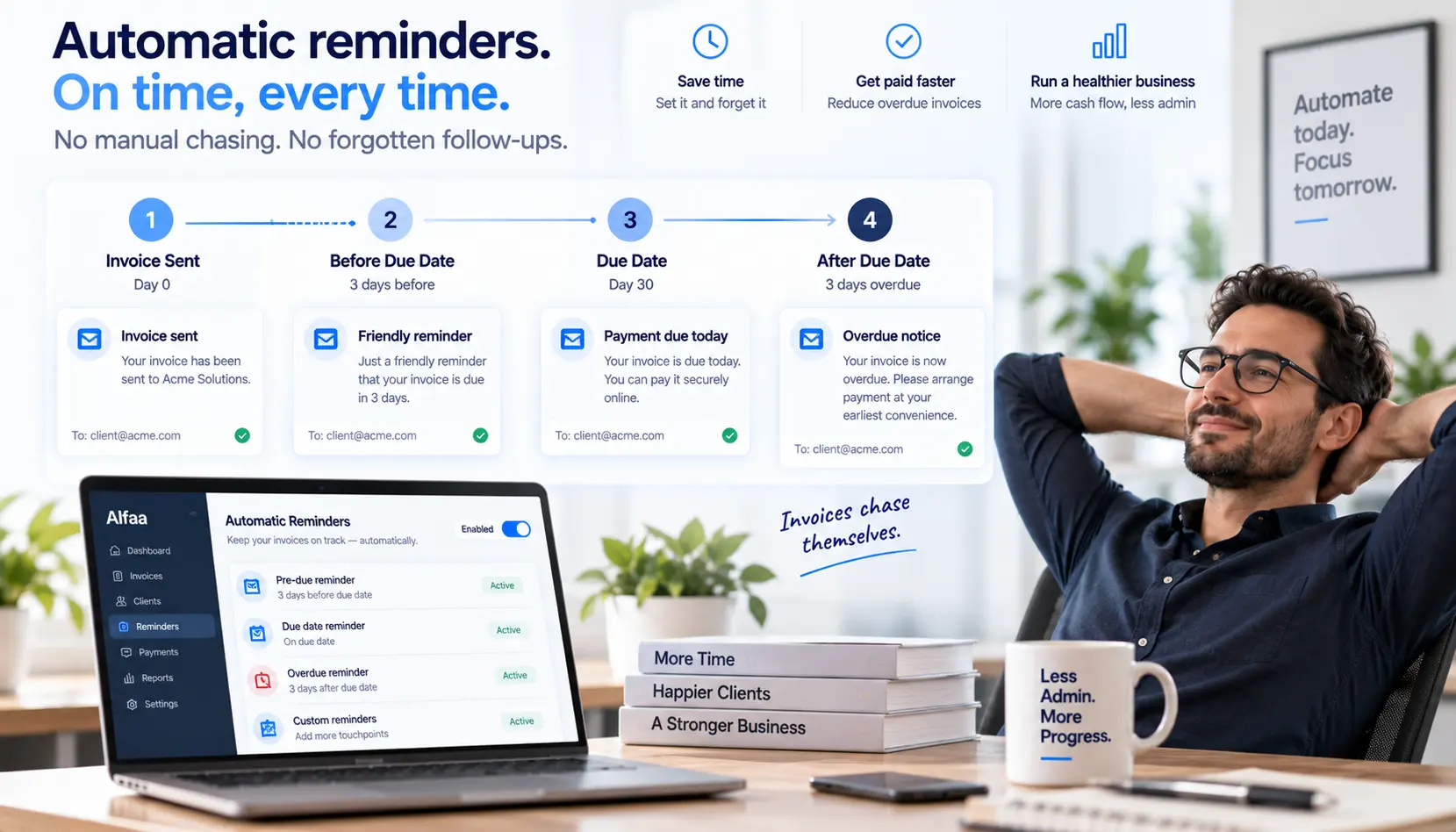
Alfaa automatically sends reminders:
Before the due date
On the due date
After the due date
This improves payment consistency without awkward manual follow-ups.
Real-Time Invoice Tracking
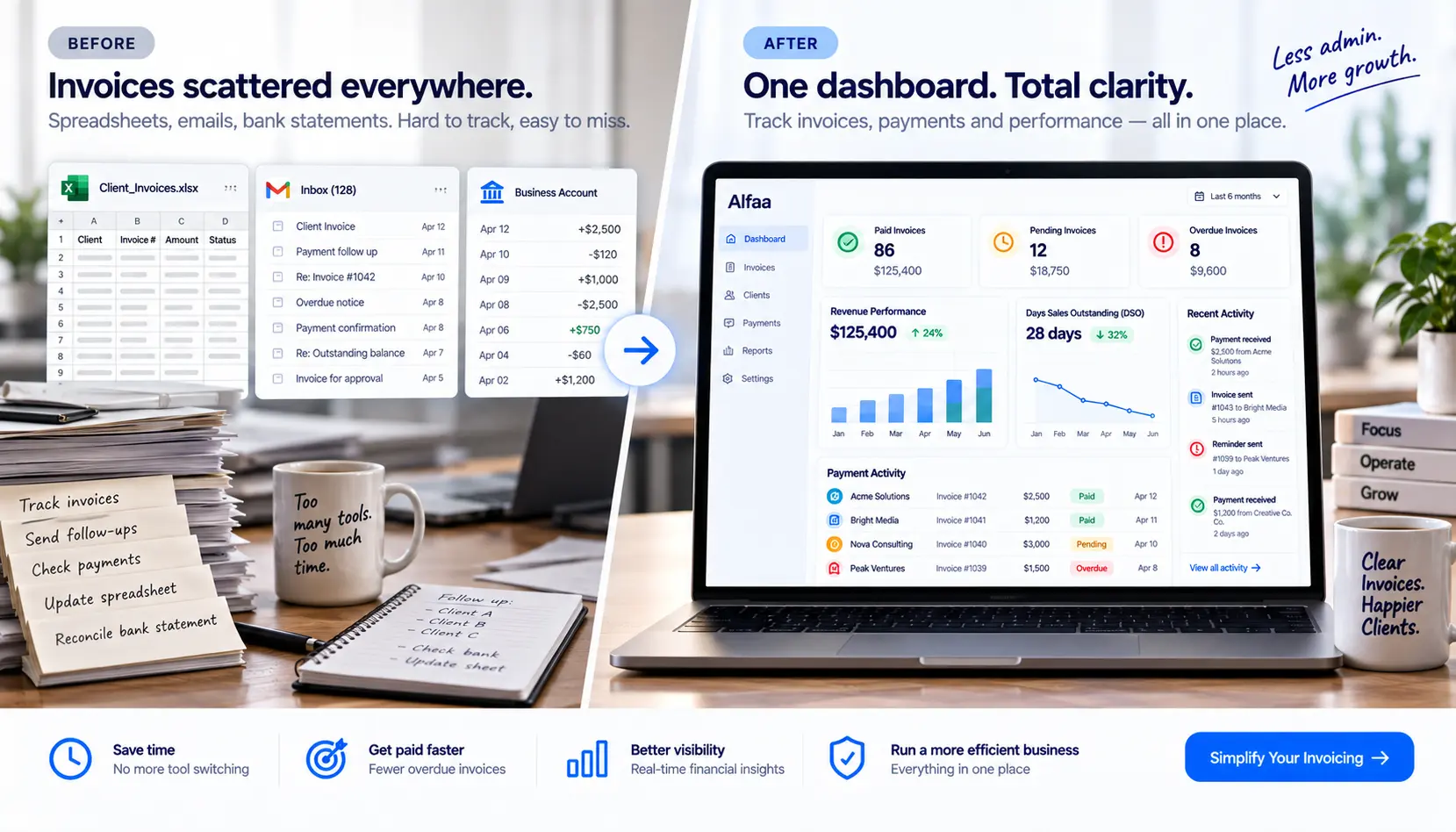
Businesses can instantly track the following with Alfaa's payment tracking:
Paid invoices
Pending invoices
Overdue payments
Revenue performance
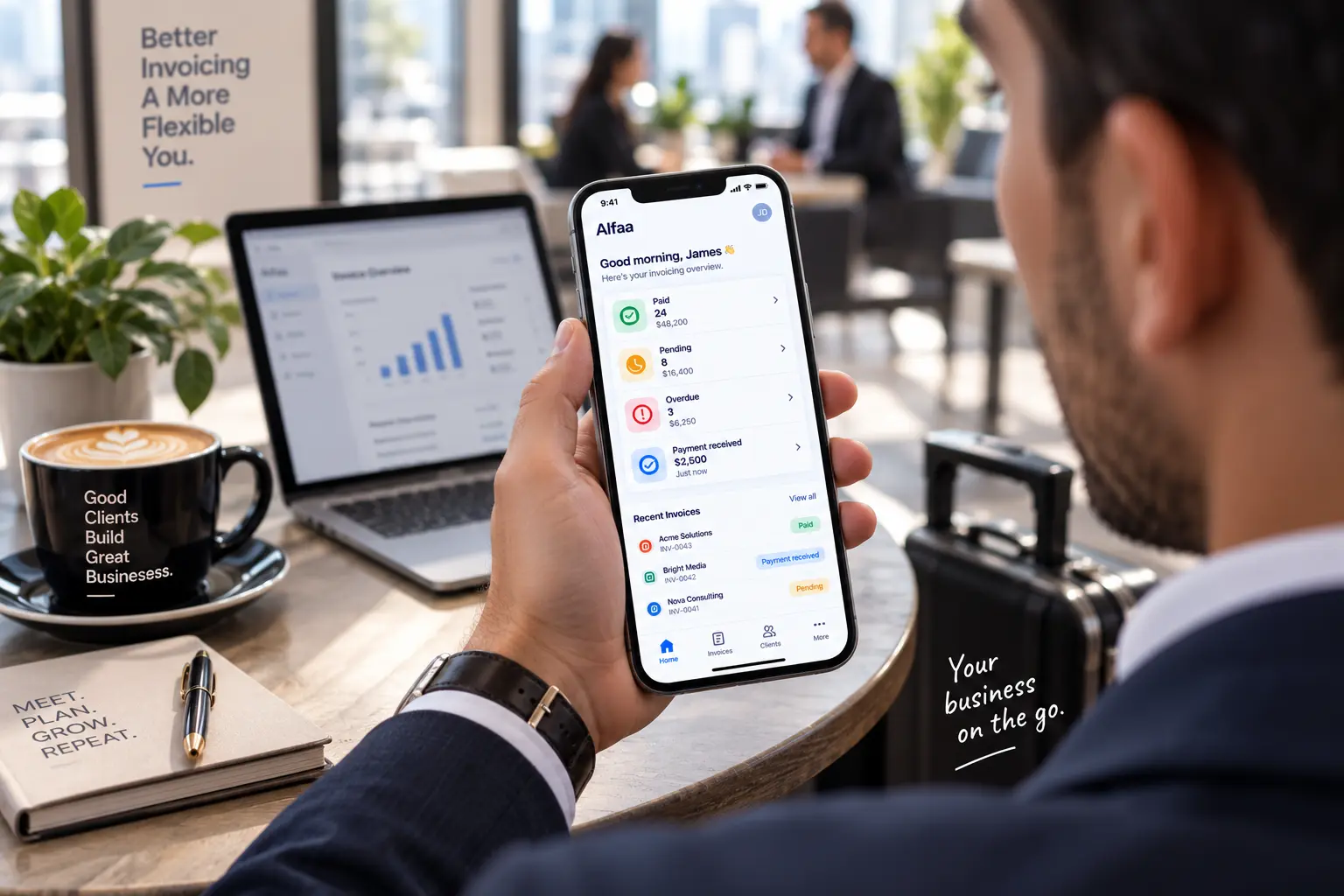
Everything is visible from one centralized dashboard, including from your phone if you're checking status between client calls rather than at a desk.
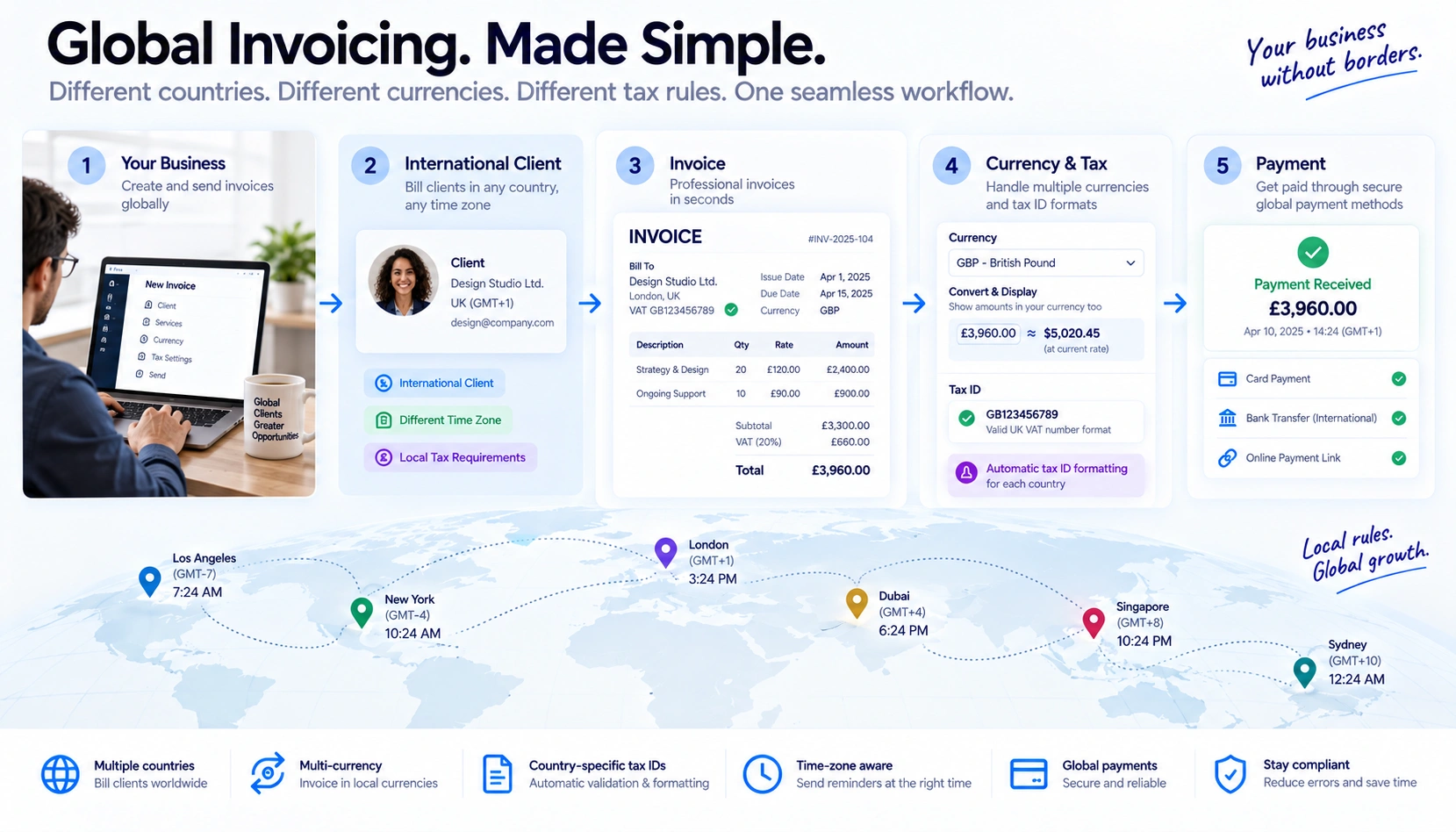
Automating Invoices for International Clients
If you bill clients in more than one country, automation needs to account for a few things a purely domestic setup doesn't: the correct currency displayed on the invoice, tax ID formatting that matches the client's country, and reminder timing that accounts for time zones rather than assuming everyone's business day lines up with yours. Alfaa's guides to invoicing an international client without a local bank account and multi-currency invoicing cover what an automated invoice needs to get right for a cross-border client, since an incorrectly formatted automated invoice creates more friction, and more manual cleanup than the automation was supposed to remove in the first place.
What to Watch for When You Automate
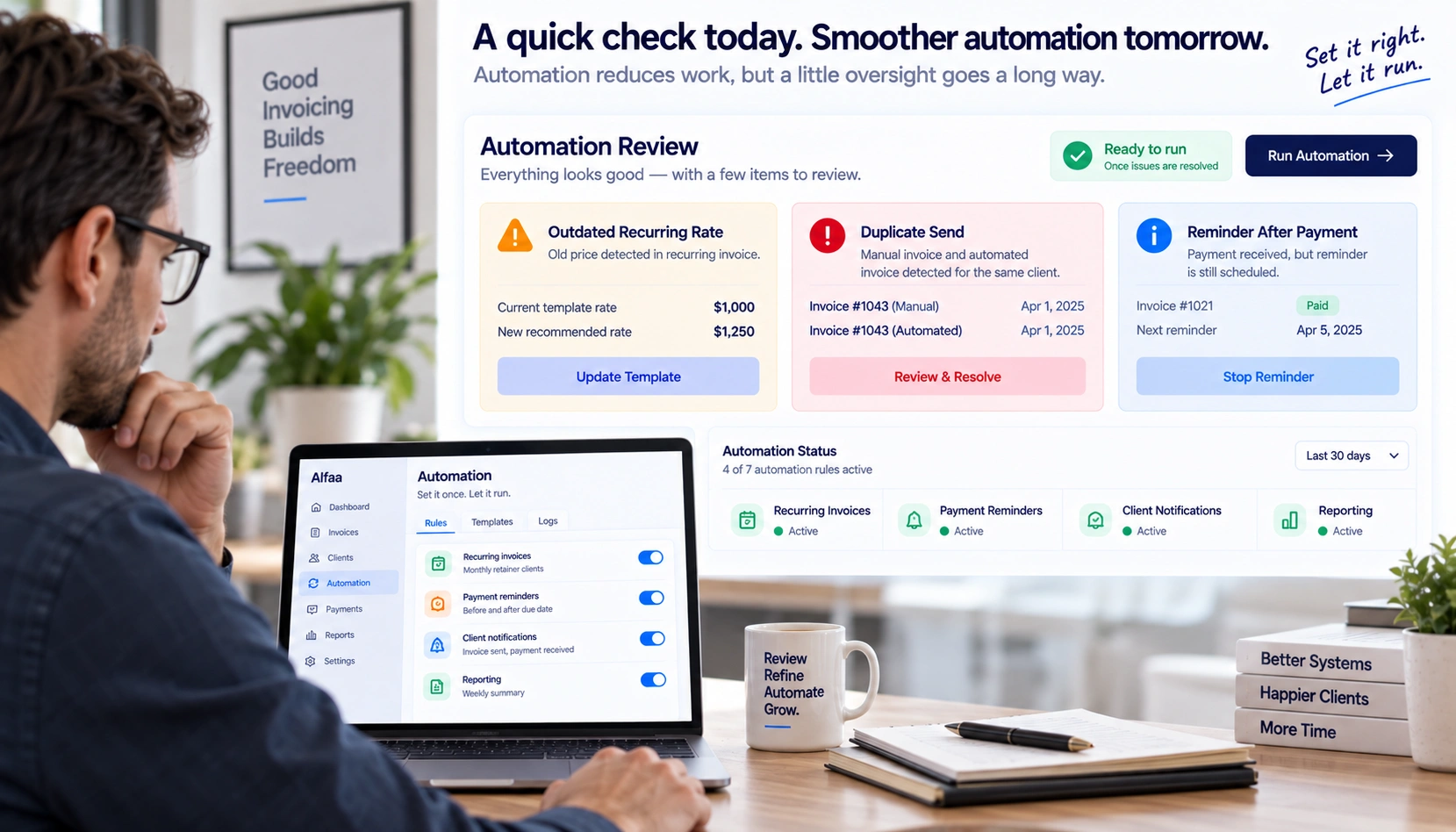
Automation removes manual effort, but it doesn't remove the need to check in occasionally, especially early on. A few things worth watching:
A recurring invoice generated with an outdated rate. If you raise your rates or a client's scope changes, update the recurring template immediately, not after the next cycle has already gone out.
Duplicate sends. If you're moving from a manual process to an automated one mid-cycle, double-check that an invoice you already sent by hand doesn't also get sent again automatically.
A reminder going out after a client has actually paid. Real-time tracking (see above) is what prevents this specific, mildly embarrassing situation.
None of this is a reason to avoid automating, it's a reason to spot-check the first month or two before trusting it fully to run unattended.
Is Client Payment Data Safe on Autopilot?
Automating recurring billing often means a client's card is on file, or their bank details are stored for repeat charges, which is worth asking about directly rather than assuming. Alfaa protects data with 256-bit SSL encryption in transit and handles it under GDPR, without selling or sharing it. Whatever tool you use, it's a fair question to ask any vendor before turning on autopay: what encryption standard is used, and is stored payment data ever shared with a third party?
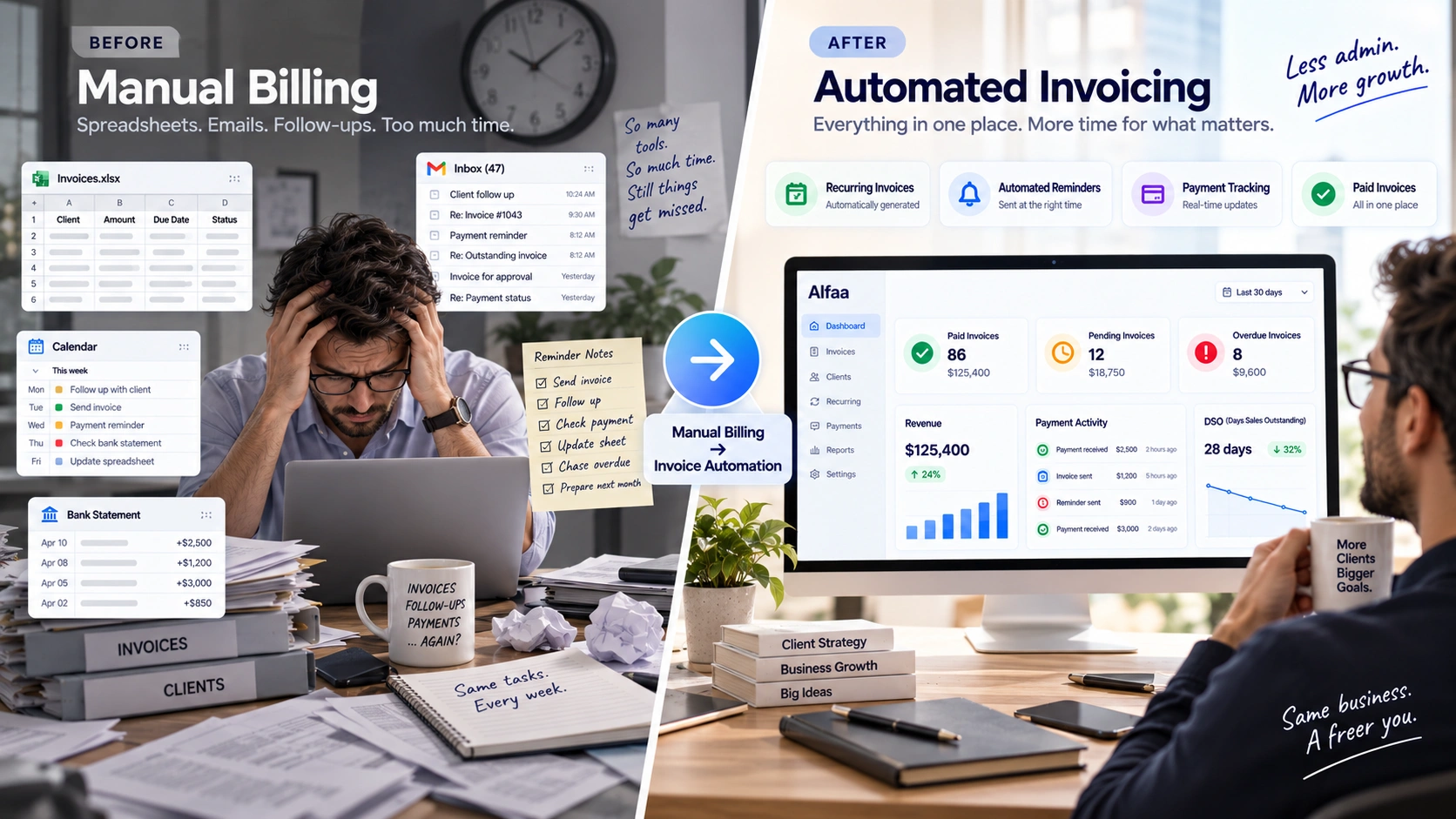
The Real Cost of Manual Invoicing
Manual invoicing impacts far more than time.
Delayed Cash Flow
Businesses that send invoices late usually get paid late. Delayed billing creates inconsistent cash flow and operational stress. Tracking your Days Sales Outstanding (DSO), average accounts receivable divided by total credit sales, times the number of days in the period, gives you an actual number to watch as automation kicks in, rather than a general sense that things feel better.
Missed Invoices
Manual systems increase the risk of forgotten invoices, especially across multiple clients and recurring projects.
Inconsistent Client Experience
Delayed invoices and inconsistent follow-ups make businesses appear disorganized. Professional invoicing workflows improve client confidence.
Administrative Overload
Constantly thinking about invoices, reminders, and payments creates unnecessary operational friction. Invoice automation software removes this burden and creates structured workflows.
Who Benefits Most from Invoice Automation?
Invoice automation tools are especially valuable for:
Independent consultants
Marketing and creative agencies
Independent contractors
Retainer-based service businesses
Small businesses managing recurring billing
If your business invoices clients regularly, automation quickly becomes essential. Virtual assistants juggling several clients at once tend to feel this most acutely, since billing admin competes directly with billable hours.
How to Get Started with Alfaa
Getting started with Alfaa is simple:
Create your account
Add business information
Add client details
Create invoice templates
Automate recurring billing and reminders
From there, invoices, reminders, and tracking workflows run automatically.
Conclusion
Manual invoicing is one of the biggest hidden productivity drains for agencies, consultants, and service-based businesses.
The time spent creating invoices, tracking payments, and following up manually adds up quickly, and it's worth real money, not just real hours.
Invoice automation software simplifies billing, improves cash flow visibility, and saves hours every week. The biggest advantage is not just efficiency. It is operational clarity and consistency.
With tools like Alfaa, businesses can automate invoicing, reduce admin work, and focus more on growth instead of repetitive billing tasks.
Frequently Asked Questions
An invoice automation tool is software that automates invoice creation, reminders, recurring billing, and payment tracking workflows.
Most agencies and consultants save several hours every week by automating repetitive invoicing tasks.
Yes. Alfaa is designed for agencies, consultants, independent contractors, and service based businesses that bill clients regularly.
Yes. Alfaa supports recurring invoicing for retainers, ongoing projects, and recurring service contracts.
No. Alfaa is designed to be simple and easy to use with minimal setup required.
No. Accounts payable (AP) automation is for processing invoices your business receives from vendors. Accounts receivable (AR) automation, what most freelancers, consultants, and agencies actually need, is for automating the invoices you send to clients so you get paid faster.
For a business managing multiple recurring clients, 5+ hours a week is a realistic estimate once invoice creation, sending, reminders, and tracking are all automated. At a $75/hour billable rate, that's roughly $1,500/month in reclaimed time against a software cost that's typically a fraction of that.
It depends on the platform's security practices. Look for encryption in transit (Alfaa uses 256-bit SSL), GDPR-compliant data handling, and a clear policy against selling or sharing client data, and ask directly if a vendor doesn't publish this information.
Automation can ensure the right currency and formatting appear on each invoice automatically, but mandatory structured e-invoicing requirements in some countries (Peppol, ZATCA, and similar) require a specific transmission method, not just correctly formatted invoices. Check whether your platform supports this if you bill clients in a market with that requirement.
Invoice creation and sending first, since it's the biggest and easiest time sink to fix. Then payment reminders, then recurring billing for retainer clients, then reporting once the earlier stages are running smoothly.
Track your Days Sales Outstanding (DSO) before and after automating. A falling DSO over a few months is concrete evidence that faster, more consistent invoicing and reminders are actually shortening how long clients take to pay, not just a feeling that things are less chaotic.

Olivia Bennett
Content Writer @ Alfaa
Olivia is a content writer at Alfaa who specializes in invoicing, small business, and productivity topics. She enjoys simplifying complex ideas into clear, practical insights that help business owners save time, get paid faster, and stay organized.