How to Make a Receipt: A Step-by-Step Guide (With or Without Software)
By Alfaa Team
Stay in the loop
Get finance tips delivered to your inbox.
Most "how to make a receipt" guides hand you a list of fields to fill in: name, date, amount, and done. That's the format, not the process. The actual sequence, what to confirm before you write anything, how to handle a cash sale versus a service invoice, and what changes for a partial payment are the parts that actually trip people up, and they're the parts every template-first guide skips.
Here's the real order of operations, and it works whether you're using software or writing this out by hand.
Step 1: Confirm the payment details before you write anything
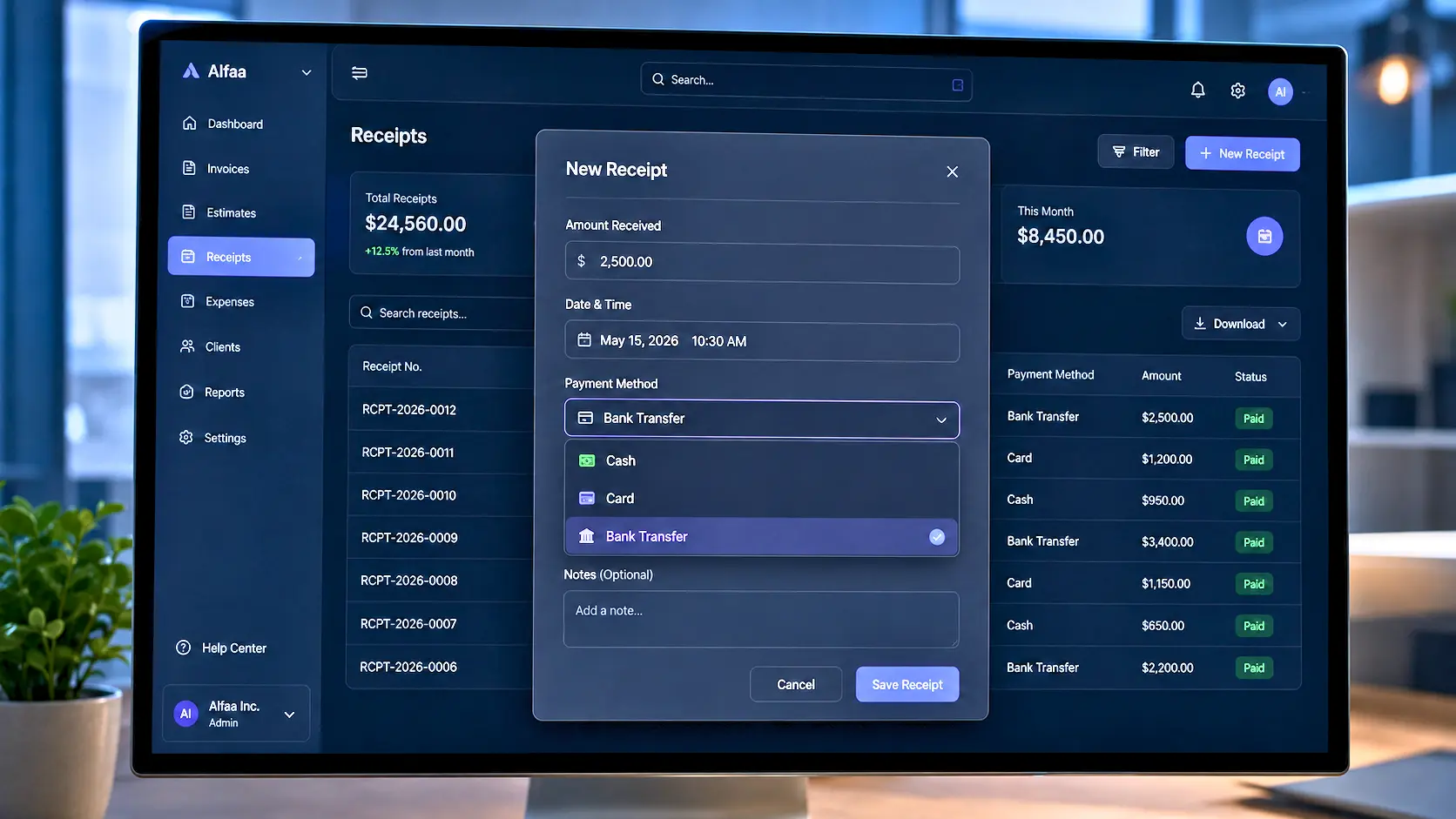
Before touching a template or opening any tool, you need three things confirmed, not assumed:
The exact amount received, not the amount owed or quoted – the amount that actually changed hands
The date and time the payment happened
How it was paid, cash, card, bank transfer, or another method
This sounds obvious until it isn't. A client who paid a deposit rather than the full amount, or a cash sale where you're writing the receipt a few minutes after the fact from memory, is exactly where a wrong number ends up on the document. Confirm before you write, not while you're writing.
Step 2: Decide whether you actually need software for this project –
You don't, strictly speaking. A receipt is valid if handwritten, typed in a plain document, or generated through software, provided it has the right information on it. If you need exactly one receipt right now, writing it by hand or in a blank document is completely fine.
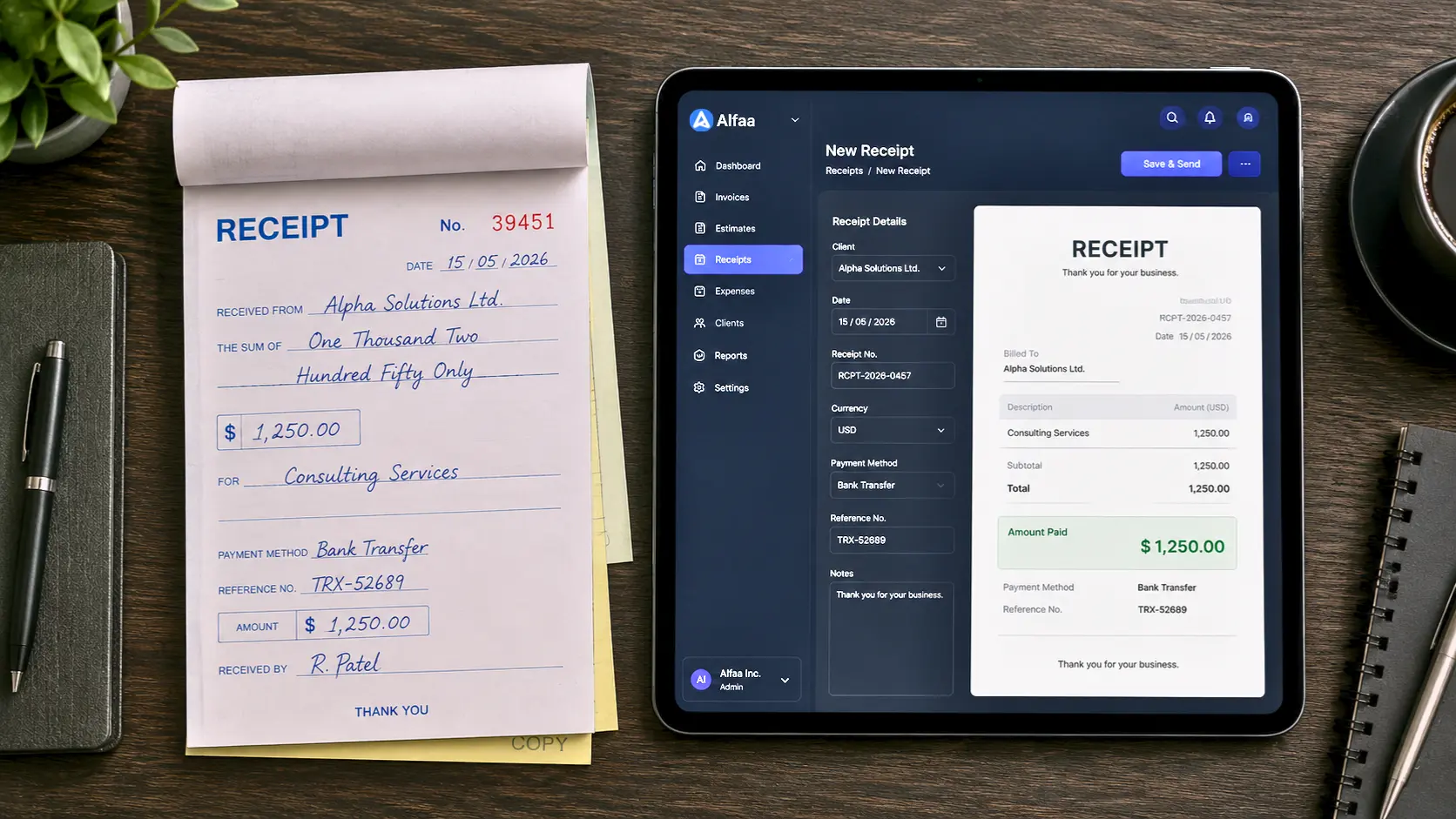
Where software actually helps isn't the writing, it's everything after: consistent numbering across dozens of receipts, a stored copy you can find again in three years, and not retyping the same client details every time. If you're doing this once, skip straight to Step 3. If you're doing this regularly, it's worth reading through to the end before deciding.
Step 3: Write the receipt itself
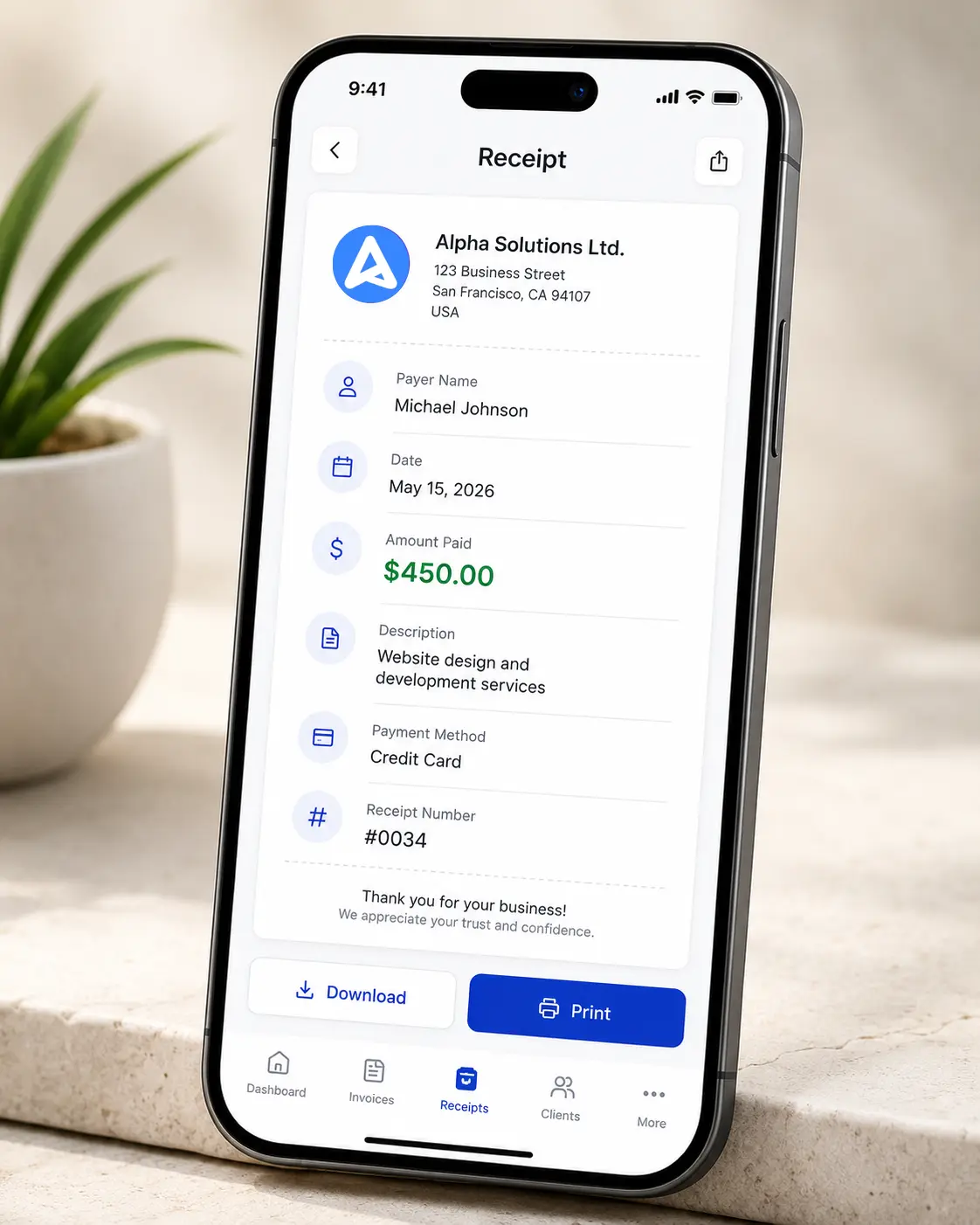
The core fields, regardless of method:
Your name or business name, and the payer's name
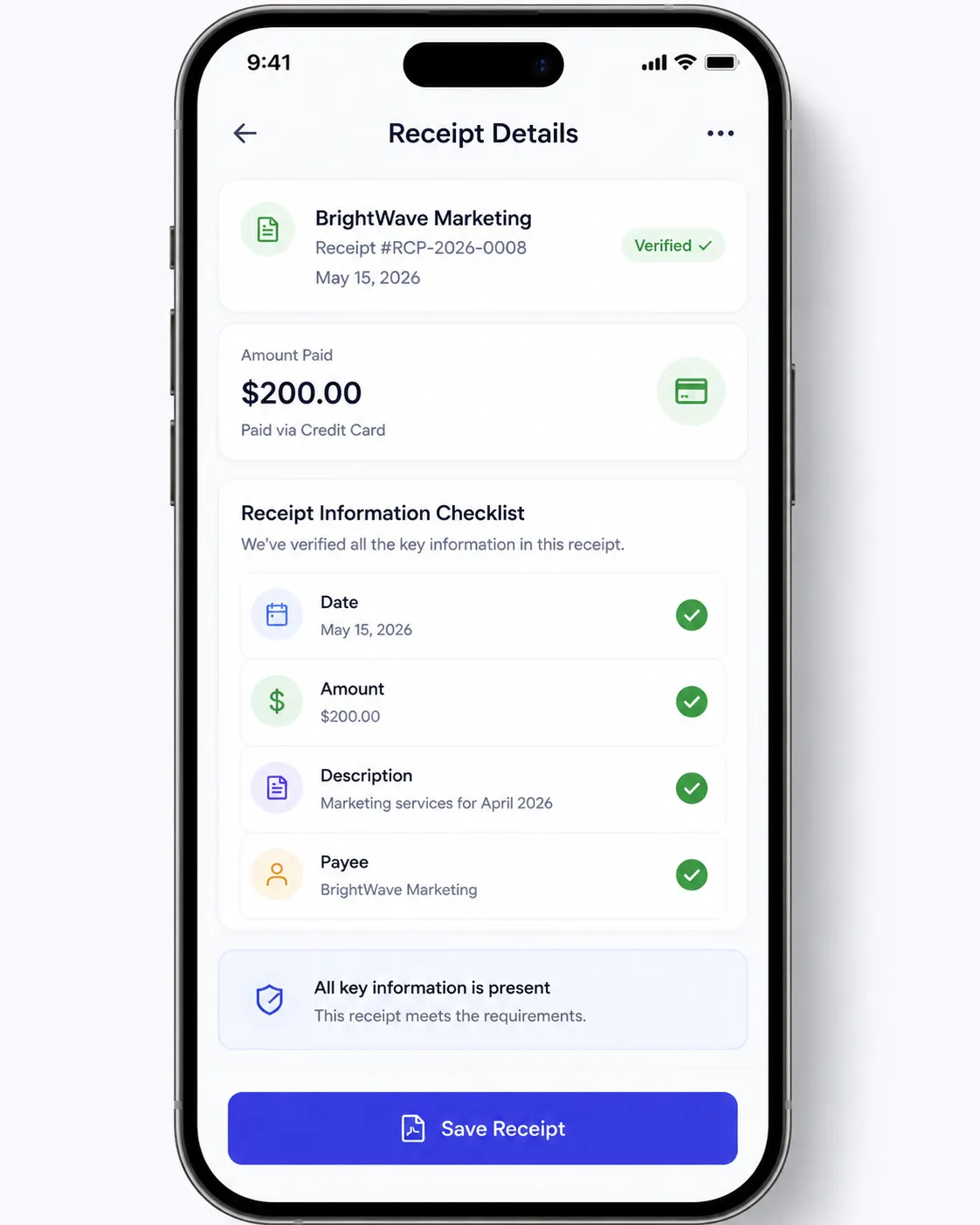
The date and amount actually paid
What the payment was for
The payment method
A receipt number
This guide covers what actually makes a receipt hold up beyond just these fields, including what changes if you or your client is tax-registered and why tying the receipt back to an actual invoice record matters more than the format itself. Worth a read if this is for a business transaction rather than a one-off personal sale.
Step 4: Number it, even if you're doing this by hand
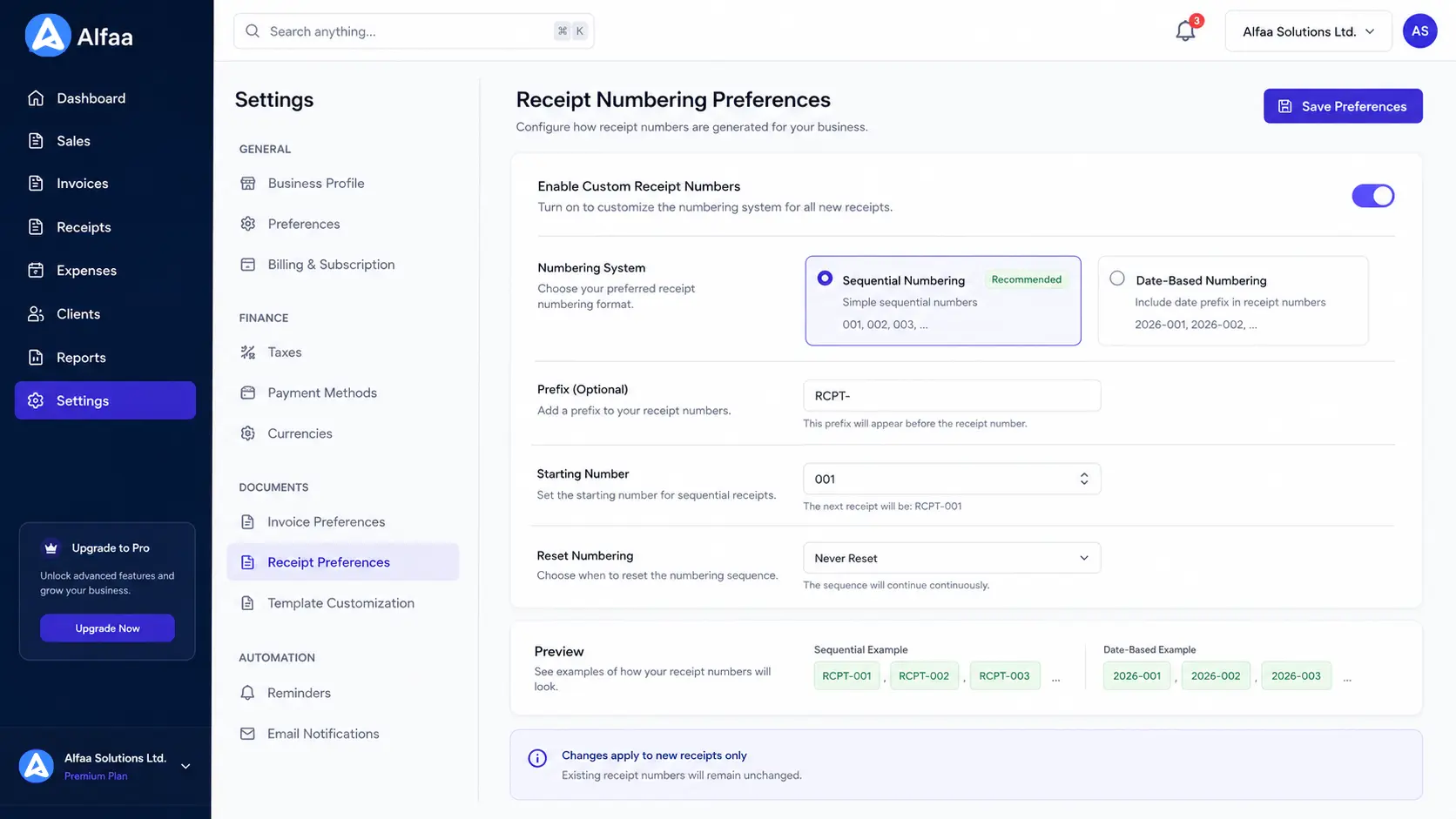
If you're using software, this is usually automatic. If you're not, decide on a simple system before your second receipt, not after: a running count starting from 001, or a date-based format like 2026-001. The point isn't the format, it's consistency. A gap in your own receipt numbers is exactly the kind of thing that looks wrong later, even when nothing was actually wrong.
Special case: a cash transaction
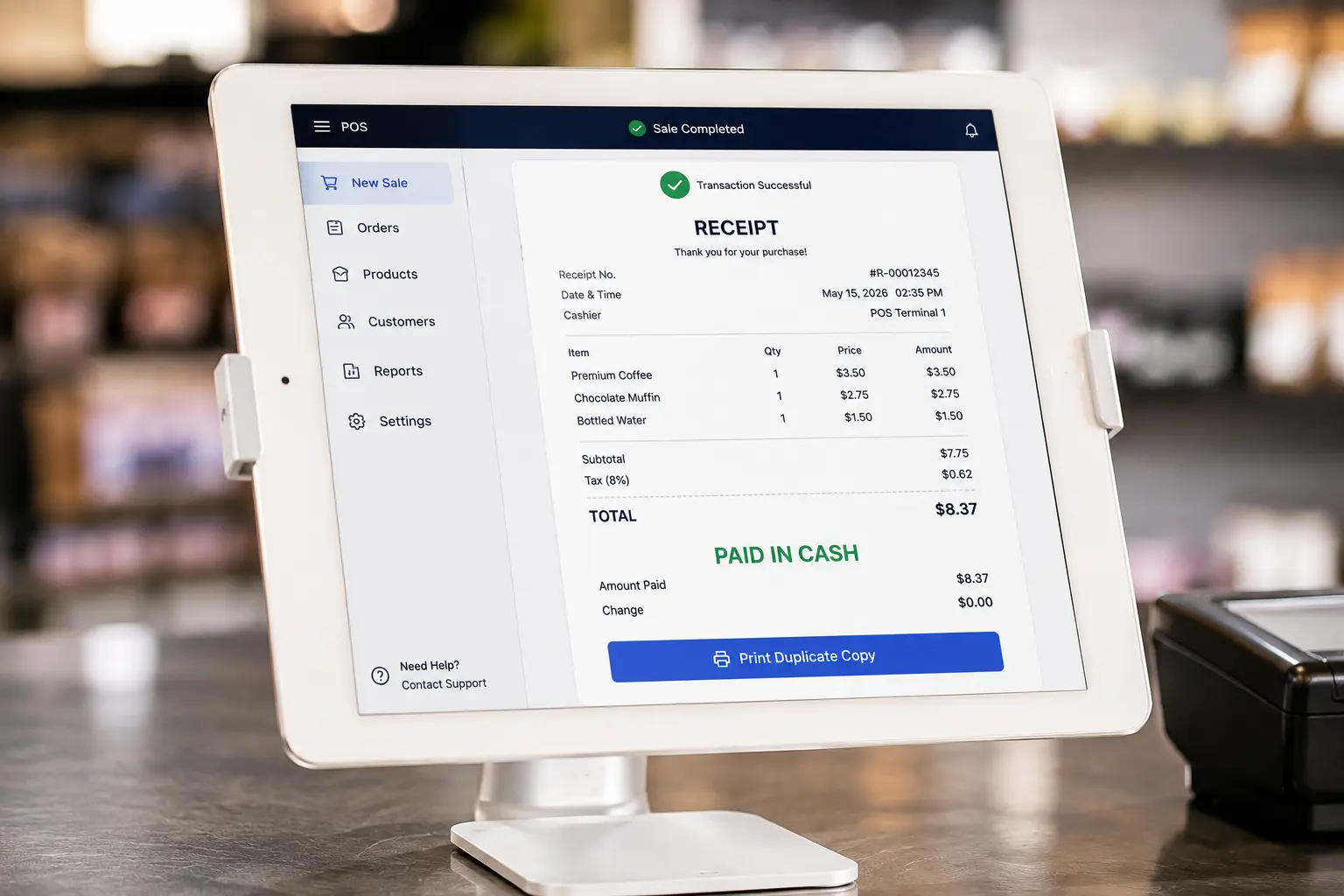
This is the situation where a receipt matters most, since cash leaves no other paper trail on either side. A few things to get right:
Write it at the moment of payment, not later from memory. The gap between "I'll write it after this next customer" and actually doing it is where amounts get misremembered.
Note explicitly that it was cash. This matters for your own bookkeeping later, since cash income is the category most likely to get questioned in a review.
If you're handing over a paper receipt on the spot, keep a copy or a duplicate for yourself, whether that's a carbon copy, a photo, or a note in a log.
Special case: service work, not a single item
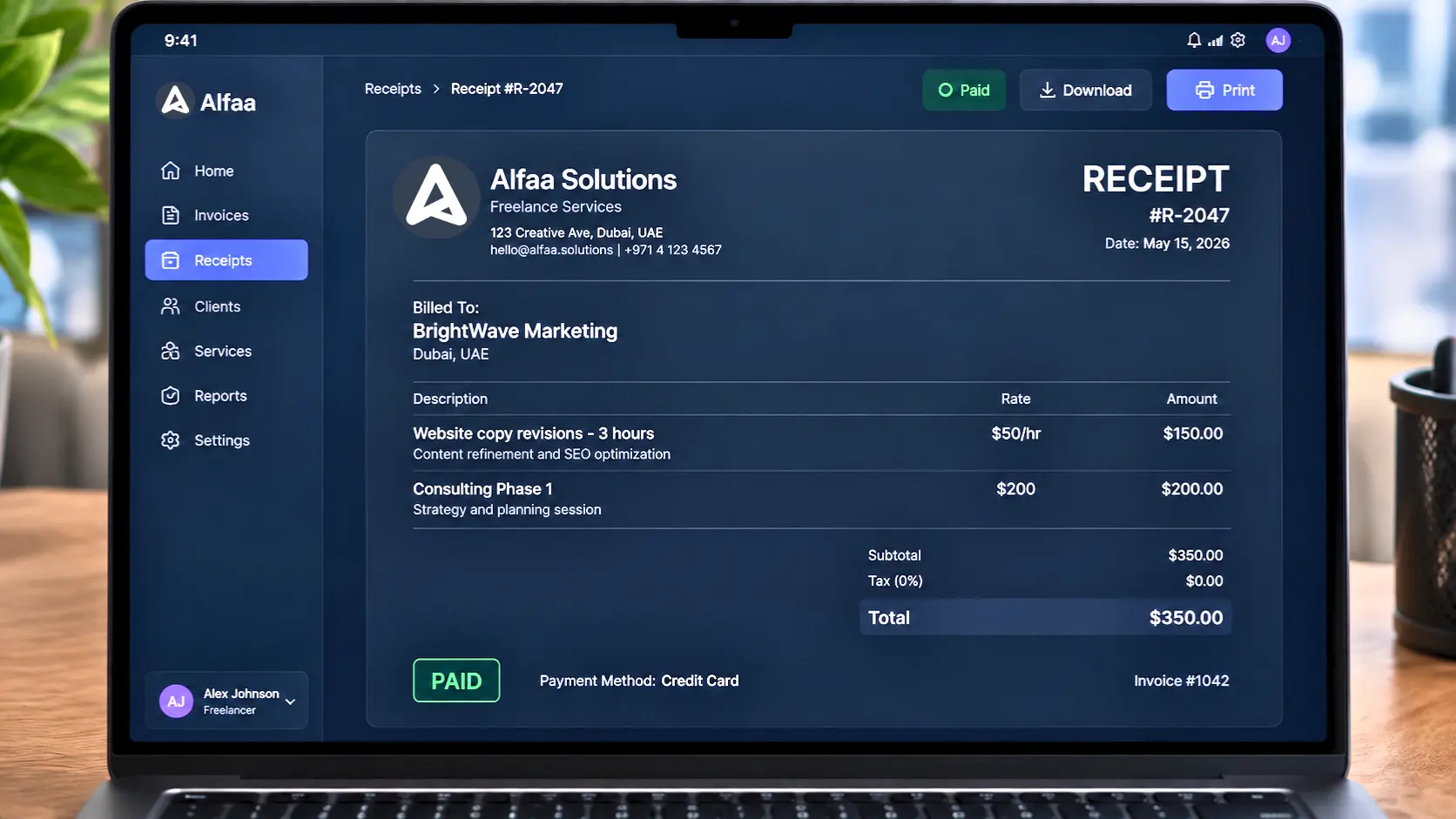
A repair job, a consulting hour, a freelance project, none of these fit the "item, quantity, price" shape most receipt templates assume. For service work:
Describe what was done, not just a price ("Website copy revisions, 3 hours" rather than just an amount)
If the payment covers a specific period or project phase, state that period explicitly, the same way a recurring or retainer invoice needs to state its billing cycle
Reference the original invoice or agreement if one exists, so the receipt isn't a standalone document with no context
Special case: a partial payment or deposit
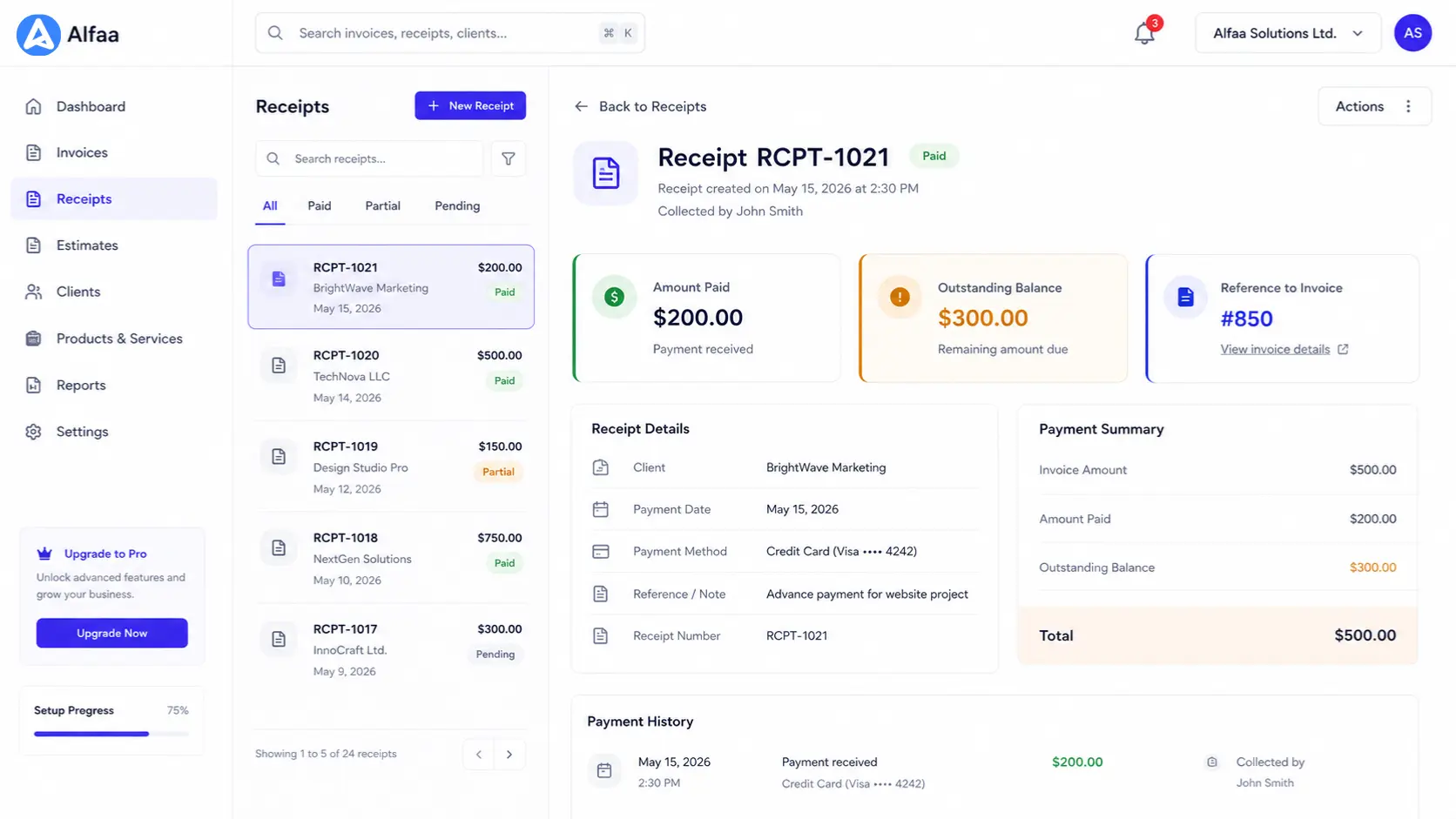
If the amount received isn't the full amount owed, the receipt needs to say so plainly: the amount paid, the amount still outstanding, and ideally a reference to the invoice or agreement covering the full total. A receipt showing only "amount paid" with no context leaves both sides guessing whether the transaction is finished or partway through.
Step 5: Deliver it
Email, text, or printed handout, whichever fits the transaction. For anything beyond a casual in-person exchange, sending a copy you can both point back to later (email, rather than only a paper handout with no copy kept) saves a real headache if the receipt is ever questioned or needs reissuing.
Step 6: Keep a copy, filed somewhere you'll actually find it
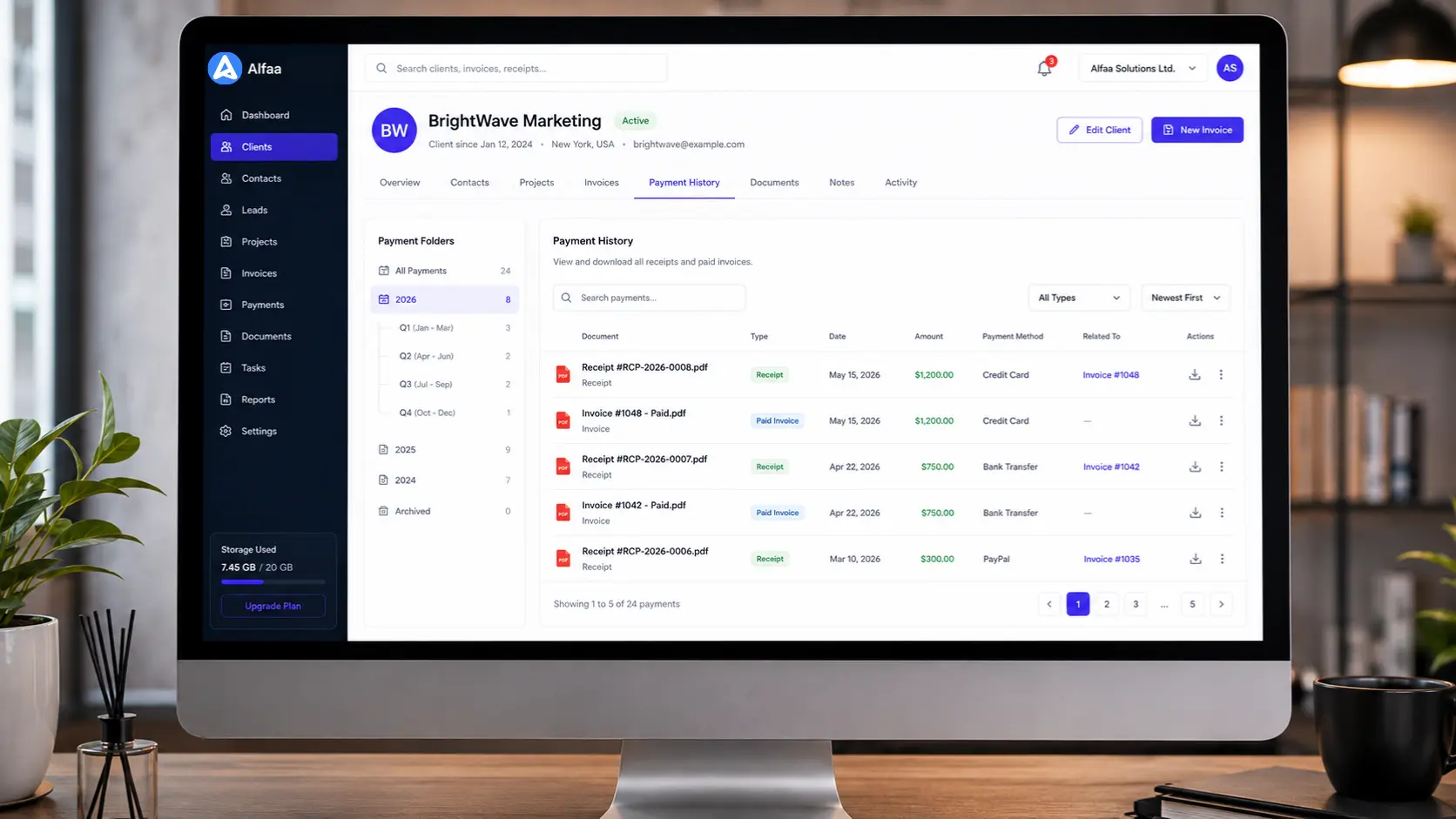
Most tax authorities expect records to be kept for five to seven years, which makes the receipt written today a lookup problem for future you, not present you. A folder of loose PDFs and paper slips technically satisfies the retention requirement. Finding the right one three years from now is a different problem entirely. Keeping receipts attached to the client and invoice they belong to, rather than as disconnected files, is what actually makes that lookup fast when someone eventually asks. Saved client records exist for exactly this reason.
If you're the one receiving a receipt, not writing one
Worth a quick check before filing it away: does it show the actual amount you paid, the date, and what it was for? A receipt missing any of these is harder to use later for a return, a warranty claim, or an expense report, and it's worth asking for a corrected one on the spot rather than discovering the gap when you actually need it.
Is a handwritten receipt as valid as a digital one?
Generally yes, provided it has the same information: date, amount, what it was for, and both parties identified. A photo of a handwritten receipt holds up the same way the original does for most tax and expense purposes. What digital formats actually add isn't legal validity, it's durability. A photo on a phone can get lost as easily as the paper it's a photo of; a stored digital record tied to your invoicing system doesn't disappear when a phone does.
When doing this manually starts costing you more time than it saves

Writing one receipt by hand takes a couple of minutes. Doing it consistently, correctly numbered, and correctly filed for every transaction across a growing number of clients is where manual starts to break down. The signal to watch for isn't a specific volume, it's whether you're reconfirming your own numbering sequence or hunting for last month's copy of something you already wrote once. Alfaa's free invoice generator covers the occasional one-off. For anything recurring, invoicing built to track payment status means the paid invoice already functions as the receipt—no separate document and no separate numbering system to maintain by hand.
Frequently Asked Questions
No. A handwritten or typed receipt is valid as long as it includes the date, amount actually paid, what it was for, payment method, and both parties' details. Software mainly helps with consistency and record-keeping at volume, not validity.
Date, amount paid, what it was for, how it was paid, and who paid whom. A receipt number is strongly recommended even for a single transaction, since it gives both sides something concrete to reference later.
Write it at the moment of payment rather than from memory afterward, state explicitly that it was cash, and keep a copy for yourself, since cash transactions have no other paper trail to fall back on.
Yes. Describe what work was done and the period it covers, rather than trying to force it into an item-and-quantity format built for retail sales.
Generally yes, for most personal and small business record-keeping purposes, provided the photo is legible and you can still find it when needed. The bigger practical risk is losing track of it, not its validity.

Olivia Bennett
Content Writer @ Alfaa
Olivia is a content writer at Alfaa who specializes in invoicing, small business, and productivity topics. She enjoys simplifying complex ideas into clear, practical insights that help business owners save time, get paid faster, and stay organized.